Infrastructure & Security · Oct 27, 2026
Account keys may have been stolen from an FX auto-trading cloud: cut your sessions first
Part 5 of the series "How leaks happen, and how to defend now." Up to 26,739 servers on Onamae.com Desktop Cloud may be affected. Changing your password may not end sessions that are already open. What current users should do, in order, and how to prepare if you keep using such a service
Seiichi Tanaka · Editor-in-Chief

Key points
- Up to 26,739 servers may be affected. That is not a count of confirmed victims, and the total losses and number of cases have not been disclosed
- Changing a password and ending sessions are separate steps. First, contact your FX broker and have all sessions terminated
- Change passwords from a device you don't use for FX (a smartphone or another computer), and where passwords were reused, change email and Google first
- When the cloud stops, the EA's stop-losses stop too. Check positions, orders, balances and withdrawal history yourself, and keep screenshots and records as evidence
- If you continue, keep nothing but the account key on the cloud Windows machine, and give the read-only investor password to anyone who only needs to view the account
GMO Internet's cloud service "Onamae.com Desktop Cloud" (お名前.com デスクトップクラウド) has been hit by unauthorized access, and up to 26,739 servers may be affected. That is not the number of confirmed victims. It is the number of servers whose stored information may have been affected. That information includes login credentials for FX trading accounts saved in trading software.
From October 21, users began reporting to GMO that their trading accounts had activity they did not recognize. Kyodo News reported on October 25 that an office worker in Osaka Prefecture lost about ¥1.8 million overnight, with a balance of about ¥3 million falling to about ¥1.2 million. The total losses and the number of cases have not been disclosed.
What is happening: account keys left on a hosted Windows machine
The service rents out Windows machines in the cloud, so users can run FX auto-trading software (MT4 and MT5) around the clock even with their own computers switched off. ITmedia NEWS reported on October 21 that plans start at ¥2,640 a month and that the service has had more than 200,000 contracts in total.
The setup has three layers. A user connects from their own computer to the cloud Windows machine, which runs MT4/MT5, the EA (the auto-trading program) and the saved login credentials. From there, trades go to the FX broker's servers. The money sits with the FX broker. What sits on the cloud Windows machine is the "key" to the account.
Unattended trading only works if the key stays there. When "Save password" is enabled, MT5 automatically connects to the last-used account at startup (MetaQuotes official help). Logging out every time doesn't work with auto-trading, so defense centers on limiting the damage if the key is stolen.
Timeline from GMO's announcements
GMO's announcements have been posted, in sequence, on the GMO Internet and Onamae.com notice pages (2nd notice, 3rd notice, 4th notice, 5th notice, 6th notice (English), 7th notice). The notice numbers below are GMO's own.
- October 19: Began investigating after inquiries from users (2nd and 3rd notices).
- October 20: Found malicious programs placed by a third party in some users' server environments. Suspended new sign-ups and the control panel.
- October 21, 4:00: Began shutting down servers on all plans in sequence and issued the 1st notice.
- From October 21: Received reports of unrecognized activity in trading accounts.
- October 22: Consulted the police.
In its 4th notice, at 11:50 on October 24, GMO acknowledged a problem in its own system. The notice does not say what kinds of information were taken or how many people were affected.
We have confirmed that a security problem existed in the system of this service, and that there was unauthorized access to the service environment and that customer information was taken outside.
GMO Internet, 4th notice on "Onamae.com Desktop Cloud"
According to the 4th notice, a party believed to be the attacker demanded money and threatened to keep making unauthorized trades in accounts at more than 70 securities firms, FX brokers and similar companies in Japan and abroad. GMO did not pay and reported the matter to the police cybercrime unit. In the 7th notice, GMO said a demand of about ¥8 billion had been made by the time of the 1st notice.
According to the 7th notice (October 26), GMO received a warning from a party believed to be the attacker that it would publish user information and carry out a ransomware attack at 12:00 on October 27. This was a threat, and no follow-through has been confirmed (as of this article's check at 9:00 on October 27). GMO said it is pressing requests to relevant government agencies, including for measures related to active cyber defense, but it does not say any such measures have been put into effect.
Group CEO Masatoshi Kumagai apologized in a blog post on October 25. He wrote that in-house white-hat hackers had flagged areas for improvement in the service to the team running it beforehand. The team accepted the findings and began work on countermeasures, but, weighed against keeping the service running and other factors, the response was not deep or fast enough, and that gap was exploited. He did not say when the issues were raised or what they were.
GMO Click Securities announced on October 26 that the unauthorized access occurred at Desktop Cloud, not in its own trading services. GMO Internet and GMO Click Securities are separate companies.
At this time, no unauthorized activity related to this incident has been confirmed in our customers' accounts.
GMO Click Securities, notice regarding unauthorized access to "Onamae.com Desktop Cloud"
Why shutting down servers or changing passwords doesn't end it
GMO began shutting down servers on all plans in sequence from October 21. But any keys already taken outside can't be erased. If an attacker can reach the FX broker from somewhere else, trading can continue.
And changing the password may not lock the attacker out right away. The 3rd notice says:
Even after a password is changed, depending on the server specifications of securities firms, FX brokers and others, existing connection sessions may be maintained for a certain period, allowing a third party to continue trading.
GMO Internet, 3rd notice on "Onamae.com Desktop Cloud"
Changing a password and ending a logged-in session are separate steps. That is why, in its 4th notice, GMO asked major exchanges and securities firms to block access coming through the service, forcibly terminate all active sessions, and urgently monitor for and stop unauthorized trades.
There is also the reverse problem. Stop-losses built into an EA work only while the EA is running inside the cloud. Shut the cloud down, and the stop-losses stop too.
Where two-factor authentication helps, and where it doesn't
What follows is general guidance and does not identify the intrusion route in this case. There are three authentication doors: (1) GMO's control panel, (2) the connection to the cloud Windows machine, and (3) the FX broker account. What two-factor authentication protects depends on which door it guards.
Two-factor authentication guards new logins. If only the password was stolen and the FX broker requires two-factor authentication on every login, it is a strong defense. But if an attacker uses a session that is already logged in, or operates software that is already logged in, two-factor authentication never comes into play.
MT5 supports two-factor authentication (one-time passwords) using a code that refreshes every 30 seconds in an app such as Google Authenticator. However, it works only if the FX broker has enabled it on its server (MetaQuotes official help). Check with your own FX broker whether it is available.
The method was different, but the Okta case also involved stolen proof of login. According to a report dated November 3, 2023, attackers got into Okta's support system and viewed files belonging to 134 customers, and session tokens contained in some of those files (HAR files) were used to hijack legitimate sessions at five of them. The root cause was an employee who had signed in to Chrome on a company laptop with a personal Google account, where the username and password for a service account had been saved.
What to do today: for current users, in order

Figure 1 sums up, in five steps, what current users of "Onamae.com Desktop Cloud" should do, in order. IT staff fielding questions from employees or business partners can walk them through it in the same order. Detailed steps follow.
- 1. Contact your FX broker and have all sessions terminated. If you can end them yourself, do that as well. Changing your password alone is not enough (3rd notice). If needed, ask the broker to temporarily suspend trading and withdrawals.
- 2. Change your password. Do it from a device you don't use for FX trading (a smartphone or another computer) (3rd notice). If you have already changed it, change it again under this condition.
- 3. Check positions, orders, trade history, balances and withdrawal history. With the EA stopped, its stop-losses won't work. Manage positions yourself, and report any unrecognized trades to your FX broker first.
- 4. Keep evidence. Save trade history, notification emails, screenshots and records of your inquiries. Compensation claims may require records and documents of trades and connections (4th notice).
- 5. Change every password you reused elsewhere. This includes other passwords saved on the cloud Windows machine and passwords saved in browsers. Change email and Google first, since they are used to reset other passwords.
- 6. Turn on two-factor authentication. If your FX broker offers it, enable it at this point.
- 7. Follow the four requests in the 6th notice (October 26, 19:00).
- Run a full antivirus scan (not a quick scan) on every device you used to connect.
- Back up important data to an external storage device disconnected from the internet.
- From a separate, safe device, and using only official websites, review your accounts. Log out of all devices and sessions; change passwords for FX, securities, email, Google and similar accounts; and set up multi-factor authentication. Remove any unrecognized connected apps, email forwarding rules, browser extensions and registered devices, and turn off browser sync until the review is done.
- If you wish, lend the computer you used to connect for investigation (optional).
- 8. When you resume, use a new environment. Don't carry over settings or files from the old environment as they are. Set new passwords before running the EA. GMO will not restart the current system as it is, and for users who want to keep using a Windows environment, it will provide a different cloud service free for six months (4th notice).
- 9. Don't respond to messages offering to "recover your losses" or asking for your password. In its 7th notice, GMO urged users not to respond to messages asking for money.
We will never ask for your password or authentication code.
GMO Internet, 7th notice on "Onamae.com Desktop Cloud"
What to know before filing for compensation
- Every current subscriber will receive a flat ¥5,000 goodwill payment, whether or not they suffered losses (4th notice).
- Compensation covers realized losses (trading losses and fees) on trades that GMO confirms were unauthorized trades resulting from the intrusion. Losses from market movements and lost potential profits are not covered.
- If an exchange or other party issues a refund, GMO will pay the remainder after subtracting that amount. If they don't refund, GMO will still pay the covered losses.
- GMO plans to announce details on how to apply for the goodwill payment and the replacement service by 23:59 on October 30, and for loss compensation by November 6. Have the records from step 4 organized by then.
Preparing if you keep auto-trading in the cloud

Figure 2 sums up five things people who keep auto-trading in the cloud should set up in normal times. Users alone can't prevent problems on the service side, and none of these guarantees protection. Still, they change how much damage a stolen key can do.
What to keep on the cloud Windows machine
- Don't use your FX account password anywhere else. Keep your email password especially separate.
- Keep nothing but the account key there. No bank logins, email passwords, password lists or keys to other services. The account key needed for unattended trading will still be there, so understand that this risk remains.
- Give the "investor password" to people and tools that only need to view the account. MT4/MT5 accounts have a "master password" that can trade and an "investor password" that can view the account but not trade (MetaQuotes official help). Use the investor password for sharing performance or monitoring.
What to set up on the FX broker's side
- Use the protections your FX broker offers. These include two-factor authentication, login and trade-execution notifications, locked withdrawal destinations and order limits. What's available varies by broker, so check with your own broker's support.
- Receive notifications on your own smartphone. If you watch only from inside the cloud, you won't notice when the cloud is shut down or hijacked. Have notifications for trade executions, logins and changes to withdrawal destinations sent to a device you have with you.
Decide in advance how to stop
- Don't make the EA's stop-loss your last line of defense. It works only while the cloud is running and the EA hasn't been hijacked. In fast markets, there is no guarantee orders will fill at the price you set.
- Write down how to stop on paper. Note your FX broker's emergency contact, your account number, how to end sessions and how to stop the EA. If you suspect a breach, stop first, before trying to keep trading.
Look for the same kind of key beyond auto-trading
Leaving long-lived keys in someone else's environment so that something can run unattended is not unique to FX. IT staff should list the following keys within their own areas of responsibility.
- API keys for automated stock and crypto trading. Where a crypto exchange allows it, use keys that separate trading permissions from withdrawal permissions.
- Keys given to AI agents. These include GitHub keys, cloud admin keys, permissions to send email and payment APIs. Narrow the permissions, require human approval before high-impact actions, keep logs of actions, and make sure you can stop them right away. It is the same pattern covered in Part 2 (AI tools and npm) and Part 4 (SaaS integrations).
- Work credentials saved in browsers on company computers. As in the Okta case, check that service-account usernames and passwords aren't saved in a Chrome profile signed in with a personal Google account.
Limiting the damage after a breach: the first five minutes
If you suspect a breach, there are four things to do in the first five minutes, in this order.
- Contact your FX broker by phone or app and end your sessions.
- Change your password on a separate device you don't use for FX.
- Check your positions and history.
- Take screenshots.
On users' own devices, GMO said in its 5th notice (October 24, 15:00) that it is investigating, including any impact, and that the steps for users' devices are precautionary, to prevent secondary damage. It has not been confirmed that users' own devices were infected. Even so, complete the full scan and account review from the 6th notice.
GMO has collected devices nationwide from users who agreed to cooperate (completed as of 22:00 on October 26), and a team of white-hat hackers in the GMO group is examining them for malicious programs, including ransomware. Users who want their devices examined can sign up for the optional investigation in the 6th notice.
This differs from the securities account takeovers in Japan in 2025, in which login credentials were stolen through phishing and similar methods, in where the intrusion happened. This time, GMO has acknowledged a problem in the service's own system. Don't treat it as the user's fault. Prioritize contacting your FX broker and GMO, and keeping records.
What is not known
As of 9:00 on October 27, the following has not been disclosed.
- How the attackers got in, and what problem in which system was involved. GMO has only described it as a "security problem."
- What kinds of information were taken and how many people were affected. How many accounts suffered losses, and the total amount.
- Whether the threat for 12:00 on October 27 was carried out.
- Whether users' own devices were affected. GMO is collecting and analyzing devices.
- When the white-hat hackers raised their concerns, and what they were.
Sources
- GMO Internet, 2nd notice on "Onamae.com Desktop Cloud" (October 22, 2026)
- Onamae.com, 3rd notice on "Onamae.com Desktop Cloud" (October 23, 2026)
- GMO Internet, 4th notice on "Onamae.com Desktop Cloud" (October 24, 2026)
- GMO Internet, 5th notice on "Onamae.com Desktop Cloud" (October 24, 2026)
- GMO Internet, 6th notice on "Onamae.com Desktop Cloud," English version (October 26, 2026)
- Onamae.com, 7th notice on "Onamae.com Desktop Cloud" (October 26, 2026)
- GMO Click Securities, notice of October 26, 2026
- Masatoshi Kumagai, blog post (October 25, 2026)
- MetaQuotes, MetaTrader 5 Help: "Authorization"
- MetaQuotes, MetaTrader 5 Help: "OTP"
- Okta, "Unauthorized Access to Okta's Support Case Management System: Root Cause" (November 3, 2023)
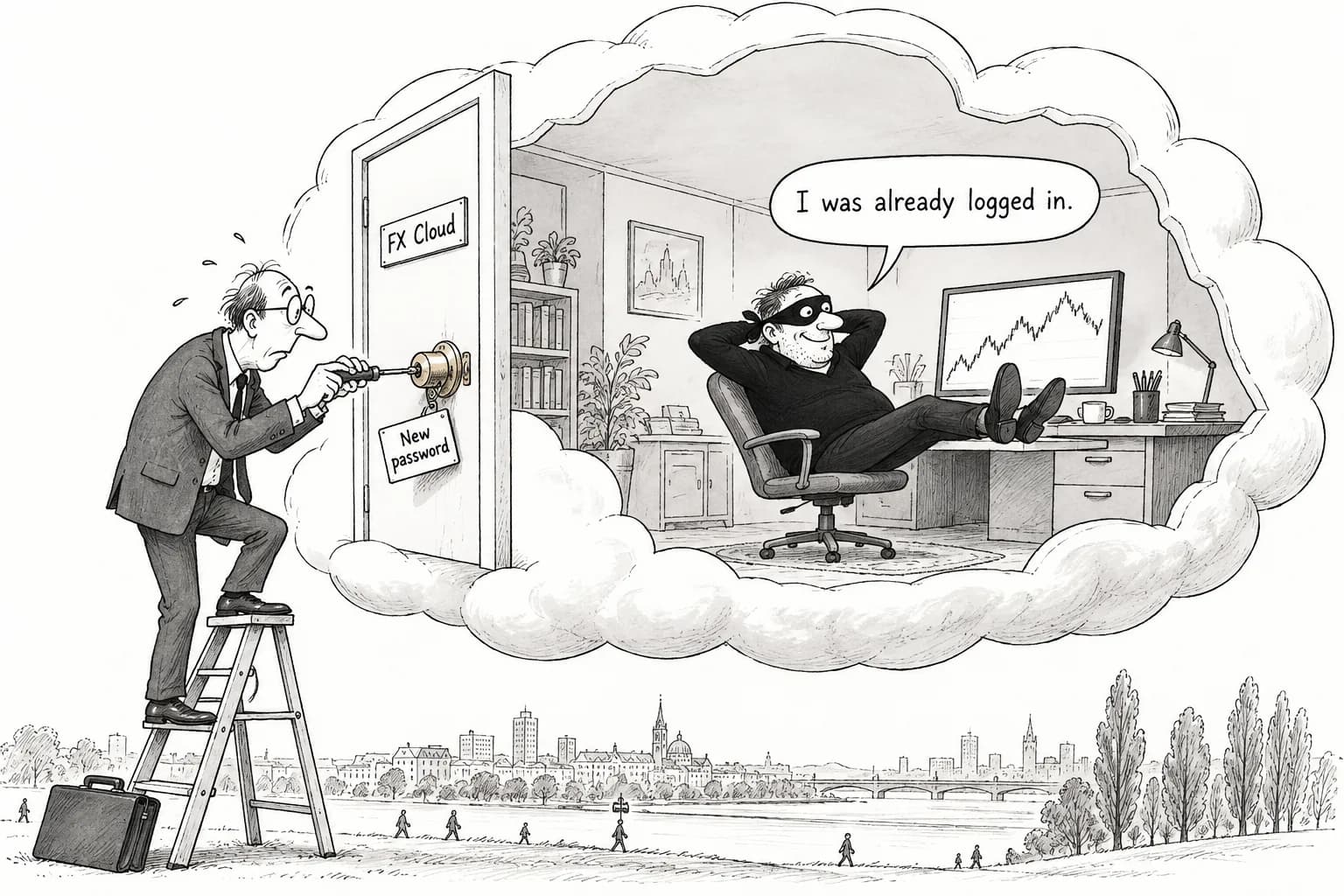
Editorial cartoon
Sources
- https://internet.gmo/news/article/247/
- https://www.onamae.com/news/article/11595
- https://internet.gmo/news/article/249/
- https://internet.gmo/news/article/250/
- https://internet.gmo/en/news/article/252/
- https://www.onamae.com/news/article/11610
- https://www.click-sec.com/corp/news/info/20261026-01/
- https://www.kumagai.com/?eid=19600
- https://www.metatrader5.com/en/terminal/help/startworking/authorization
- https://www.metatrader5.com/en/terminal/help/start_advanced/otp
- https://sec.okta.com/articles/2023/11/unauthorized-access-oktas-support-case-management-system-root-cause/