Infrastructure & Security · Oct 21, 2026
Twelve days from attack to full token revocation: review your SaaS integration keys today
When an integration partner is breached, attackers can walk into your Salesforce through the front door with a duplicate key — Part 4 of the series "How data leaks happen, and what you can do now"
Seiichi Tanaka · Editor-in-Chief

Key points
- In the Drift incident, it took 12 days from the start of the attack around August 8, 2025, until all tokens were revoked on August 20. When an integration partner discloses an incident, revoke your tokens the same day
- By default, Salesforce refresh tokens stay valid until revoked. Use "OAuth Connected Apps Usage" in Setup to revoke tokens for apps you don't need
- Set the IP policy for connected apps to "Enforce IP restrictions." Remove "API Enabled" from profiles and grant it through permission sets only to users who need it
- Search case and account records for strings such as AKIA, snowflakecomputing.com and password. Don't just delete any keys you find from the records; revoke and rotate them
Between about August 8 and 18, 2025, attackers took data from many companies that had connected Drift, the sales engagement product from Salesloft, to Salesforce. They did it with OAuth tokens that Drift held. Salesloft and Salesforce revoked all active Drift tokens on August 20, 2025, 12 days after the attack began.
On June 12, 2026, the competitive intelligence company Klue detected unauthorized activity in its integration infrastructure. Again, attackers used OAuth tokens that connect Klue to external services, and accessed data in several customers' environments on external services including Salesforce. Neither incident happened in Japan, but connecting external services to SaaS applications is common there too, and the same defenses apply.
Attackers can walk in through the front door even if your own setup has no holes
Business SaaS platforms such as Salesforce connect to external services, including sales engagement, chat and competitive intelligence tools, through "integrations." These integrations use OAuth, which works by giving the external service a duplicate key, or token. The company that receives the key is the one that stores it.
If that company is breached, attackers can use the key to walk straight into your SaaS environment without a password or multi-factor authentication. That can happen even when your own settings have no holes.
What happened at Drift and Klue
Salesloft Drift (August 2025)
Google Threat Intelligence Group (GTIG) published a report on August 27, 2025, and updated it on August 28. GTIG tracks the attacker as UNC6395. The attacker used Drift OAuth tokens to get into companies' Salesforce instances. The objects queried included Cases, Accounts, Users and Opportunities.
GTIG assesses the primary intent of the threat actor is to harvest credentials.
Source: Google Threat Intelligence Group, "Widespread Data Theft Targets Salesforce Instances via Salesloft Drift"
According to Google, the attacker searched the exported data for AWS access keys (those beginning with AKIA), passwords and Snowflake tokens. Keys that employees or customers paste into support cases and leave there become material for the next intrusion. The attacker deleted the query jobs they had run, but the logs remained.
The August 28 update showed that the impact went beyond the Salesforce integration. OAuth tokens for "Drift Email" were also stolen, and on August 9 the attacker read email from a very small number of Google Workspace accounts that had been integrated with Drift. Google urged organizations to treat all authentication tokens stored in or connected to Drift as potentially compromised.
Figure 1 shows the timeline from the start of the attack to the revocation of all tokens.
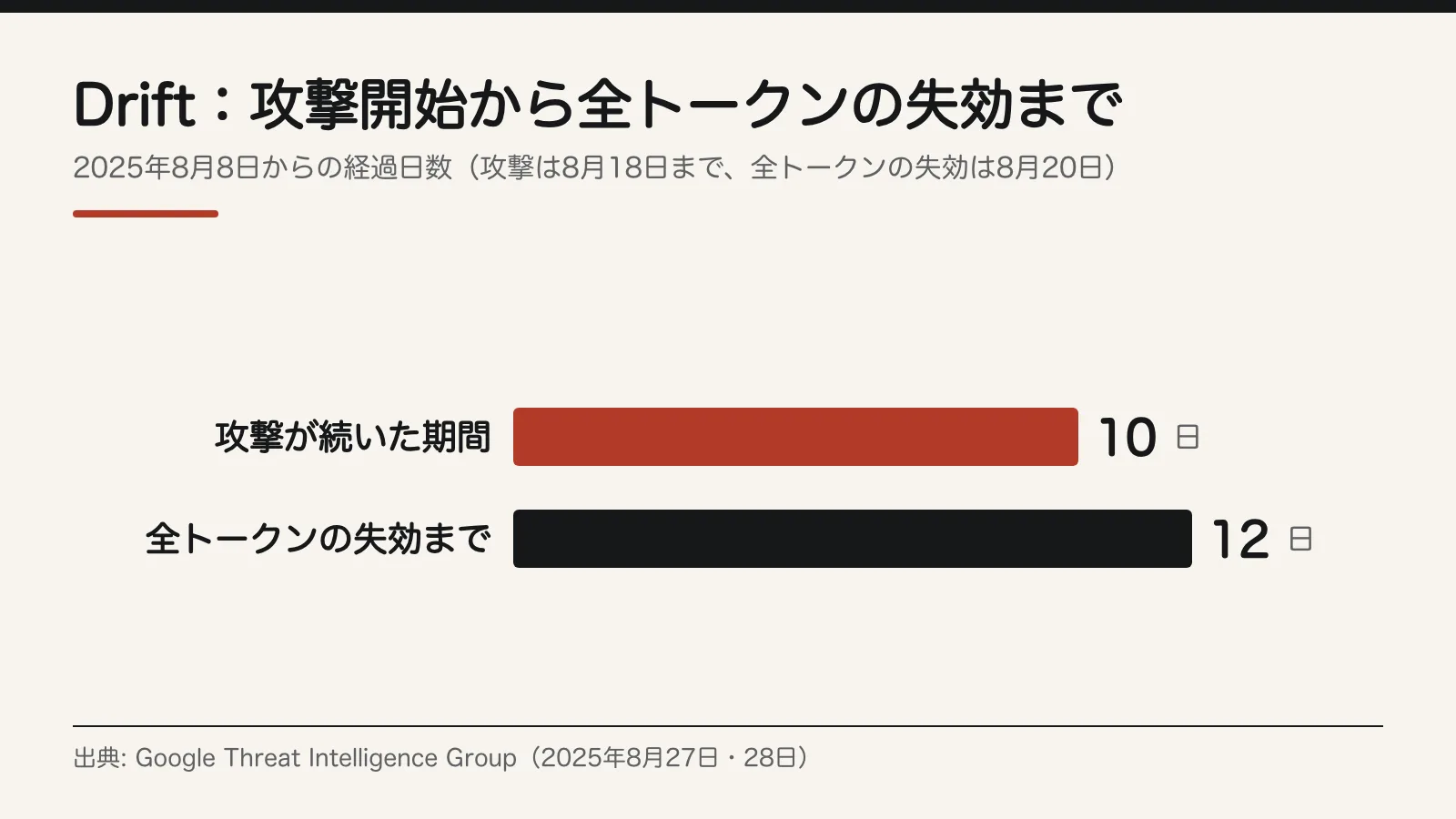
When the tokens were revoked on August 20, 2025, Salesforce also removed Drift from AppExchange. But you don't have to wait for the integration partner or the SaaS vendor. If you revoke the tokens yourself, your company's copies of the key stop working at that moment.
Klue (June 2026)
In an announcement on June 18, 2026, Klue said it had detected unauthorized activity in part of its integration infrastructure on June 12. CEO Jason Smith explained the cause:
Our investigation determined that an attacker gained access through a compromised legacy credential associated with an integration service.
Source: Klue, "An update on recent Klue security incident"
From there, the attacker obtained the OAuth tokens used to connect Klue to external services. With them, the attacker accessed data in several customers' environments on external services including Salesforce. Klue has not disclosed when, to whom or for what purpose the legacy credential was issued.
Klue says it has found no evidence that customer data stored in Klue's own environment was affected, a finding it describes as preliminary. Klue revoked credentials and tokens, removed malicious code and disabled potentially affected integrations. It brought in outside experts including CrowdStrike to investigate and notified law enforcement.
According to BleepingComputer, Huntress disclosed that its Salesforce instance was affected and that business contacts, sales communications and pricing information were stolen. Recorded Future, Tanium, Jamf and others have also confirmed they were affected. The extortion group Icarus has claimed responsibility for the attack, but Klue has not confirmed that claim.
What every organization should do today: list the external services you've connected
This covers every SaaS application your company uses, including Salesforce, Google Workspace, Microsoft 365 and Slack. Work in three steps: build an inventory, remove integrations you don't use, and decide how you'll shut them off.
1. Build an integration inventory
- For each SaaS application, list every connected external service. Don't survey employees; pull the list of integrations from each application's admin console.
- For each integration, record four items: the service name, who connected it, the scope of permissions granted and the date it was last used.
- A single spreadsheet is enough. Add "the screen you open to shut it off" and "the person responsible for shutting it off" to the four items above for six columns.
- Flag integrations whose owner has left the company or changed roles, and review those first in the next step.
2. Remove integrations you don't use
- Start with integrations left connected after a trial and those that haven't been used in a long time.
- In the Klue case, the way in was a "legacy credential." The less an integration is used, the more likely it is to be a key no one is watching.
- For integrations whose owning department is unknown, ask the whole company with a one-week deadline, and remove them if no one responds.
- When you remove an integration, also revoke its tokens on the SaaS side. The Salesforce steps are in the next section.
3. Decide how you'll shut integrations off if a partner is breached
- When an integration partner discloses an incident, revoke the tokens the same day. Don't wait for the partner or the SaaS vendor to act.
- In the Drift case, it took 12 days from the start of the attack for Salesloft and Salesforce to revoke all tokens.
- As Google urged in the Drift case, treat all authentication tokens stored in or connected to that partner as potentially compromised. That includes connections to services other than Salesforce, as with Drift Email.
- So that you don't miss a disclosure, record each partner's security notice page and contact in the inventory.
- After revoking, carry out the "Monitor" steps in the next section and the "Search your records" steps in the section after that for each SaaS application the partner was connected to.
What Salesforce admins should do today
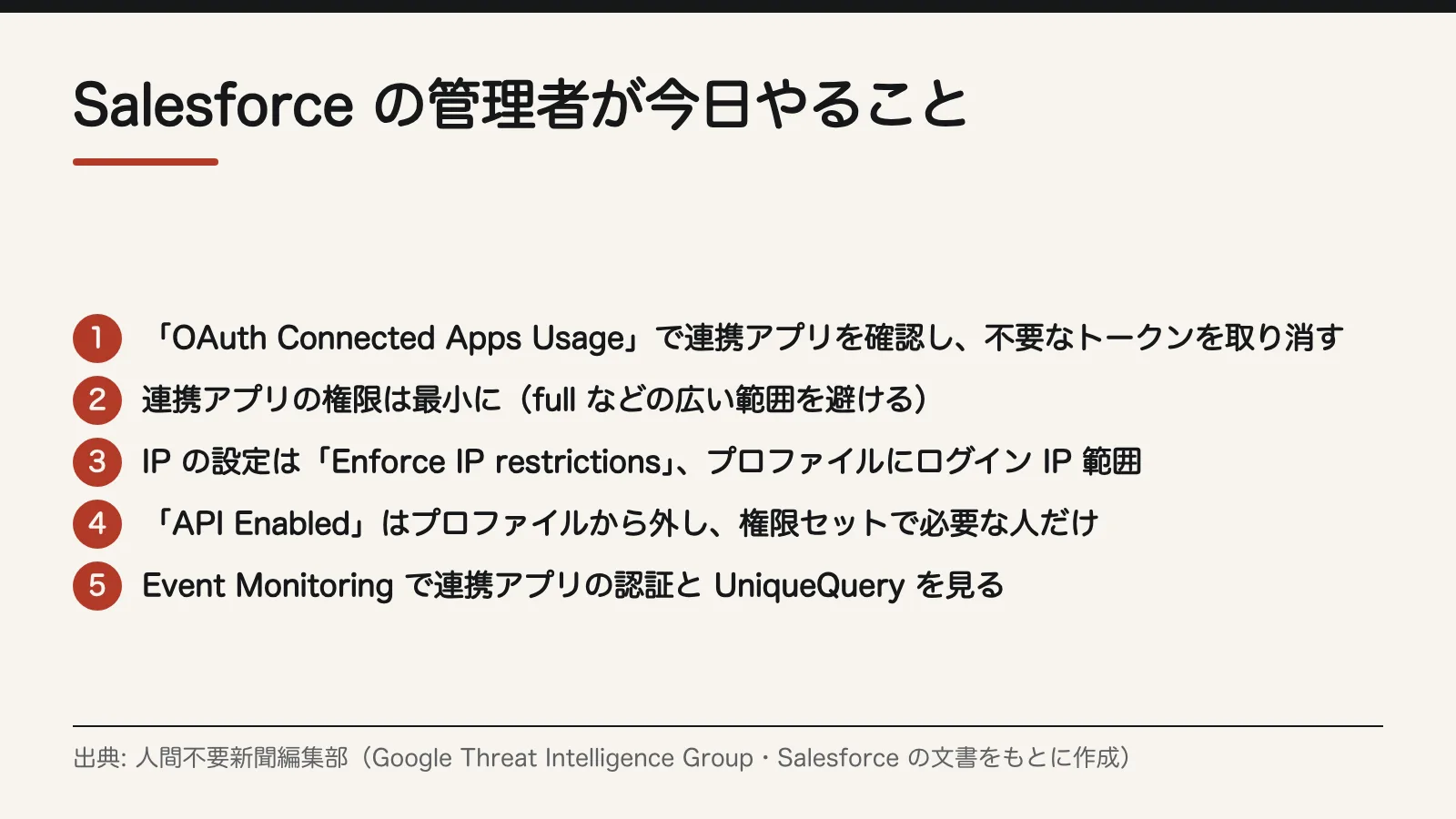
Figure 2 is a checklist of settings for admins to check, based on Google's recommendations and Salesforce's documentation. It's ordered as follows: reduce the number of keys, narrow their scope, and monitor.
Check and revoke tokens
- Open "OAuth Connected Apps Usage" in Setup. It lists connected apps and the number of users of each.
- Revoke tokens on this screen for apps that aren't in your inventory or aren't in use.
- To revoke tokens for a specific user only, use "OAuth Connected Apps" on that user's detail page.
- According to Salesforce documentation, refresh tokens by default remain valid until revoked. Include integrations that haven't been used for a while.
- If a department runs into problems after revocation, reconnect at that point with only the scope it needs.
Minimize permissions granted to connected apps
- Review the scopes granted to connected apps and avoid broad ones such as full (Google's recommendation).
- For integrations whose scope can't be narrowed, record the reason in the inventory and set a date for the next review.
- Update the "scope of permissions granted" column in the inventory to reflect the review.
Restrict where users can sign in from
- Set the IP policy for connected apps to "Enforce IP restrictions." Don't use settings that relax IP restrictions (Google's recommendation).
- Set Login IP Ranges on profiles so users can sign in only from trusted networks.
Restrict who can use the API
- First, list users who have "API Enabled" and confirm which of them actually use the API for integrations or automation.
- Remove the "API Enabled" permission from profiles (Google's recommendation).
- Grant it again through permission sets only to users who need the API.
Shorten sessions
- In Session Settings in Setup, shorten the session timeout (Google's recommendation).
- This shortens the window in which a stolen session can be used.
Monitor
- Use Event Monitoring to review connected app authentication logs.
- Review logs of executed queries (UniqueQuery events).
- Note your normal daily export volume and times, and investigate exports that differ in volume or timing (Google's recommendation).
- In the Drift case, the logs remained even after the attacker deleted the query jobs. Even if you see signs of deletion, always check the logs.
After a breach: find and remove "keys" left in your records
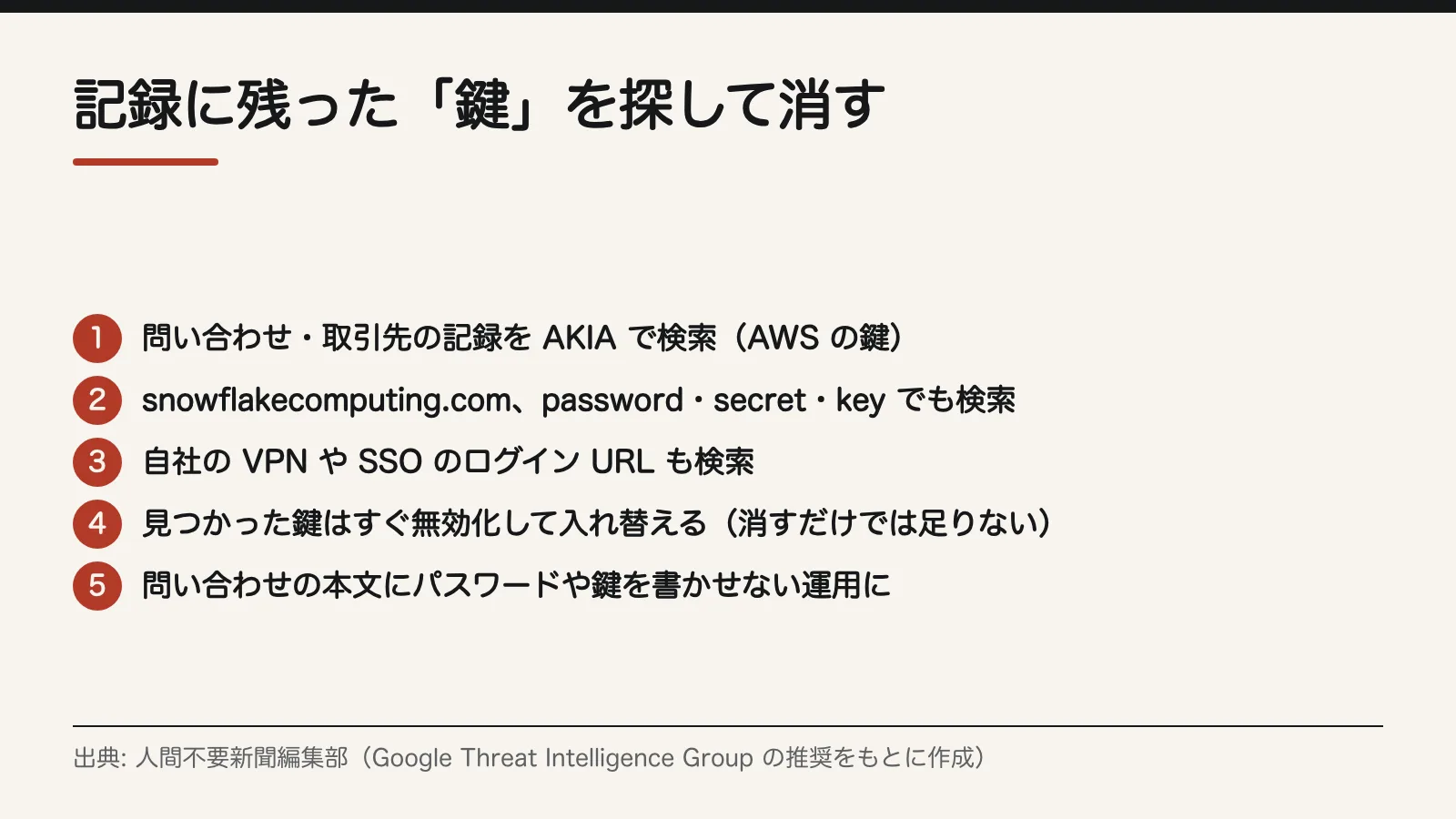
The Drift attacker searched the exported data for keys and passwords. If you learn that an integration partner was breached, check for yourself what was in the records that may have been taken. Figure 3 summarizes the steps.
Search your records
- Search records such as Cases and Accounts for the following strings (Google's recommendation).
- AKIA (AWS long-term access keys)
- snowflakecomputing.com, Snowflake
- password, secret, key
- Your company's VPN and SSO login URLs
- Google cites TruffleHog as a tool for finding secrets left in code and records.
- List the record numbers and the type of string found, and hand the list to the person responsible for rotation.
Rotate any keys you find
- Immediately revoke and rotate any keys or passwords you find.
- Deleting them from the records isn't enough. They may already have been exported.
- Keep a list of rotated keys, and check the issuer's logs for any sign the old keys were used.
Change how your support desk operates
- Don't let customers or employees put passwords or keys in the body of a support request. Say so on your support forms and in your reply templates.
- If someone does include them, the recipient should redact them.
- Don't run the searches above just once; repeat them on a fixed schedule, such as monthly.
Sources
- Google Threat Intelligence Group, "Widespread Data Theft Targets Salesforce Instances via Salesloft Drift" (first published August 27, 2025; updated August 28)
- Klue, "An update on recent Klue security incident" (June 18, 2026)
- BleepingComputer, "Klue OAuth breach victim list grows as Icarus hackers claim attack"
- Salesforce Developers documentation (Packaging Guide): Manage OAuth Access for Your Connected Apps
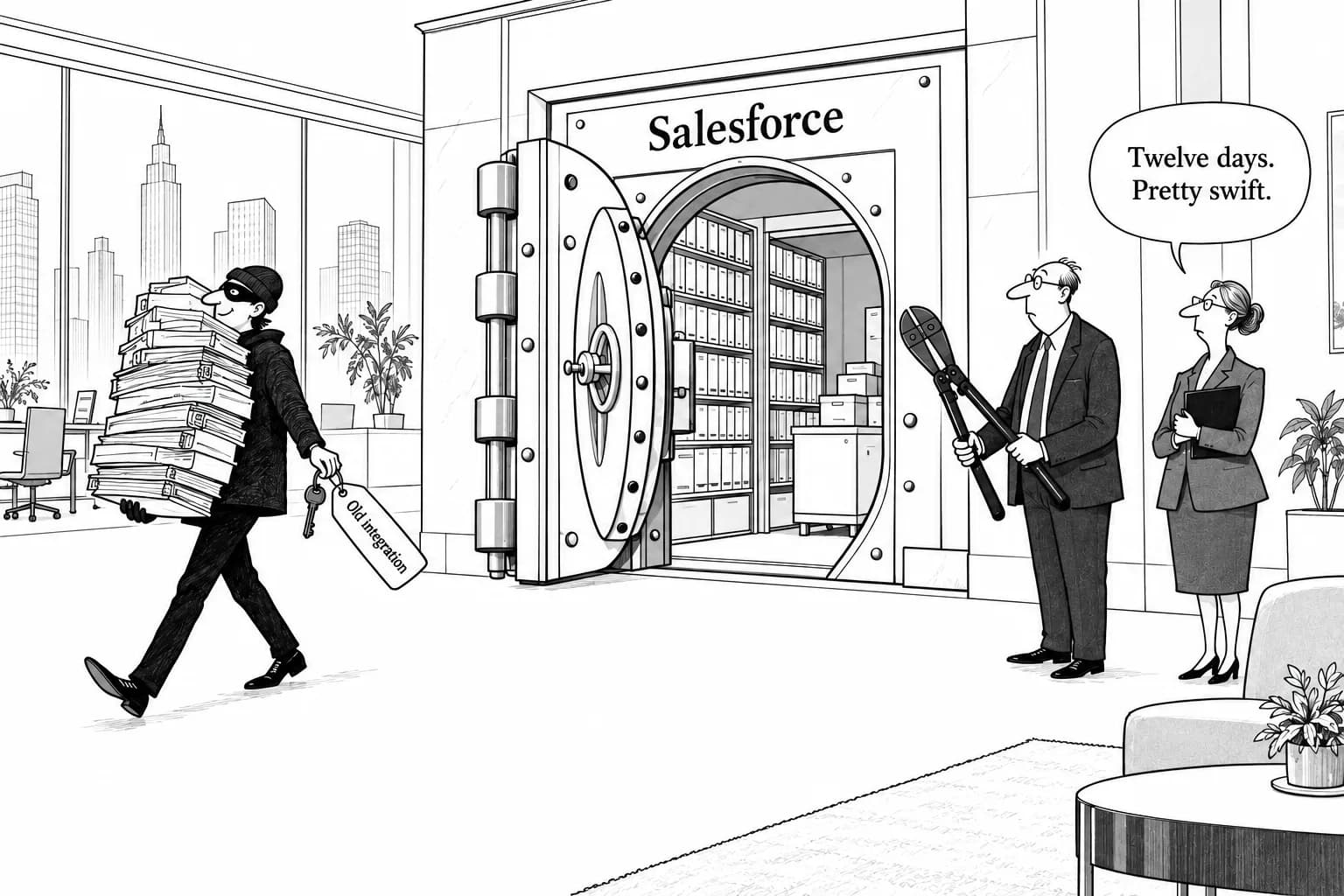
Editorial cartoon
Sources
- https://cloud.google.com/blog/topics/threat-intelligence/data-theft-salesforce-instances-via-salesloft-drift
- https://klue.com/blog/an-update-on-recent-klue-security-incident
- https://www.bleepingcomputer.com/news/security/klue-oauth-breach-victim-list-grows-as-icarus-hackers-claim-attack/
- https://developer.salesforce.com/docs/atlas.en-us.224.0.packagingGuide.meta/packagingGuide/connected_app_manage_oauth.htm