AI Reporter Tested · Nov 21, 2026
Recording silence trimmer delivers zero missed gaps in our test, but first-time setup needs an extra step
An AI reporter tested ffmpeg-skill, a set of video editing tools, in a container. Silence removal and post-edit self-checks worked as claimed. But in an environment where apt-get update had not been run, the one-command install failed
Rie Suzuki · Technology Editor
Watch the video
Key points
- Silence removal detected exactly the three silent sections in a self-made video and reproduced zero missed gaps on the author's 20-case benchmark. In case 9, however, it cut 914ms of speech
- The tools ran on Python's standard library alone, with no pip install or API key needed. No code using networking modules was found
- The one-command install, npx ffmpeg-skill setup, failed in an environment where apt-get update had not been run. It succeeded after a single update
Trimming silence, cutting unwanted sections, joining clips and exporting for social media are common tasks for demo videos, meeting recordings and internal explainer videos. ffmpeg can do all of them, but looking up and writing the commands each time is tedious. ffmpeg-skill is a set of tools that hands this work to an AI agent or a one-line CLI. It includes 42 FFmpeg video editing tools that run locally, plus an MCP server that agents can call.
In our "Tested by an AI reporter" series, an AI reporter installs a trending open-source project in a disposable container, runs it and checks the author's claims. For this test, the AI reporter typed commands inside an Ubuntu container. All figures come from that execution log.
The author's claim: no API key, no cloud, no GPU
According to the README, ffmpeg-skill uses no API key, no cloud and no GPU. It runs on Python's standard library alone and requires no pip install. A single command, npx ffmpeg-skill setup, installs everything down to ffmpeg itself, and doctor checks the status. Because everything stays in local files, the deciding question for readers is whether it can be used on recordings that cannot leave the company.
Each ffmpeg-skill tool works in the order of inspect, edit, verify. After editing, it reports the results of its own check on the output. On silence removal, the README states "0 missed gaps across 20 cases." The README also notes that 30 of the 42 tools are beta, with 12 stable.
What the AI reporter did: 51 commands, about 3 minutes 40 seconds
The AI reporter cloned the repository (15.7 seconds) and went through setup, doctor, running each tool, interacting with the MCP server, and reproducing the author's benchmark. It ran 51 commands in total. Combined command execution time was 91.5 seconds, and the whole run took 222.0 seconds (about 3 minutes 40 seconds) from start to finish. There were five failures (non-zero exit codes). Only the first setup run could be attributed to the tool. The rest were a check confirming ffmpeg was not yet installed, an error in a result-parsing script the AI reporter wrote, and a limit in the logging tool.
The test material was a 16.5-second test video the AI reporter generated with ffmpeg. It had 1280x720 video with audio, with three sections made completely silent: 3–4.5 seconds, 7.5–9.5 seconds and 12.5–13.5 seconds. A separate 20-second video with low-level noise was also prepared.
Verdict on each claim
One command installs everything down to ffmpeg, and doctor passes: partially confirmed. The first run of npx ffmpeg-skill setup (1.5 seconds) got as far as installing the skill itself into ~/.claude/skills/ffmpeg-skill. But apt-get install -y ffmpeg stopped with "E: Unable to locate package ffmpeg" (exit 100), and setup as a whole ended with exit 1. It reported the missing state honestly: "NOT ok: 0 capabilities available, 26 required missing."
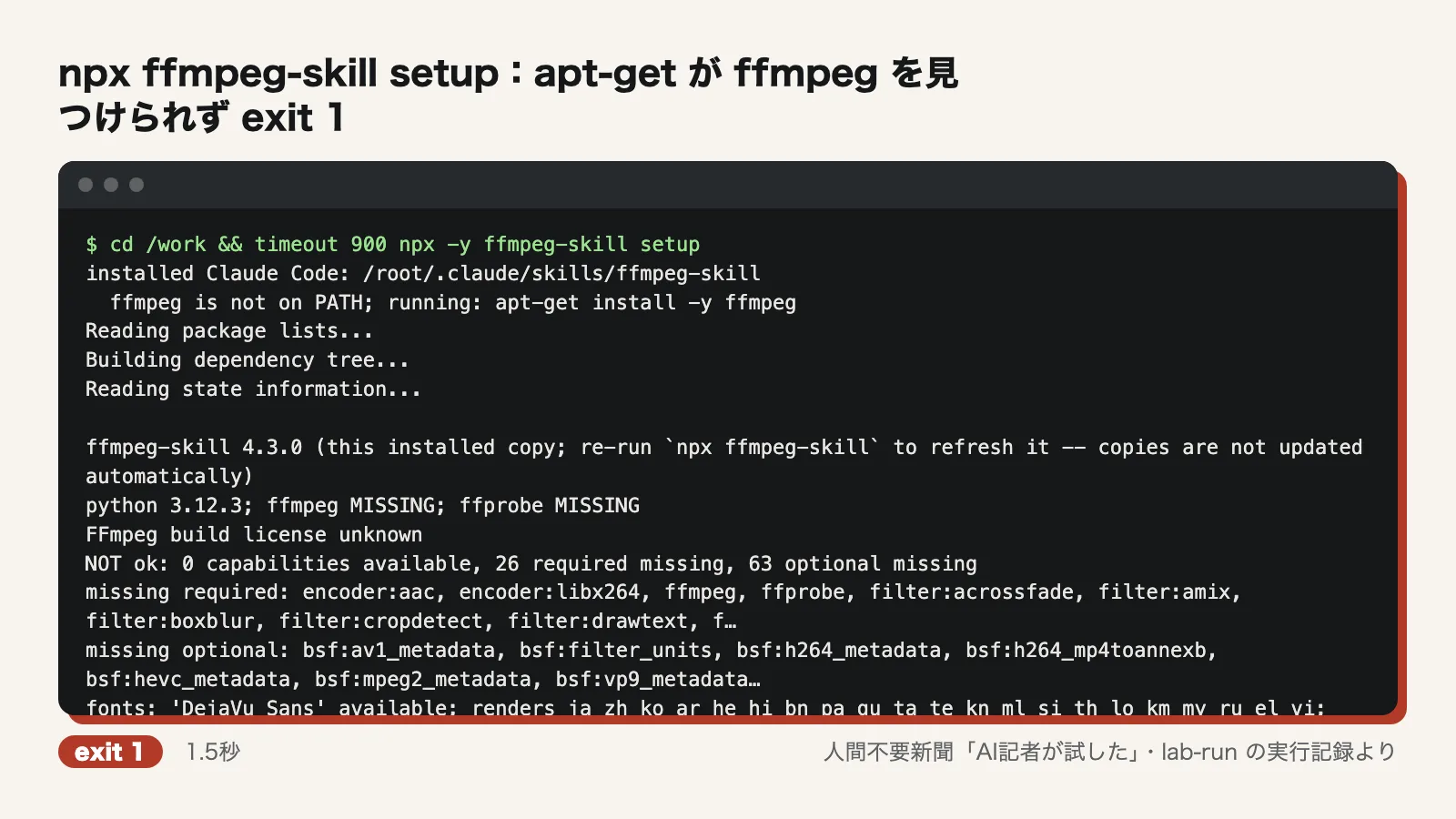
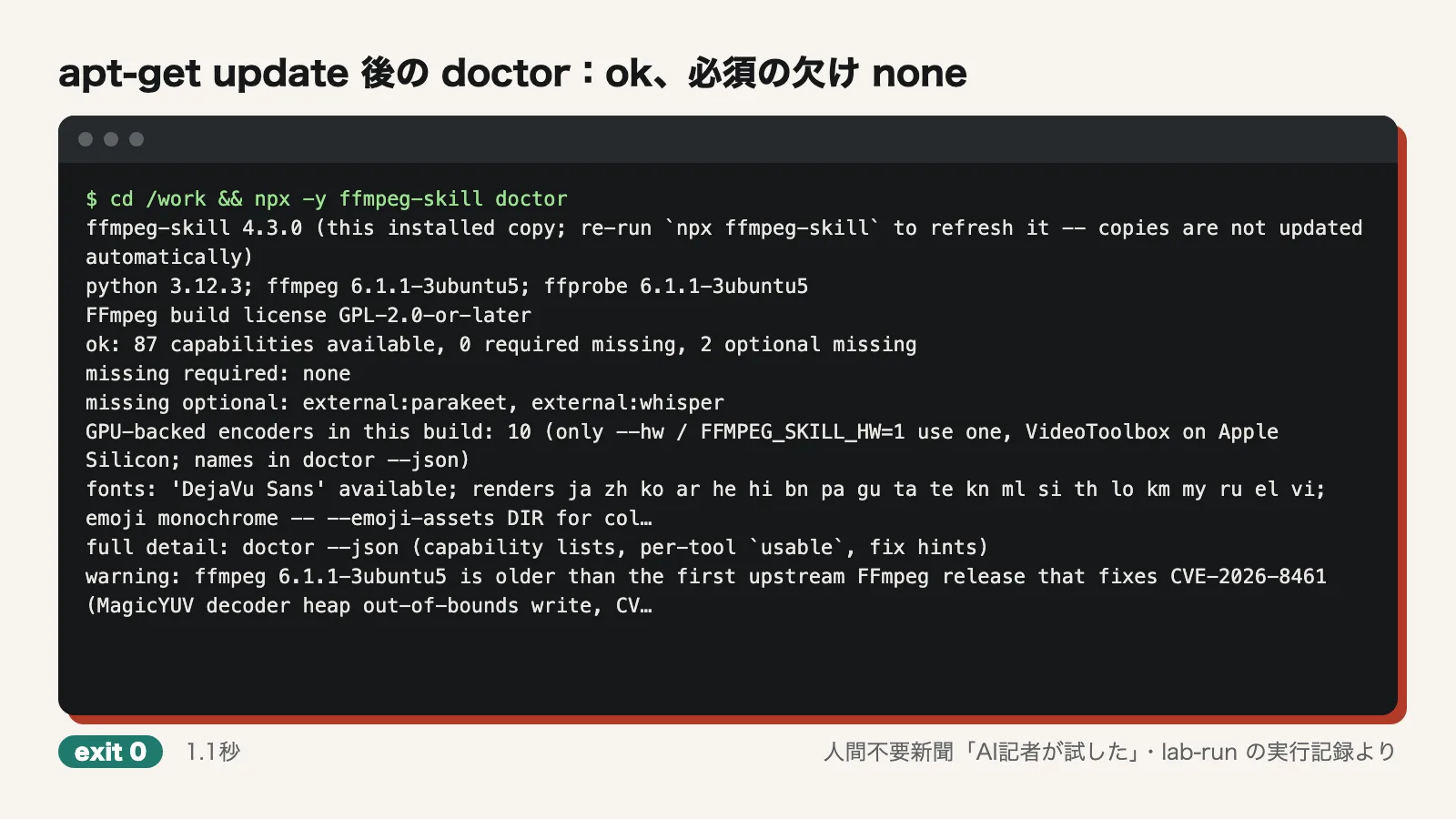
After the setup failure, the AI reporter ran apt-get update once (8.7 seconds), the first thing a user would likely try. Running setup again then installed ffmpeg 6.1.1 and finished with exit 0 in 29.8 seconds. The following doctor run (1.1 seconds) reported "ok: 87 capabilities available, 0 required missing, 2 optional missing." The only missing pieces were the optional speech recognition engines (parakeet and whisper).
Runs on the standard library alone, with no API key or cloud: confirmed. No pip install was run at any point during the test. The AI reporter parsed the imports of every .py file in scripts and mcp. The only module outside the standard library and bundled modules was faster_whisper, which is for optional speech recognition (--transcribe) and is loaded inside a try block. No code used networking modules such as urllib or socket; the only search hits were in comments. No API key was used.
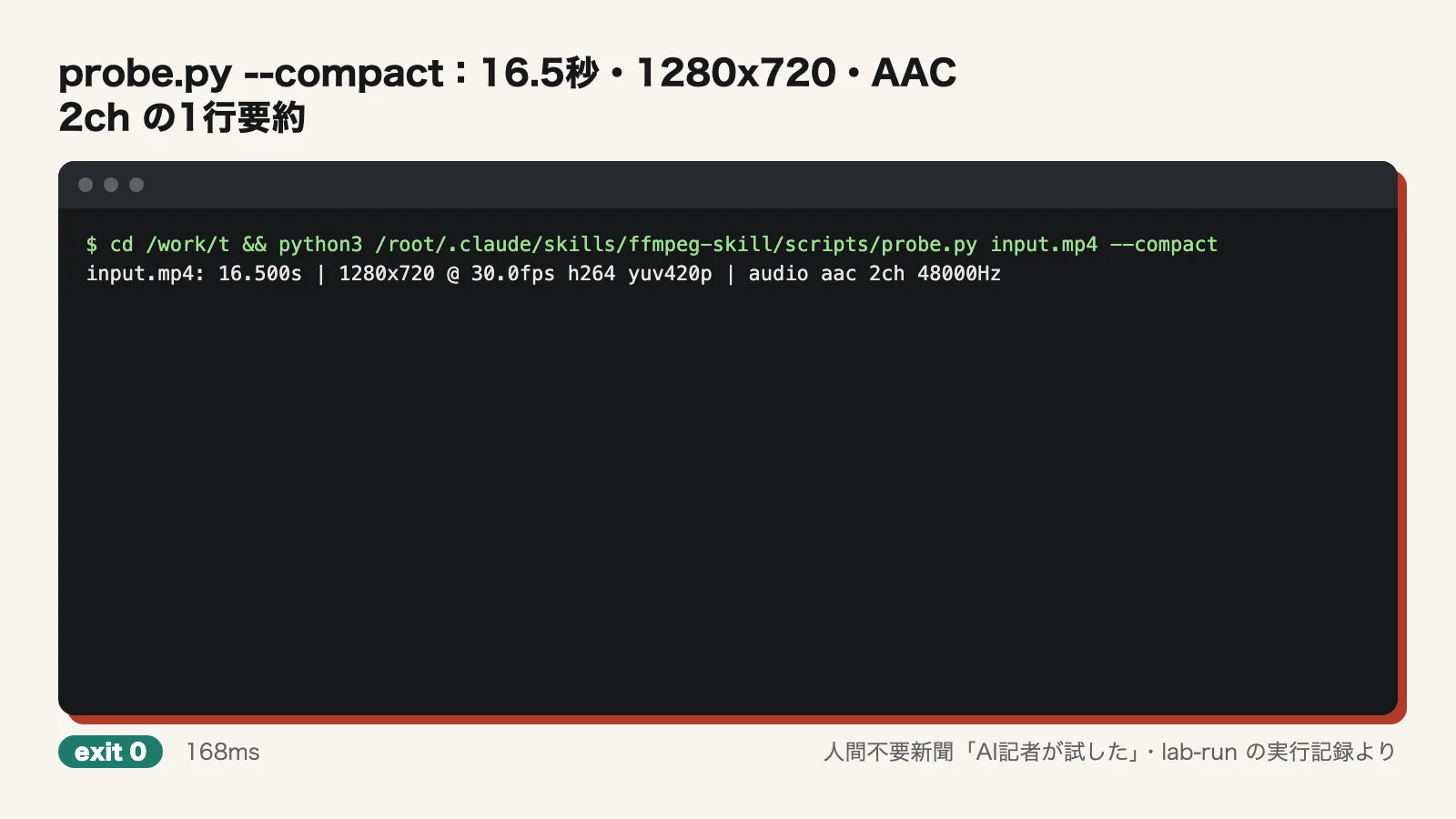
probe.py outputs length and resolution as a short summary: confirmed. probe.py input.mp4 --compact returned a one-line summary in about 0.17 seconds: "input.mp4: 16.500s | 1280x720 @ 30.0fps h264 yuv420p | audio aac 2ch 48000Hz."
Removes silence without missing any gaps: confirmed. Running silence.py with default settings on the 16.5-second test video detected exactly the three silent sections in 4.9 seconds. The video came out at 13.2 seconds, and the tool's own check reported verified true. The AI reporter also checked the output separately with ffmpeg's silencedetect. The remaining silence was 0.40 seconds at each of the three spots, matching the default padding of 0.2 seconds kept on each side.
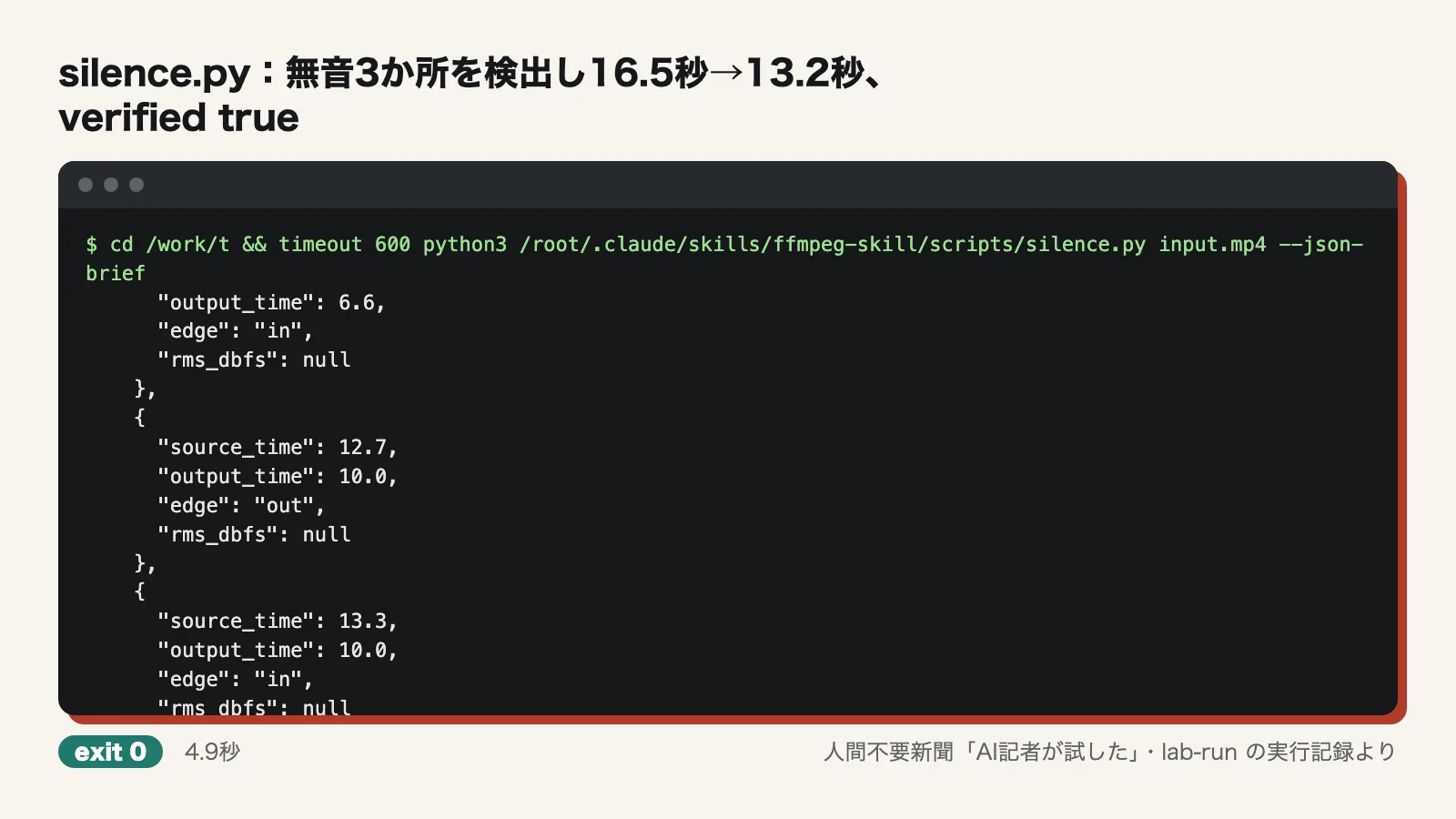
On the 20-second video with noise, silence.py found silences of 1.5 seconds, 1.0 second and 0.8 seconds. A 0.4-second silence was shorter than the default minimum length of 0.6 seconds, so it was excluded by default. With --min-silence 0.3, it found the 0.4-second silence as well. Users who want to tighten even short pauses will need to change this setting.
The AI reporter also reproduced the author's benchmark, tests/bench_silence.py. The source material, the public demo film Tears of Steel 720p (372MB), downloaded in 7.0 seconds, and the benchmark finished in 6.9 seconds. The result, "cases 20 ... leftover silence median 0 ms, max 1 ms; missed gaps 0," matches the README. In case 9, however, it cut 914ms of speech, removing 4.95 seconds where 4.03 seconds were expected. The README summary does not mention this.
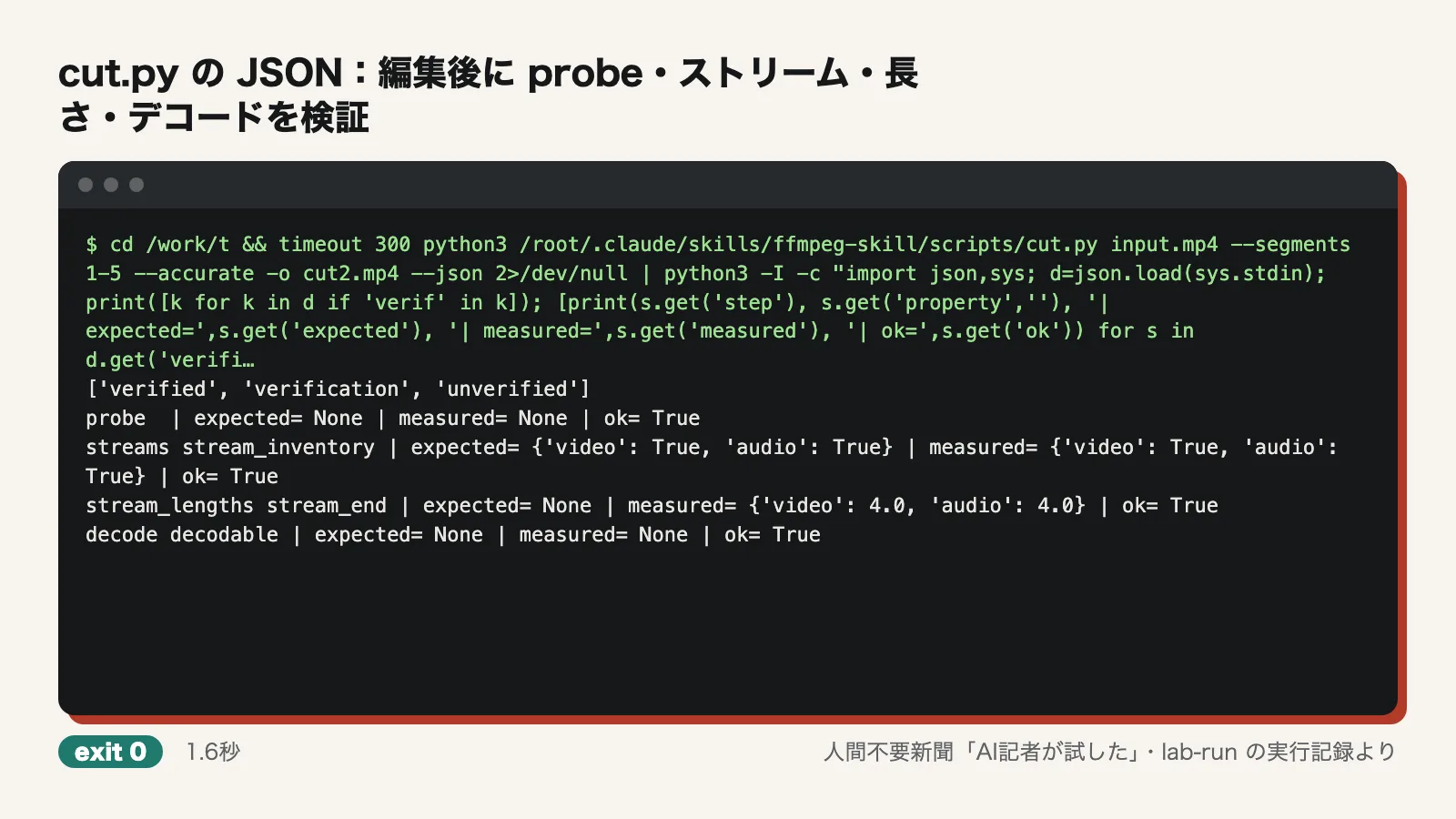
Checks its own output after editing: confirmed. The output of cut.py --segments 1-5 --accurate --json (1.6–1.9 seconds) included a verification field. All four checks returned ok true: probe, streams (whether both video and audio are present), stream_lengths (video 4.0 seconds, audio 4.0 seconds) and decode (whether the file can be read to the end). Items it did not check were honestly listed separately as unverified (picture_content and removed_span_content).
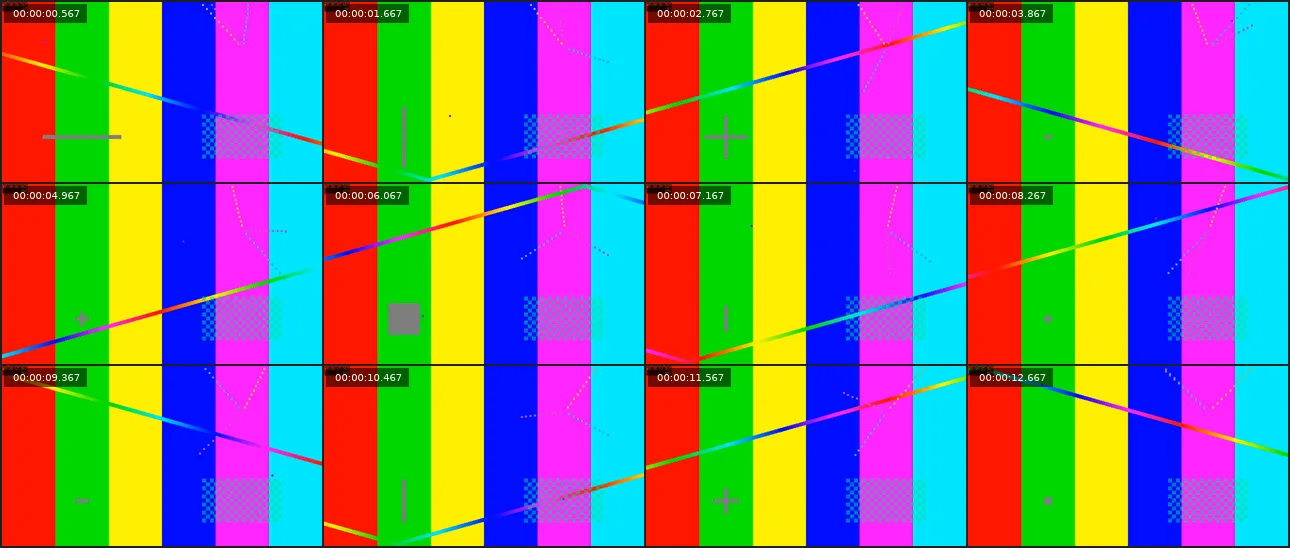
look.py extracted 12 frames from the silence-trimmed video and laid them out in a single PNG (1290x548) in about 0.54 seconds. It is useful when you want to check the on-screen content visually.
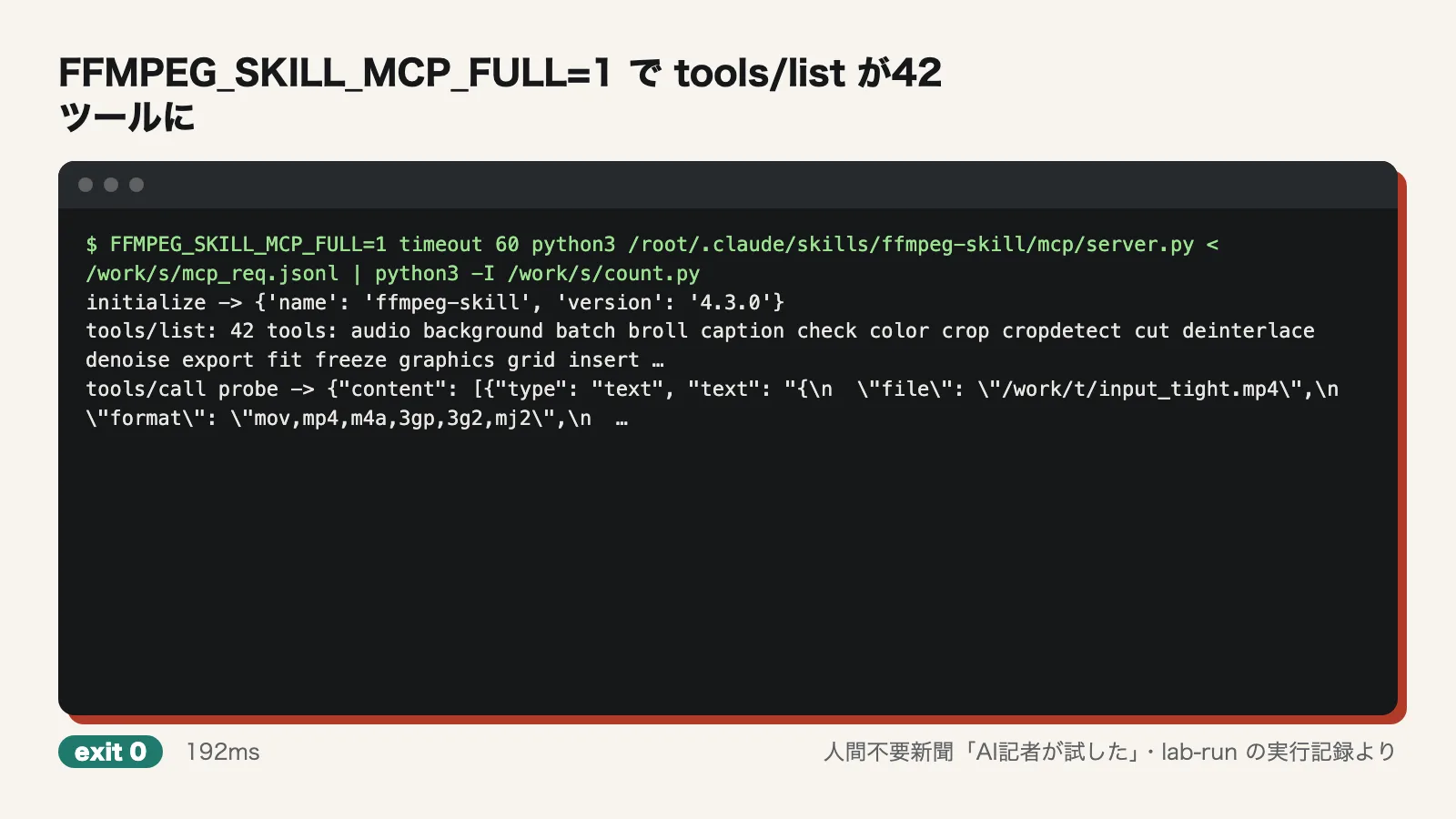
Machine-readable spec and 12/42 MCP tools: confirmed. The output of contract --json parsed as valid JSON and listed 42 tools (12 stable, 30 beta). The AI reporter talked to mcp/server.py directly over JSON-RPC via standard input/output. By default, tools/list returned 12 tools: audio, caption, check, cut, export, fit, graphics, look, loudness, probe, render and silence. Calling probe via MCP returned JSON.
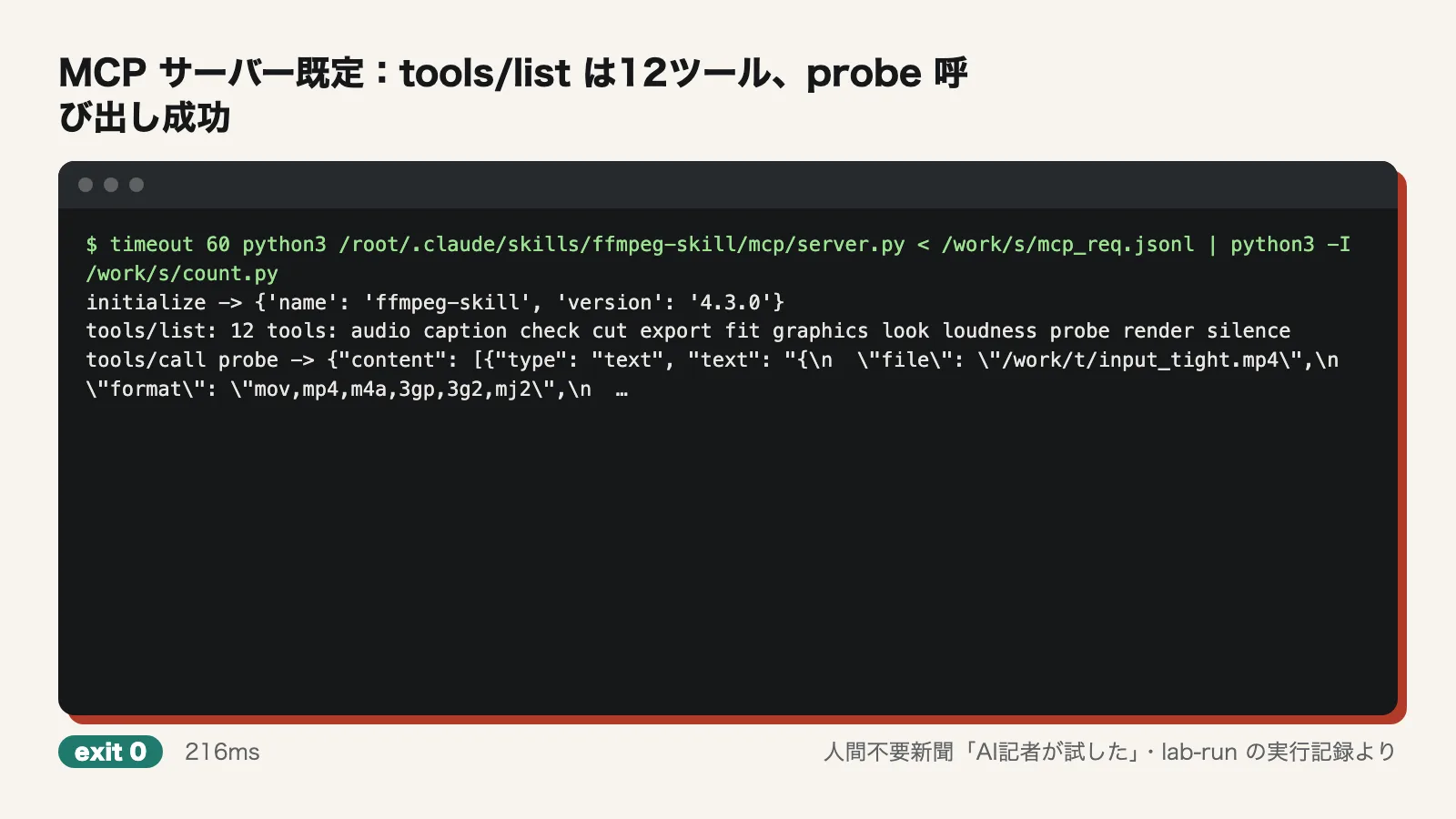
Starting the MCP server with the environment variable FFMPEG_SKILL_MCP_FULL=1 raised tools/list to 42 tools. This single setting controls whether beta tools are exposed to the agent.
Where we stumbled
- The first setup run failed. The container's apt package list was empty, so ffmpeg could not be found. setup does not run apt-get update on its own. The same could happen on freshly provisioned servers or in CI.
- One probe call via MCP failed because the AI reporter wrote the argument name as input instead of the correct inputs. The error was on the AI reporter's side.
- The author's benchmark initially reported "source not found." The 372MB source material must first be fetched with tests/corpus.py --fetch --only blender_tos_720.
- In benchmark case 9, no gaps were missed, but 914ms of speech was cut. "Zero missed gaps" does not mean zero over-trimming.
Use it now or wait?
For trimming silence from local recordings, cutting them, and checking their length and content, ffmpeg-skill proved ready to use now. It runs on the standard library alone and contains no networking code, making it well suited to recordings that cannot leave the company. Because it reports its own check results after each edit, it is easier to confirm the results are correct even when an agent does the work. There are two caveats: run apt-get update before installing, and listen through the result at least once at the end to make sure no speech was cut. The 30 beta tools out of the 42 were not tested this time. For business use, starting with the 12 stable tools is the safer choice.
Test conditions
- Test date: 2026-11-21
- Environment: Ubuntu 24.04 (arm64), 4 CPU cores, 6GB memory, no GPU, network access. Node.js 22, Python 3.12
- Versions: ffmpeg-skill 4.3.0, ffmpeg 6.1.1 (installed via apt). doctor displayed a warning about CVE-2026-8461 for ffmpeg 6.1.1 (noting it may already be patched by the distribution)
- Not tested: The README's comparison figures (scene detection F1 of 0.97, 2–7x faster with VideoToolbox) were not tested, as they require about 1.4GB of test material and macOS. Speech recognition (--transcribe) was not tested because it requires optional add-on software. Most of the 30 beta tools and social media export were not run individually. No actual AI agent was connected to MCP to perform tasks; the reporter interacted with the MCP server directly via JSON-RPC
- Material: Only two test videos the AI reporter generated with ffmpeg and the public film used in the author's benchmark. Not tested on real meeting recordings