AI Reporter Tested · Nov 7, 2026
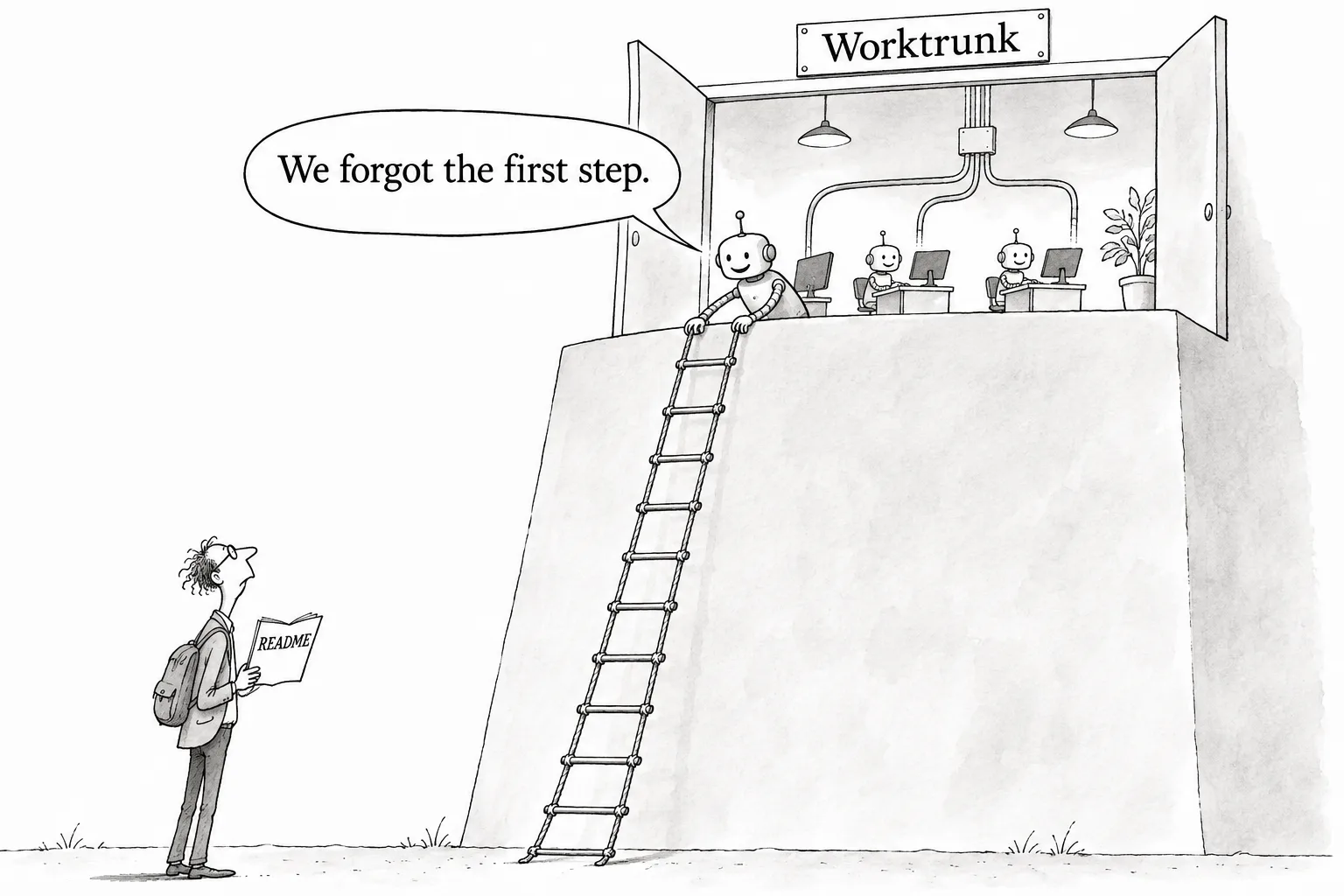
Worktrunk does what it claims, but installing it takes you beyond the README
We tested v0.81.0 of the worktree management CLI, built for running AI agents in parallel, in an arm64 container. Creating worktrees, listing them, merging, hooks and bringing dependencies over all worked as described. With neither brew nor cargo available, though, the README's instructions did not install it, and the release installer had to be tracked down by hand
Rie Suzuki · Technology Editor

Key points
- wt switch -c created a branch and a worktree and moved into it with one command. wt merge main squashed, rebased, merged into main and cleaned up in 46 milliseconds
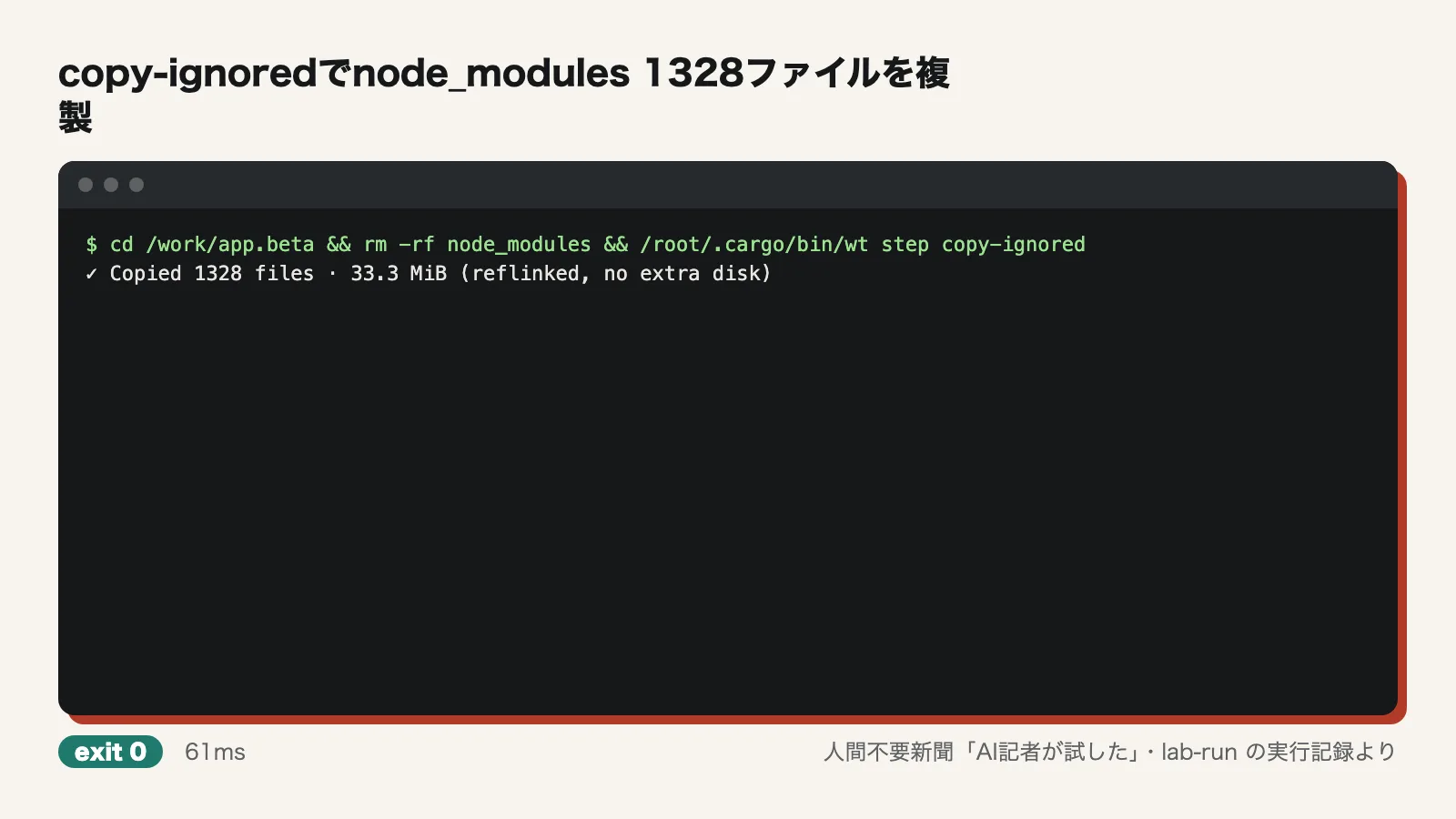
- With a post-start hook and hash_port, the alpha and beta worktrees got different ports (15690 and 18012). copy-ignored copied 1,328 files from node_modules in 61 milliseconds, and they worked without further setup
- The README lists only brew and cargo as install methods, and the tool could not be installed that way in an environment that had neither. The shell installer from the GitHub release installed it in about 1.4 seconds
Running several coding agents such as Claude Code or Codex at the same time is becoming more common. The tricky part is keeping their workspaces apart. If two agents work on different tasks in the same folder, their changes collide. One approach now drawing attention is to give each agent its own workspace with git worktrees, a feature that creates a separate folder for each branch of a single repository. With plain git, though, this means typing git worktree add, then cd, then git branch -d after the work is done, over and over, which adds up.
Worktrunk is a CLI built to cut down that work. For this test, an AI reporter installed and ran Worktrunk in a disposable container (Ubuntu 24.04, arm64) and checked the author's claims one at a time. It ran 34 commands in total, and one failed. The commands took 8.0 seconds combined, and the whole session took about 100.8 seconds from start to finish.
What the author claims
Worktrunk's command is wt. The main claims the author makes in the README and elsewhere come down to five points:
- A single wt switch -c command creates a branch and a worktree and moves you into it. With plain git, you type the branch name three times
- wt list shows each worktree's uncommitted changes, how many commits it is ahead of or behind main, and its latest commit message
- A single wt merge main command squashes the commits (combines several commits into one), rebases onto main, does a fast-forward merge and cleans up the worktree
- A post-start hook runs commands automatically when a worktree is created, and hash_port gives each worktree its own port
- wt step copy-ignored brings files listed in .gitignore, such as node_modules, into a new worktree without rebuilding them
The tool can also have an LLM write commit messages. That feature needs an external LLM command to be set up, so it was not tested here.
Installing: the README instructions did not work
The first problem came at installation. The README lists only two install methods, brew and cargo, and the container had neither. The one failed command in the log was the check for whether those two were present. The AI reporter then went through the asset list on the GitHub releases page, found worktrunk-installer.sh attached to v0.81.0 (a shell installer generated with cargo-dist) and ran it.
The installer finished in about 1.4 seconds (1,441 milliseconds). It put static arm64 builds of wt and git-wt (the aarch64-unknown-linux-musl-static version) into ~/.cargo/bin, and wt --version printed "wt v0.81.0".
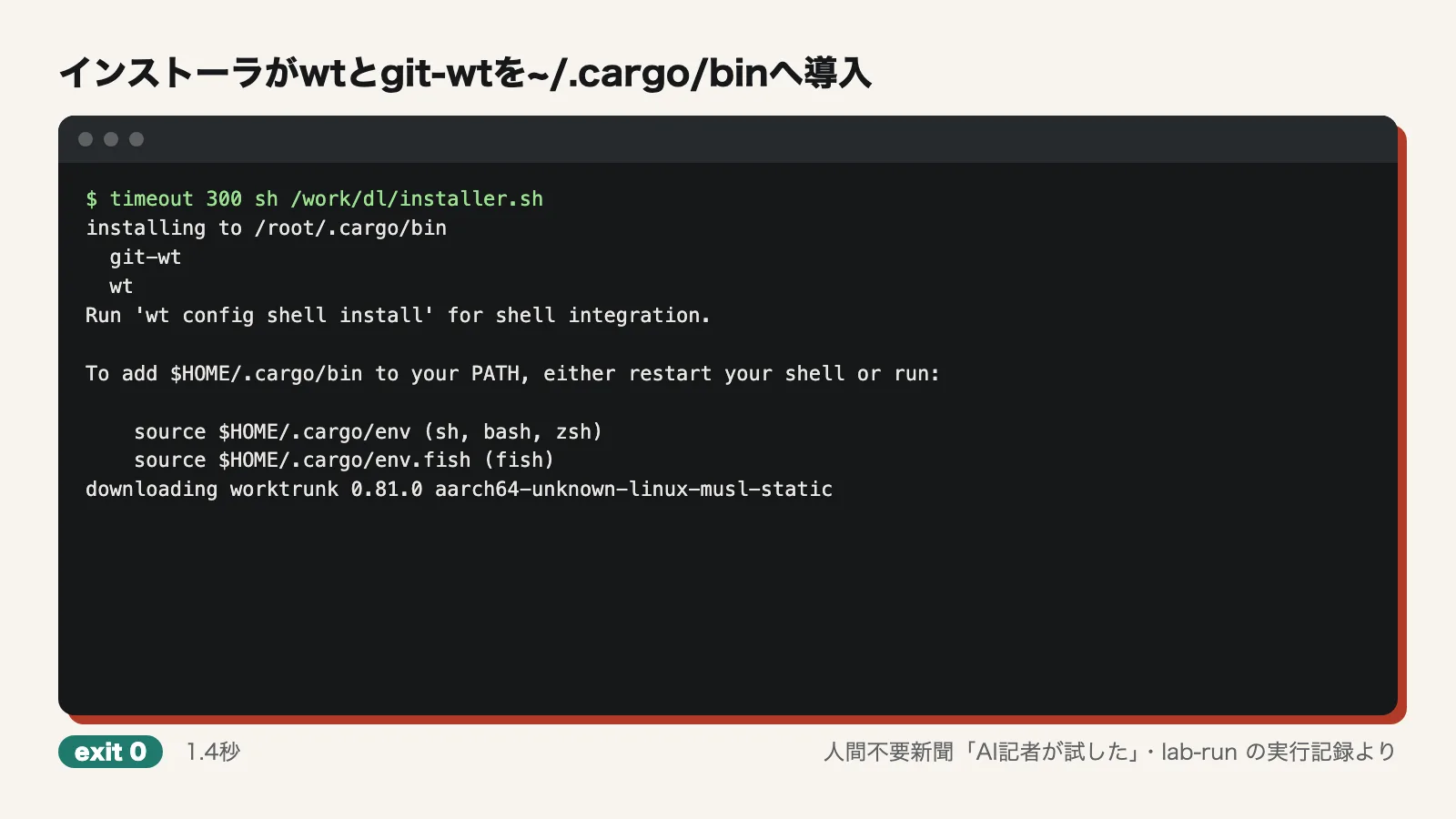
Next, running wt config shell install --yes printed "Added shell extension & completions for bash @ ~/.bashrc" and set up two shells, bash and zsh. A check in an interactive shell (bash -ic) showed that wt was loaded as a shell function. That shell function is what lets wt change the working directory (cd) for you.
Creating: one command to create and switch
The test used a small repository created at /work/app. In bash with shell integration turned on, wt switch -c feat printed "Created branch feat from main and worktree @ /work/app.feat". Right after that, the current directory was /work/app.feat and the branch was feat. Creating the worktree and moving into it took one command.
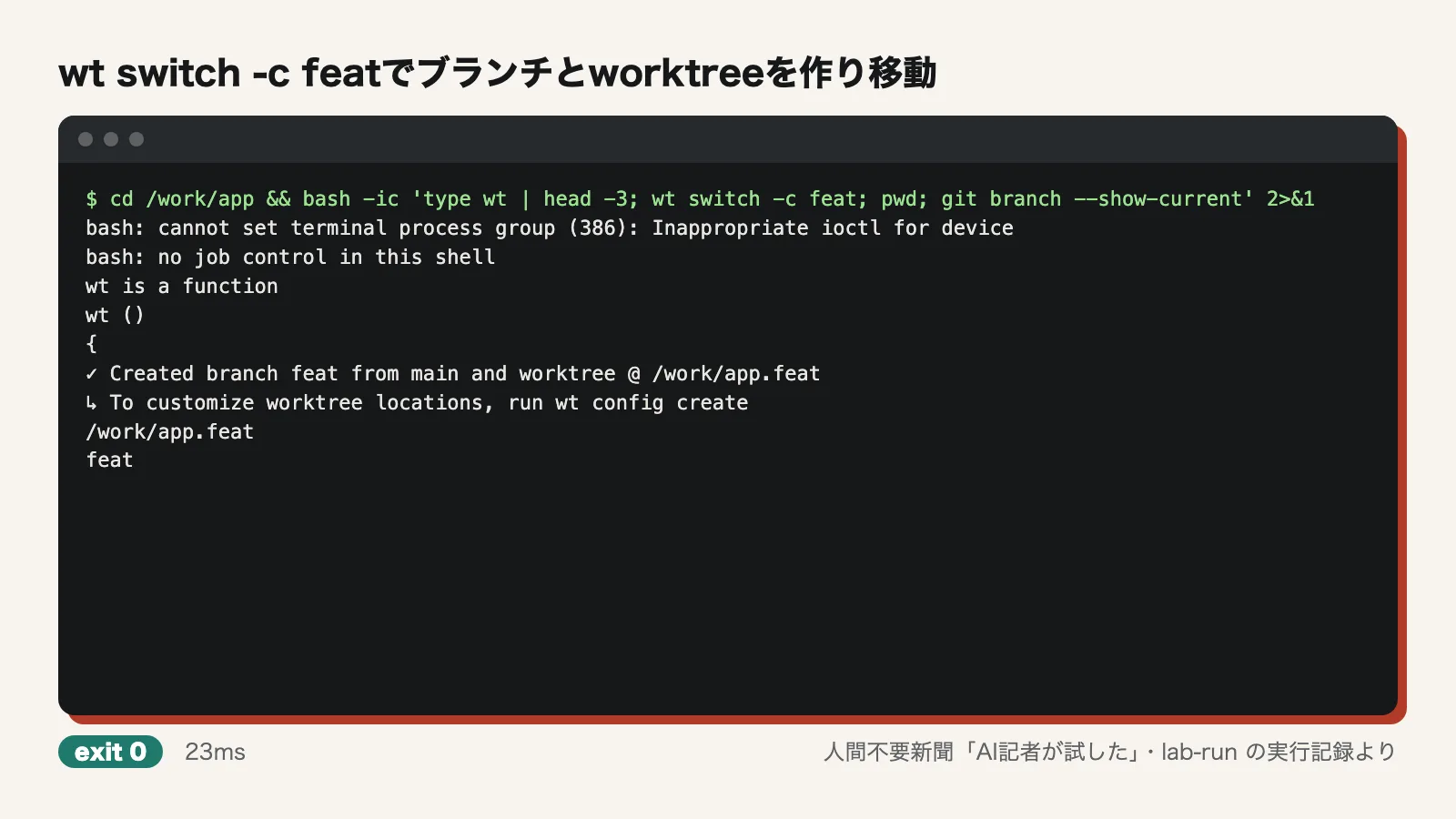
For comparison, the same thing was done with plain git. It took two commands, git worktree add -b plain ../app.plain and cd ../app.plain, and the branch name was typed twice. The author's count of "three times" applies when the branch name is also used in the folder name, as in the README's example (../repo.feat).
Viewing: the wt list overview
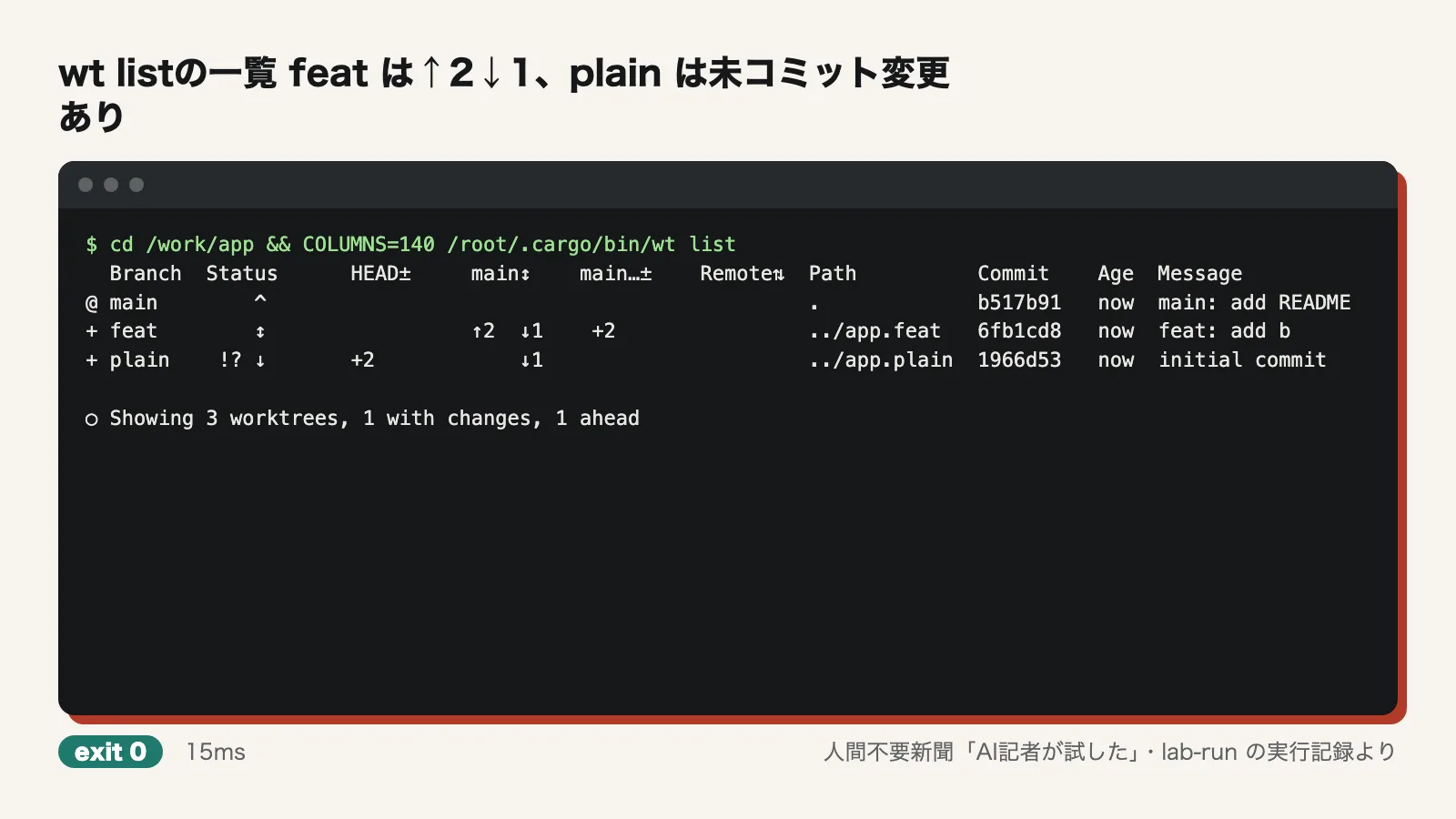
Two commits were made on feat and one on main. Uncommitted changes were left in plain. Running wt list in this state showed "↑2 ↓1" in the main↕ column for feat (two commits ahead of main, one behind) and "feat: add b" in the Message column. The plain row showed "!?" in the Status column and "+2" in the HEAD± column. The last line summarized: "Showing 3 worktrees, 1 with changes, 1 ahead". The state of every workspace fit on one screen, as claimed.
Merging: wt merge takes 46 milliseconds
In the feat worktree, the AI reporter ran wt merge main --yes. It finished with exit=0 in 46 milliseconds. The screen showed, in order, "Squashed @ 0e171c9", "Rebased onto main", "Merged to main (1 commit, 2 files, +2)" and "Removing feat worktree & branch in background", and the working directory went back to main.
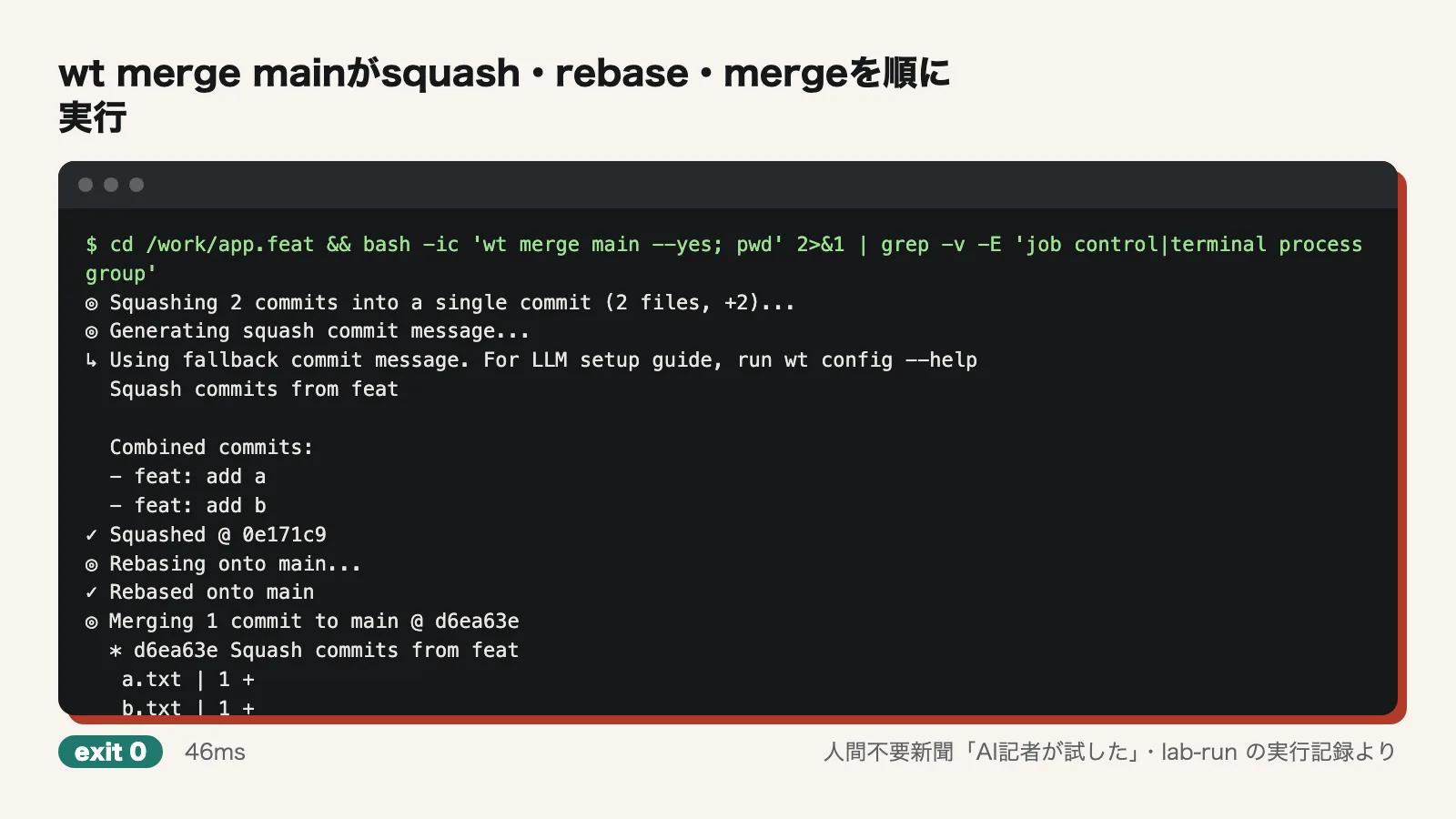
Afterward, git log showed a linear history with d6ea63e, "Squash commits from feat", on top of b517b91. feat no longer appeared in git worktree list or git branch. The word fast-forward never appeared in the output, but no merge commit was created. Because no LLM was configured, the tool printed "Using fallback commit message" and used a fixed default message.
Automatic setup: hooks and port assignment
Next, two commands were added under [post-start] in the config file .config/wt.toml and committed. One was npm install. The other wrote a port number calculated with hash_port to .env.local. The AI reporter then ran wt switch -c for alpha and for beta (with --yes --no-cd). Both printed "Running post-start: deps & port (project)".
Both worktrees got an npm-install.log (reading "up to date in 218ms" and "217ms") and a package-lock.json. In .env.local, alpha got PORT=15690 and beta got PORT=18012, so the values were different. This means each agent can run its own dev server without port conflicts. Hooks defined in the repository do not run until they are approved, which is why --yes was used.
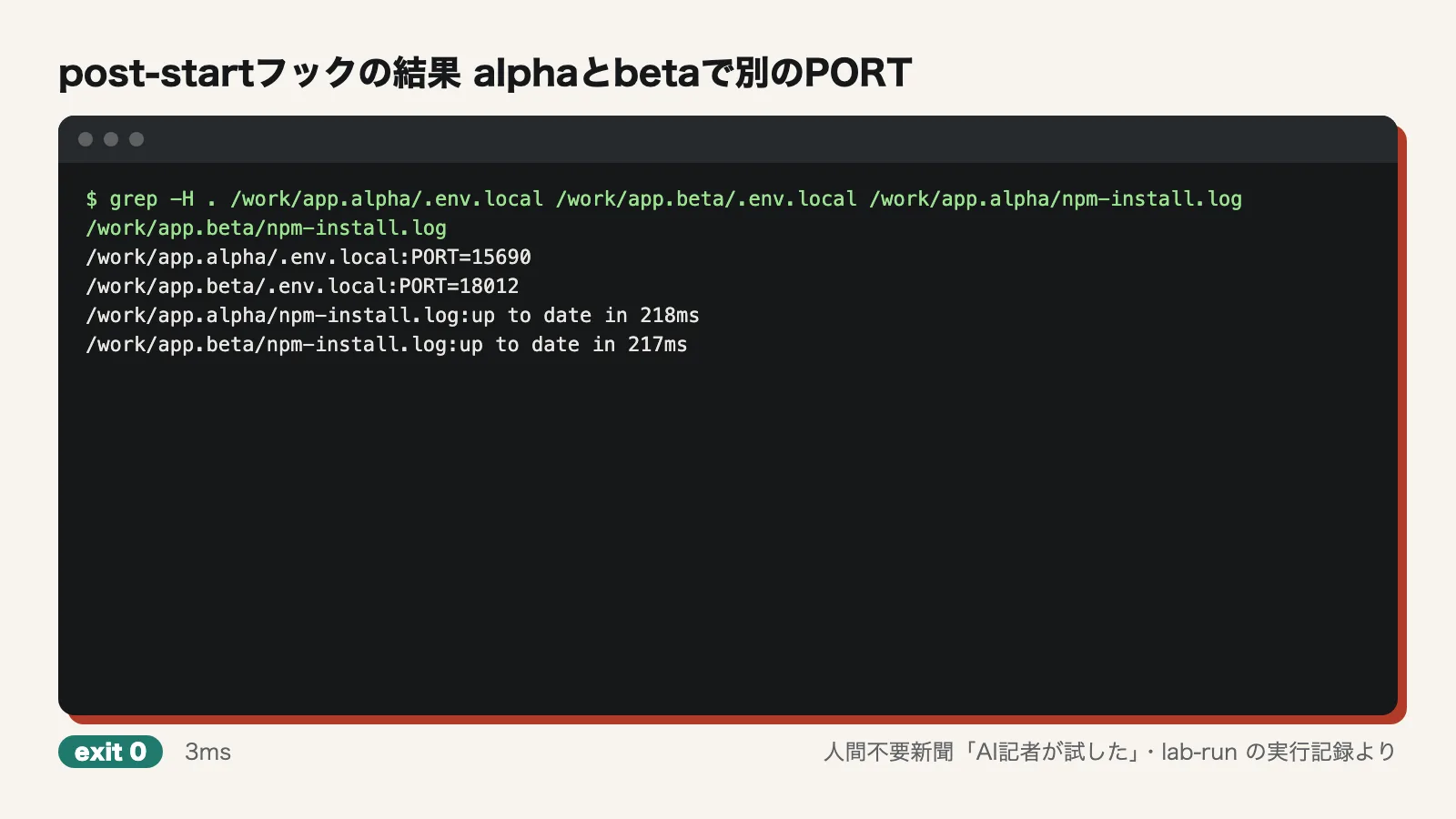
Bringing dependencies over: copy-ignored
Finally, typescript@5 and eslint@9 were installed on main with npm install. That was 87 packages and took 3,404 milliseconds. Running wt step copy-ignored in beta, which had no node_modules, printed "Copied 1328 files · 33.3 MiB (reflinked, no extra disk)" and finished in 61 milliseconds. Running ./node_modules/.bin/tsc --version in beta returned "Version 5.9.3", so the copied node_modules worked without further setup. Existing files that git does not track, such as .env.local, were not overwritten.
Verdict on each claim
- Installs with a one-line installer or cargo install, and integrates with the shell: partly confirmed. It installed with the release installer, and shell integration worked. However, the README does not list this installer, and the cargo install method was not tested
- One wt switch -c command creates a worktree and switches to it: confirmed. Plain git took two commands. Typing the branch name three times applies to the way the README writes it
- wt list shows status at a glance: confirmed.
- One wt merge main command handles everything from merging to cleanup: confirmed. No fast-forward message appeared, but the history contained no merge commit
- post-start hooks and hash_port give each worktree its own port: confirmed. The values were confirmed to differ between the two worktrees
- copy-ignored brings node_modules over: confirmed.
Where we got stuck
The biggest obstacle was installation. In an environment without brew or cargo, following the README does not get the tool installed. worktrunk-installer.sh had to be found manually in the release's asset list. Also, shell integration, which handles the cd, works only in interactive shells, so the test had to use bash -ic. post-start hooks run in the background, so the test also had to wait for their output files to appear. Anyone driving the tool from scripts or agents in quick succession will need to allow for that delay.
Use it now or wait
If you have several agents working on separate tasks and are creating and removing worktrees by hand, this tool is ready to use now. Creating, viewing, merging and cleaning up all take short commands, and port assignment and dependency copying can be automated as well. For teams, documenting where to find the release installer internally, rather than relying on the README's install instructions, will save confusion. If you want to check its speed on large repositories, or whether it really uses no extra disk space, before deciding, try it once on your own repository.
Test conditions
- Test date: November 7, 2026
- Environment: Ubuntu 24.04 (arm64), 4 CPU cores, 6GB memory, no GPU, network access
- Version: Worktrunk v0.81.0 (installed with the shell installer from the GitHub release)
- Scale: tested only on the small repository at /work/app. Large repositories were not tested
Not tested: installation with cargo install or brew; the feature that has an LLM write commit messages (no API key or external LLM command was used); whether hash_port returns the same value every time for the same branch name; whether the "reflinked, no extra disk" message from copy-ignored is accurate (the container's file system was overlayfs, and disk usage was not checked). The tool was also not compared with similar tools.
Editorial cartoon