AI Reporter Tested · Nov 14, 2026
Google Chrome's web guidance tool runs in one line, but sends search queries to Google by default
An AI reporter tested Google Chrome's "Modern Web Guidance" in a container. Search and retrieval worked locally and quickly. But telemetry was on by default and sent search queries verbatim. Legacy-code detection only covers the roughly 20% of guides that have rules
Rie Suzuki · Technology Editor

Watch the video
Key points
- Runs with a single command, npx modern-web-guidance@latest, with no API key or sign-up. About 5.6 seconds on first run, about 0.4 seconds after that
- By default, search queries and results were sent to play.googleapis.com. Adding DISABLE_TELEMETRY=1 stopped the transmission without changing results
- legacy-scan checks only about 20% of all guides. It did not flag jQuery, XMLHttpRequest, or direct assignment to innerHTML
When coding agents write frontend code, outdated patterns tend to creep in, such as jQuery-style DOM manipulation or hand-rolled modals. Reviewers then look things up on MDN and Can I use by hand to bring the code up to current web standards. Modern Web Guidance, released by the Google Chrome team, is designed to hand that research over to agents and a CLI. It consists of a skill for agents and a command-line tool.
In our "AI Reporter Tested" series, an AI reporter installs a tool in a disposable container, actually runs it, and checks the developers' claims one by one. This time, all 47 commands were run inside the container. Total command execution time was 33.0 seconds, and the session took about 3 minutes (179.7 seconds) from start to finish.
What the developers claim
According to the README and the reporter's notes, the developers claim the following:
- The CLI runs with a single command, npx modern-web-guidance@latest, without installation. No API key or sign-up is required
- Describe what you want to do in natural language with search, and it finds matching guides locally
- retrieve <guide ID> outputs the recommended approach and browser support status
- legacy-scan lists outdated patterns in a project that should be fixed
- The guides are written concisely (token-efficient), so they fit comfortably in an agent's context
- Adding it to an agent raises evaluation pass rates by about 27 to 36 points
The final pass-rate claim can only be verified by running an agent both with and without the tool. We did not test it. search, retrieve, and legacy-scan all work without an API key or an LLM, so this test focused on those three.
What the AI reporter did
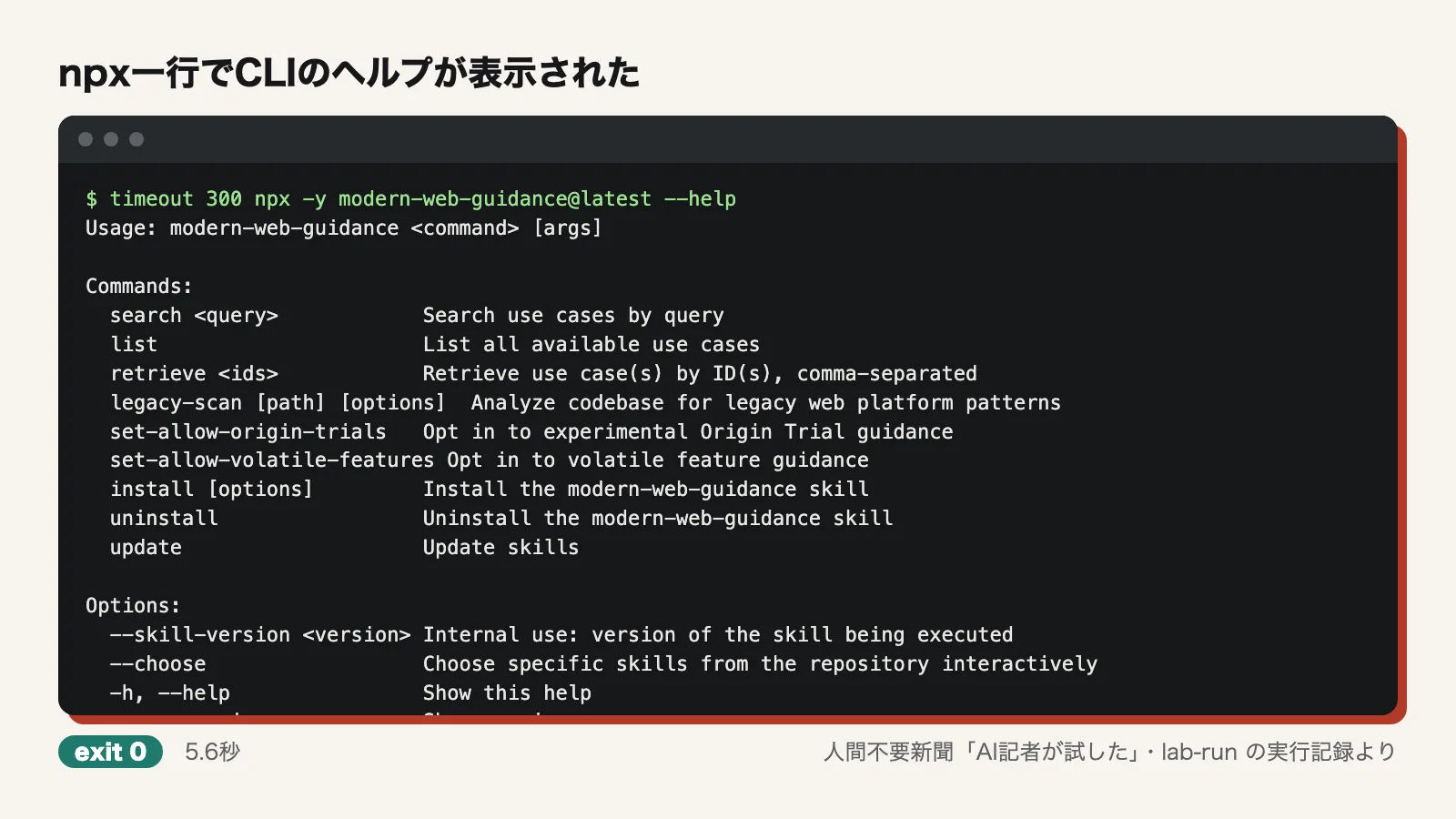
The reporter first cloned the repository (1.2 seconds) and read the README. Running timeout 300 npx -y modern-web-guidance@latest --help then displayed the help text in 5.6 seconds, including the initial download. A second run with --version took 369 milliseconds and showed version 1.0.0. At no point was the reporter prompted to enter a key or register.
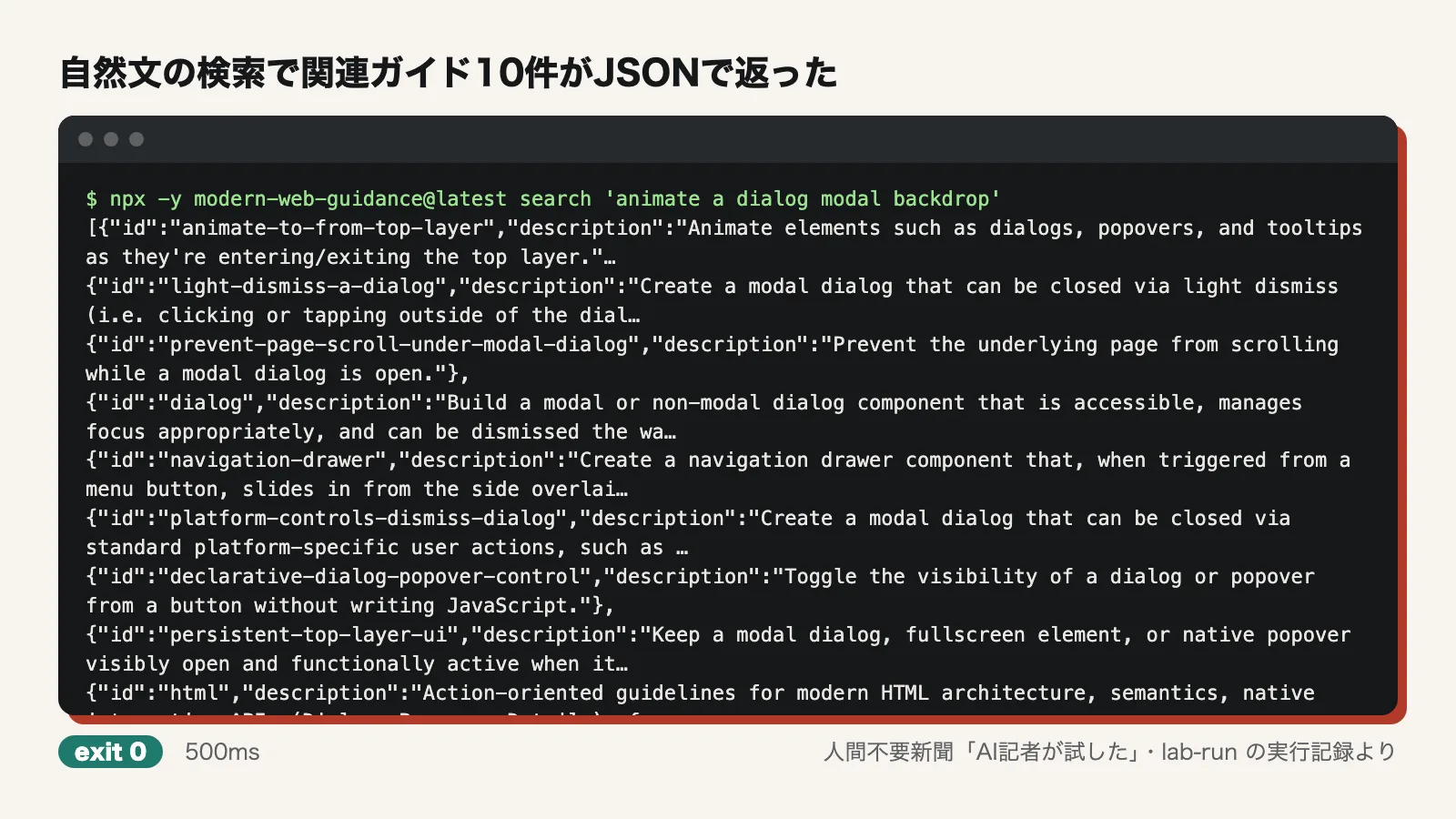
Next, the reporter searched in natural language. search 'animate a dialog modal backdrop' returned 10 results as JSON in 500 milliseconds. The top result was animate-to-from-top-layer, the same as the example in the README. It was followed by relevant guides such as light-dismiss-a-dialog, prevent-page-scroll-under-modal-dialog, and dialog.
The reporter also wrote and injected a hook to log Node.js network activity, to see where the tool connects and what it sends. After that, the reporter retrieved a single guide, retrieved all 208 guides and tallied their length, and ran legacy-scan against a small site deliberately built with outdated patterns.
Verdict on each claim
Runs with one npx command and needs no API key: Confirmed. The exit code, which marks the end of execution, was 0. It started in 5.6 seconds on the first run and about 0.4 seconds afterward. No sign-up screen appeared.
Searches locally without querying the network: Partially confirmed. The network log showed that, with default settings, the only connection was a single one to play.googleapis.com:443. That is not where searches are sent, but where telemetry (usage data) goes. With DISABLE_TELEMETRY=1, there were zero connections, and search results came back unchanged. It is reasonable to conclude that the search itself runs locally. However, specifying @latest with npx checks registry.npmjs.org:443 for the version on every run. We were also unable to test with the network fully cut off, and did not examine how the search works in detail. All we learned is that the telemetry payload included per-guide similarity values of 0.79 to 0.87.
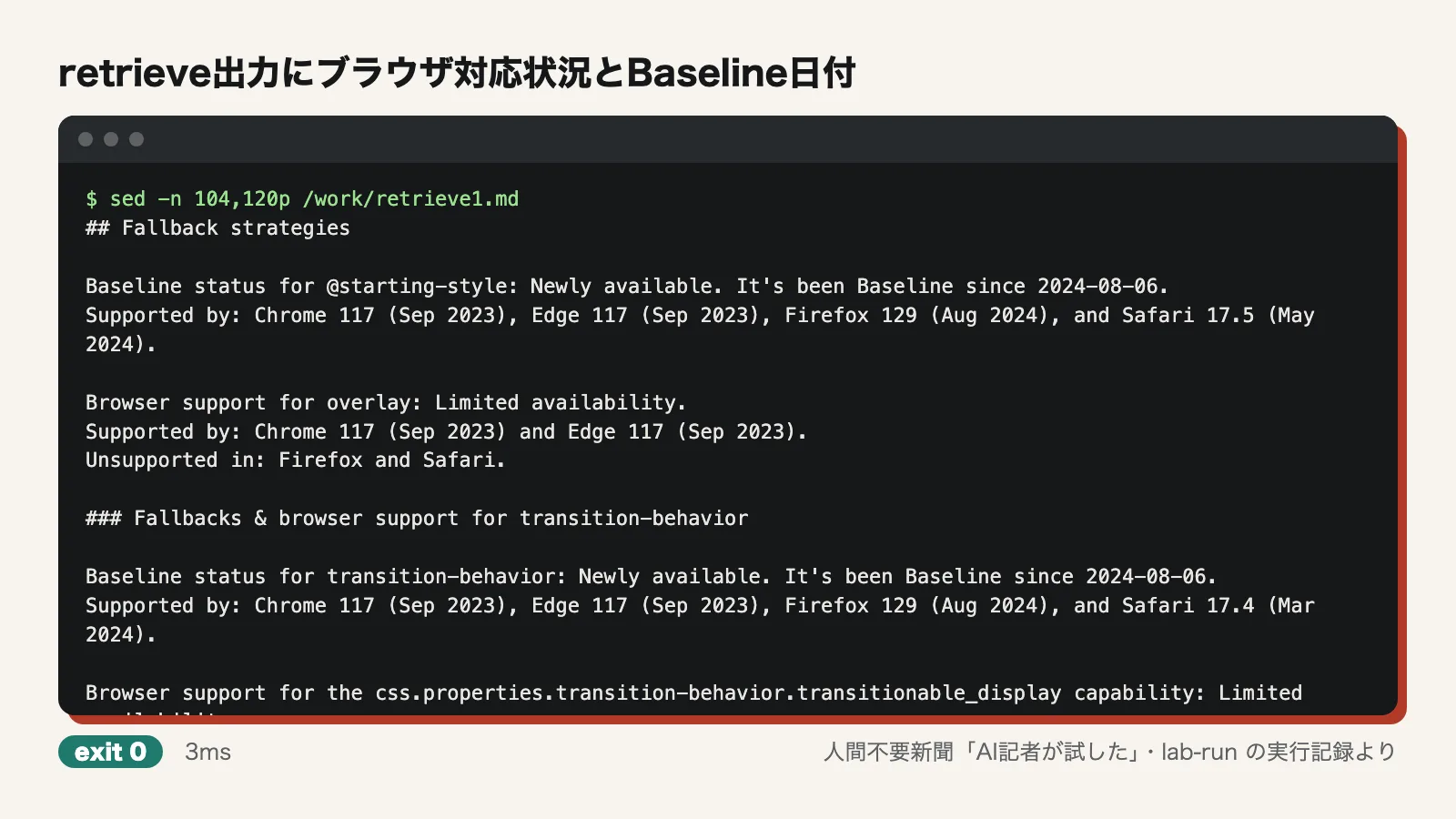
retrieve shows the recommended approach and browser support: Confirmed. retrieve animate-to-from-top-layer produced 245 lines and 10,978 characters of Markdown in 399 milliseconds. It contained:
- CSS examples using @starting-style, transition-behavior: allow-discrete, and overlay
- When all major browsers gained support (Baseline) and the supported version of each browser. For example, "Baseline since 2024-08-06" and "Supported by: Chrome 117 … Safari 17.5." For overlay, "Unsupported in: Firefox and Safari"
- A warning about a Firefox bug
- JavaScript providing a fallback for browsers without support
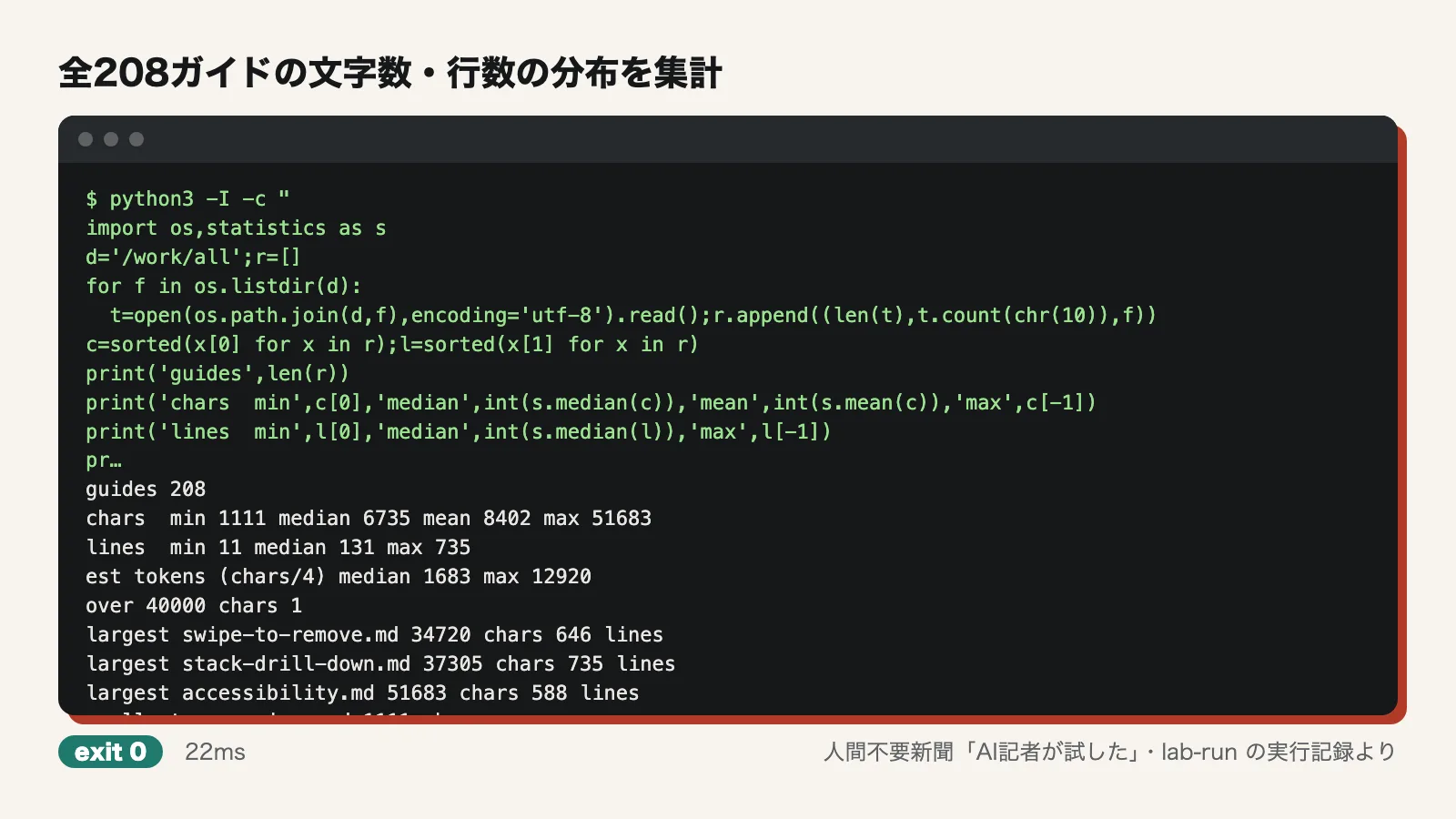
The guides are token-efficient: Partially confirmed. Retrieving all 208 guides shown by list took 4.4 seconds. Their lengths were as follows:
- Characters: minimum 1111, median 6735, mean 8402, maximum 51683
- Lines: median 131, maximum 735
Using the rule of thumb of dividing characters by 4, the median works out to about 1,700 tokens. Most guides are a reasonable size to load in one go. The largest, accessibility, however, is about 13,000 tokens. Overview guides and guides for large components are heavy, such as stack-drill-down (37,305 characters) and swipe-to-remove (34,720 characters). The shortest, at around 1,111 characters (such as translator), were not actual guidance. They were notices asking the agent to check with the user before using a feature whose specification is still in flux. We did not verify the developers' statement that they "removed content the model already knows."
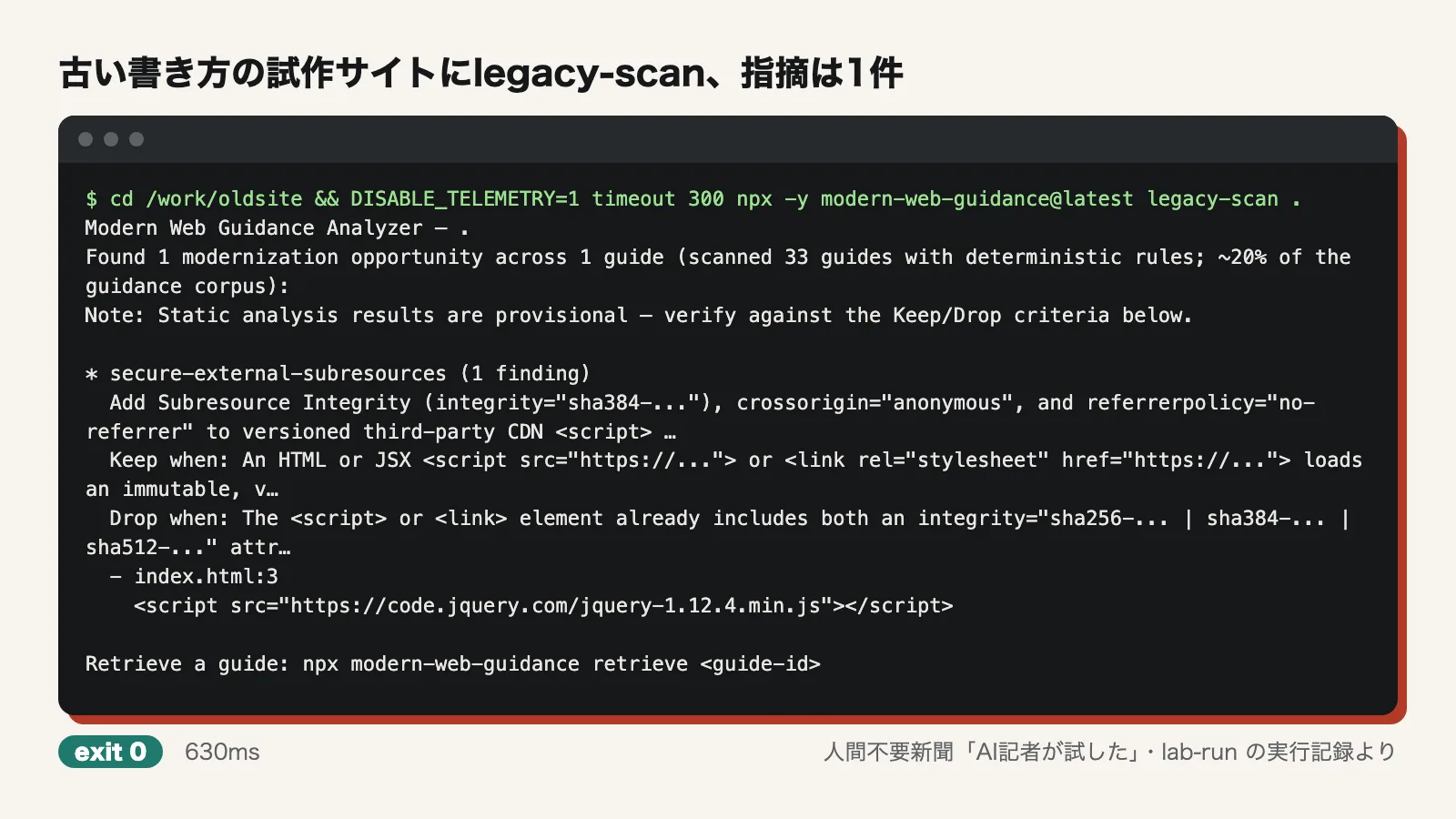
legacy-scan lists outdated patterns that should be fixed: Partially confirmed. The first test site was packed with typical outdated patterns:
- Loading jQuery 1.12 from a CDN
- Using XMLHttpRequest for network requests
- Using execCommand for copying
- Lazy-loading images on the scroll event
- Detecting mobile devices from the user agent (UA) string
- The mousewheel event
- Float-based layouts
- Preserving aspect ratio with padding-top
The scan finished in 630 milliseconds with just one finding: a script loaded from a CDN lacked Subresource Integrity (SRI), a mechanism for detecting tampering. The output itself says "scanned 33 guides with deterministic rules; ~20% of the guidance corpus." In other words, only 33 guides, about 20% of the total, are checked with fixed rules.
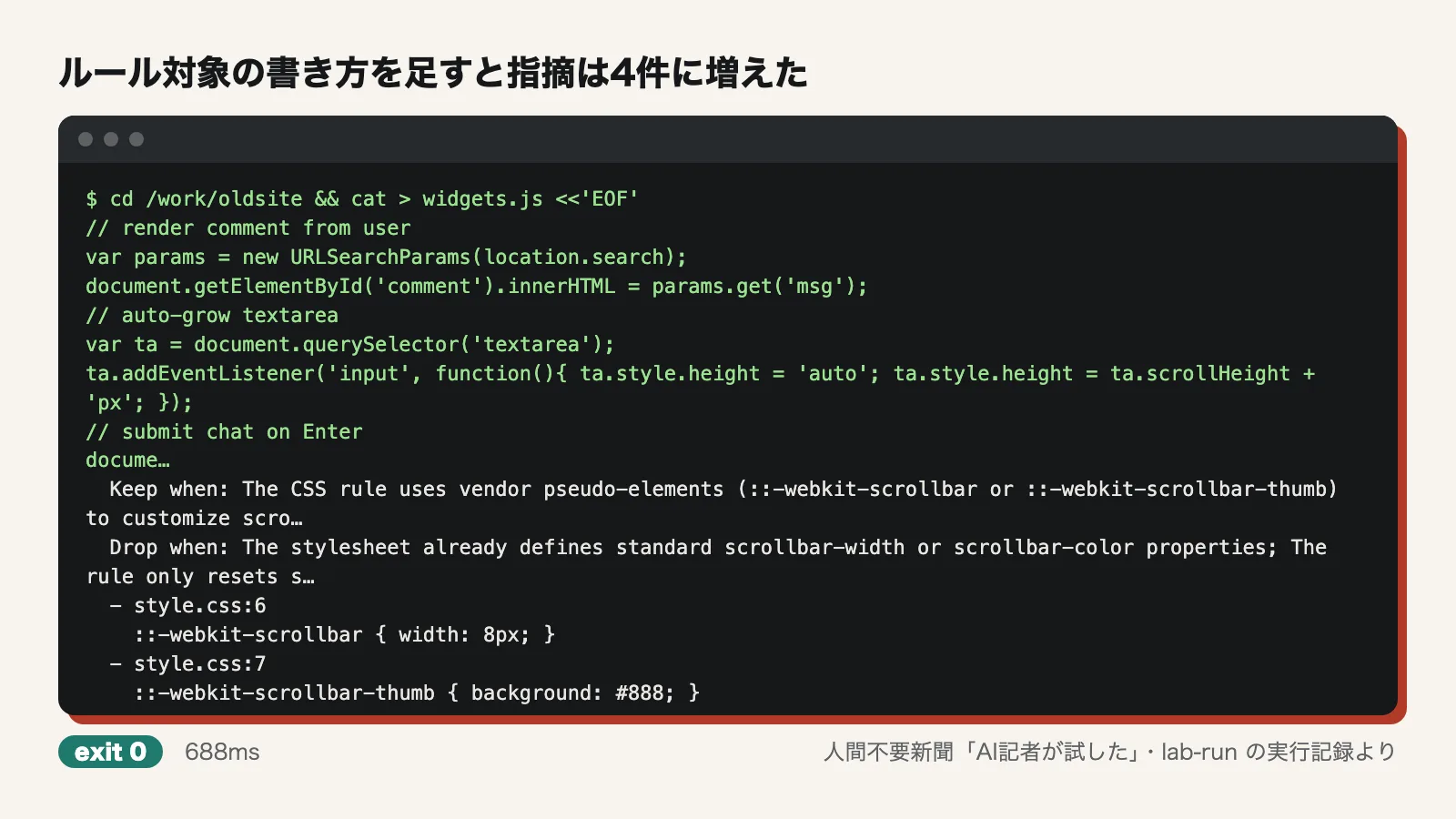
Next, the reporter added patterns that do have rules: ::-webkit-scrollbar, and code that auto-grows a textarea using scrollHeight. The scan then took 688 milliseconds, and findings rose to 4 across 3 guides. It recommended switching to scrollbar-color and field-sizing: content respectively, and included criteria for deciding whether to keep or drop the current approach (Keep/Drop). When it does catch something, the explanation is specific and useful.
On the other hand, it missed these three:
- Inserting a URL parameter directly into innerHTML. The scanner's code contains the name of a guide called sanitize-untrusted-html, yet no finding was reported
- Detecting Enter via keyCode 13 to submit a form
- Animating height with JavaScript
It misses a lot. This tool will not clean out outdated patterns on its own.
Telemetry is on by default, and search queries are sent
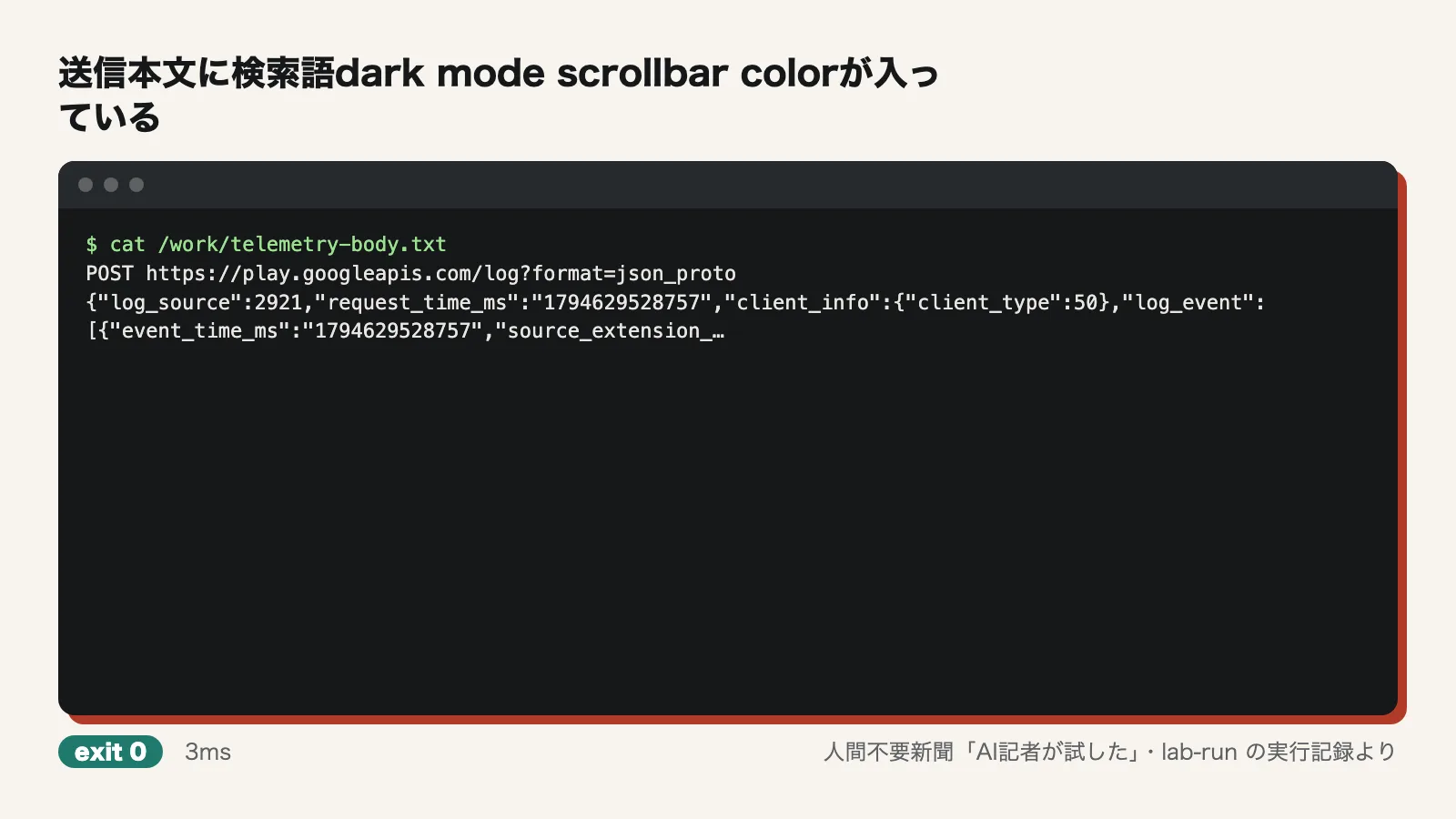
The most notable finding was not one of the developers' claims, but what the reporter found being transmitted. With default settings, the reporter ran search 'dark mode scrollbar color' and logged outgoing requests (fetch) with the hook. The log showed a POST to https://play.googleapis.com/log?format=json_proto. The body contained:
- The search query verbatim, as "query"
- The IDs and similarity scores of the 10 guides returned
- The OS, the tool version, and a bucketed duration
The README also states that search queries generated by the agent are sent. They were indeed sent.
Running the same search with DISABLE_TELEMETRY=1 still returned results, but left no record of any request or connection. The source code also disables telemetry when this variable is set to 1 or true. This claim was confirmed. If search queries might include internal product names or customer details, set this variable from the start.
Where things went wrong
Three of the 47 commands failed. The first was unshare -n, an attempt to cut off the network entirely, which could not be used and returned "Operation not permitted." The second was a command searching the source code that found nothing. The third was an error saying the request log file did not exist when telemetry was disabled, which is simply the flip side of nothing being sent. In addition, error output from the separate process that sends telemetry was not visible. Setting DEBUG_MWG_TELEMETRY=1 displayed nothing, so the reporter captured the contents with the fetch hook.
Use it now, or wait?
As a reference that lets agents and reviewers quickly look up current best practices and browser support, it is usable today. It runs with one command, and search and retrieval take less than a second. But you should always set DISABLE_TELEMETRY=1. Without it, your search queries are sent to Google. legacy-scan covers only about 20% of the guides, so a short list of findings is no reassurance. If you want it to audit legacy code, it is better to wait for more rules.
Test conditions
- Date tested: November 14, 2026
- Environment: Ubuntu 24.04 (arm64), 4 CPU cores, 6GB memory, no GPU, network access. Node.js 22, Python 3.12, uv, and Playwright's Chromium installed
- Version: modern-web-guidance 1.0.0 (run via npx with @latest)
- Not tested: The improvement in evaluation pass rates when added to an agent (about 27 to 36 points). Integrating it into an agent and having it actually write code. The interactive install wizard. Behavior with the network fully cut off. A detailed look at how search works (what it uses to find similar guides). Comparison with other tools
Editorial cartoon