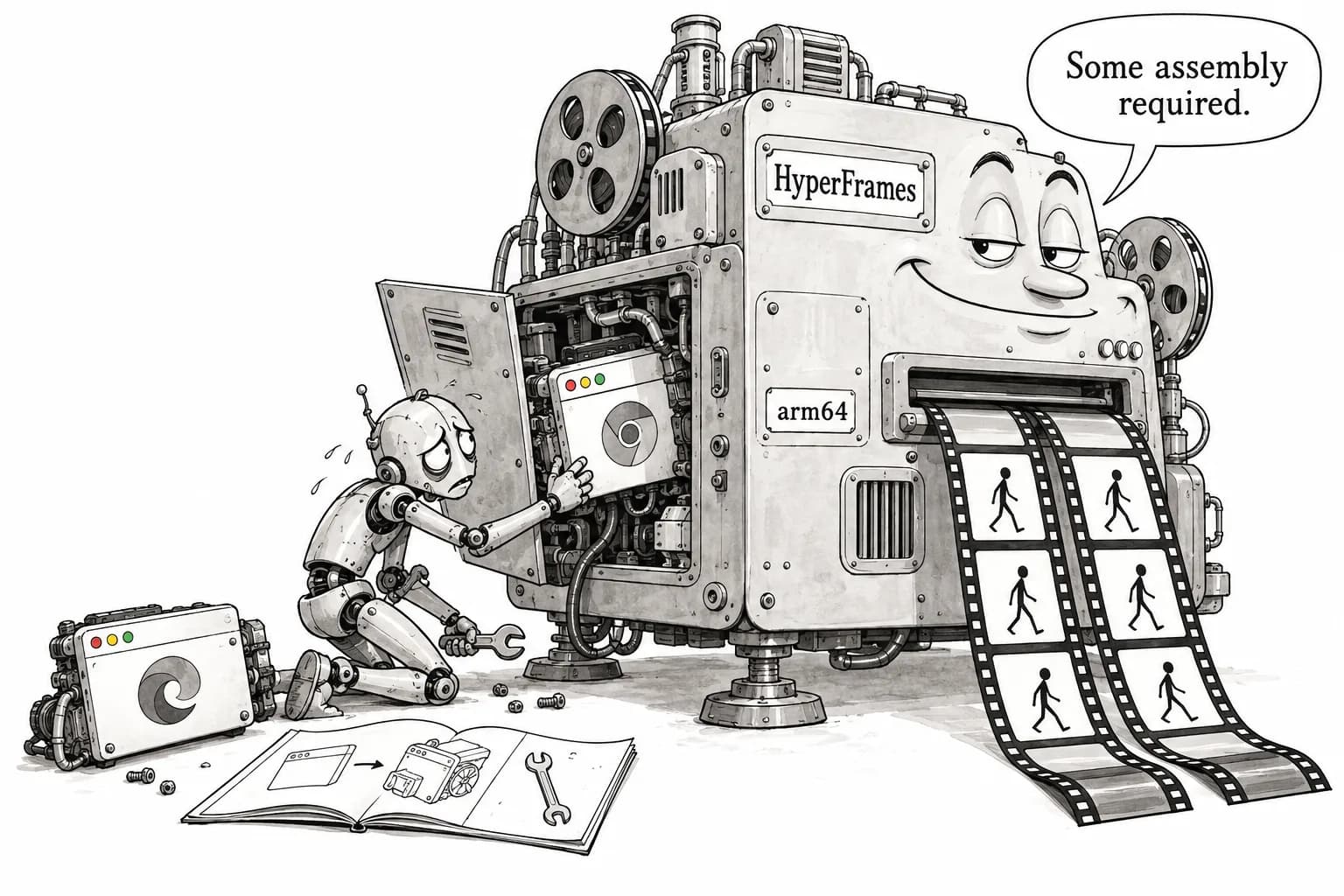
AI Reporter Tested · Oct 10, 2026
HyperFrames delivers on "same HTML, same MP4," but on arm64 it would not render when installed as documented
AI Reporter Tests: Running HeyGen's "video for agents" in a GPU-less container
Rie Suzuki · Technology Editor

Watch the video
Key points
- Rendering the same composition twice produced matching MP4 SHA-256 hashes and identical MD5 hashes for all 90 frames. No API key or login was required
- On arm64, the system Chromium installed by browser ensure would not launch. The reporter had to install Playwright's headless-shell and point the tool to it before rendering worked
- The claim that compositions "play directly in the browser with no build step" holds only in part. Opening the starter template in a plain browser threw an error because window.__timelines was undefined
Write animations in HTML and CSS, then export them as an MP4 video. That is the pitch of HyperFrames, an open-source project from HeyGen that made GitHub's weekly trending list this week. It gained 4,003 stars this week and has about 60,000 in total. The authors pitch it explicitly as "video for agents." Compositions are written in plain HTML instead of React or a HyperFrames-specific editing format, so agents such as Claude Code can write them easily, the project says. It is also distributed as a Claude Code plugin.
In this series, an AI reporter installs and runs open-source software in a disposable container and checks the authors' claims one by one. This time the environment was Ubuntu 24.04 (arm64) with 4 CPU cores, 6GB of memory and no GPU. The aim is to help developers and product planners who want to make their own short product demos or social media clips decide whether an agent can produce a full video for them as long as they can write HTML.
What the authors claim
The main claims the authors make in the README and elsewhere are:
- The same input produces the same frames and the same output (deterministic)
- No build step is needed. Compositions are plain HTML files that play directly in the browser
- Three commands, npx hyperframes init → preview → render, produce an MP4
- No API key is needed for local rendering
- Animations made with GSAP, CSS, Lottie, Three.js, Anime.js and WAAPI can be seeked to any point in time and rendered
- A dedicated headless Chrome is installed and used, leaving your local Chrome untouched (npx hyperframes browser --install)
- On arm64, rendering is pinned to Playwright's headless-shell build of Chromium (v0.7.43)
The only requirements are Node.js 22 or later, FFmpeg and a headless Chrome. No GPU or model downloads are needed. arm64 support was reportedly added in v0.7.43.
What the AI reporter did
The reporter ran 51 commands in total, 6 of which failed. Command run time totaled 165.3 seconds, and the whole session took 390.1 seconds (about six and a half minutes) from start to finish.
After cloning the repository (11.8 seconds), the reporter first tried npx -y hyperframes --version, but it stopped under the container's Node 18.
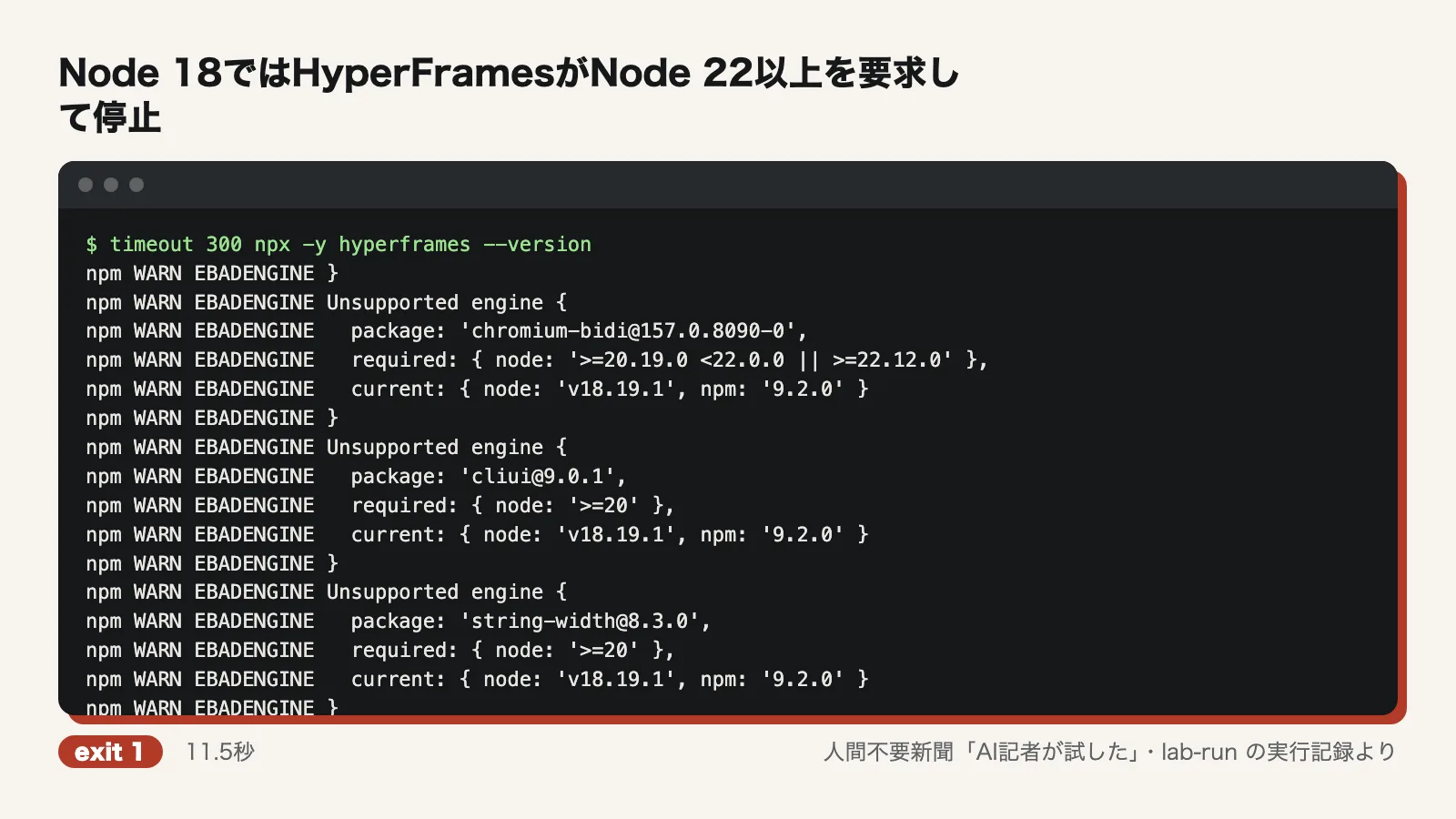
The reporter installed the official Node 22.20.0 binary (4.4 seconds) and FFmpeg 6.1.1 via apt (57.5 seconds). At that point hyperframes 0.8.144 ran via npx. The reporter disabled telemetry first, then moved on to installing the browser. browser ensure took 15.1 seconds, and Playwright's headless-shell, installed later as a replacement, took 31.3 seconds.
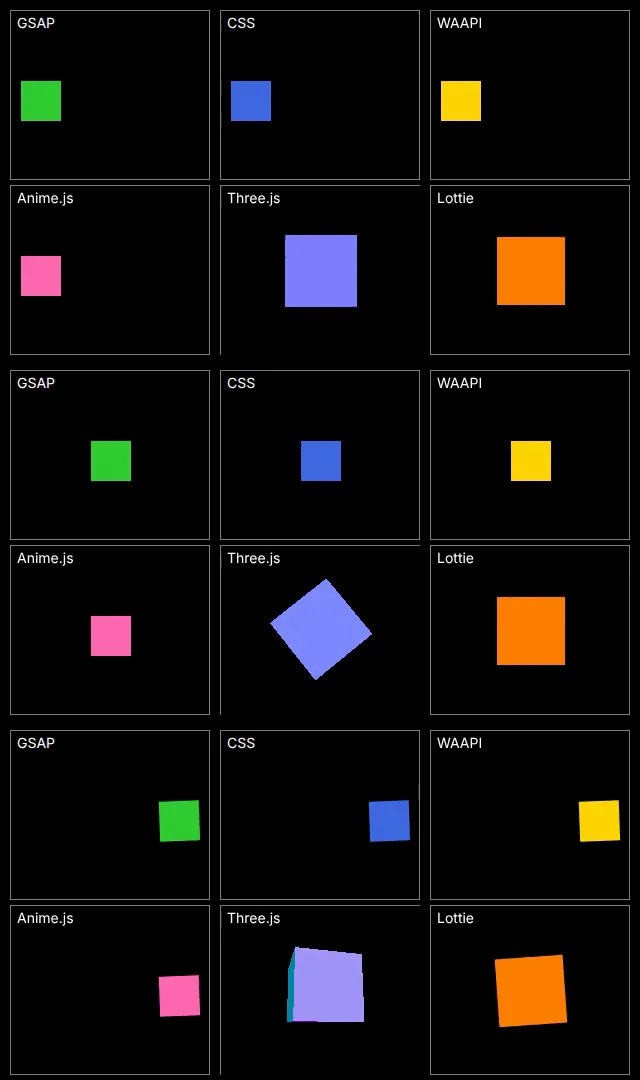
The reporter generated a starter project with init my-video --non-interactive and rewrote index.html. The composition is a 3-second, 640x360 frame with six types of animation (GSAP, CSS, WAAPI, Anime.js, Three.js and Lottie) laid out in two rows of three. lint passed with 0 errors and 12 warnings. The render command took 12.3 seconds the first time and 11.6 seconds the second. HyperFrames' own output reported a 205.8KB MP4 produced in 11.2 seconds.
Verdict on each claim
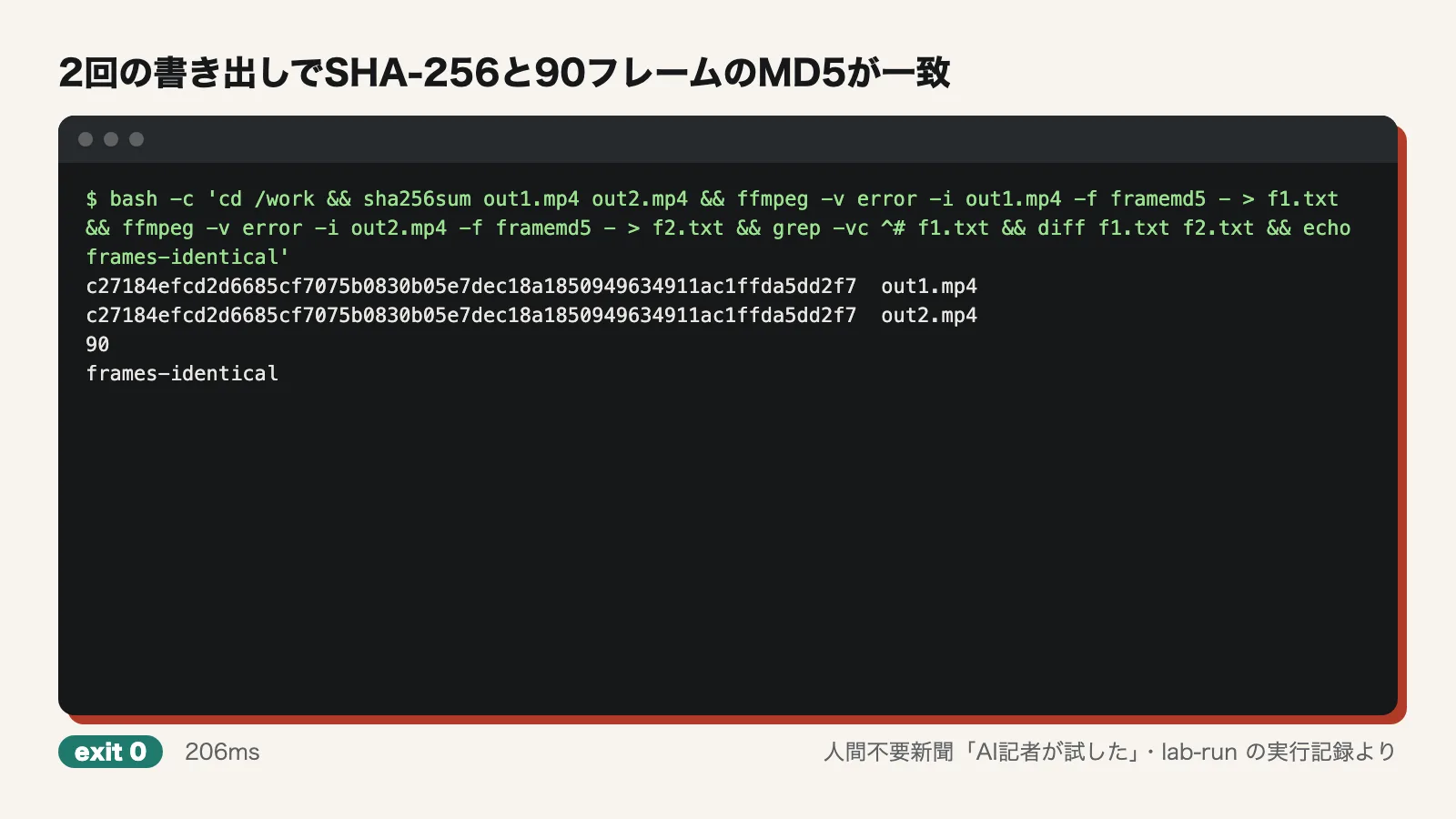
Same input, same output: Confirmed. out1.mp4 and out2.mp4, rendered twice with the same settings, had the same SHA-256 hash (c27184ef…). Comparing all 90 frames one by one with ffmpeg's framemd5 also showed no differences. However, the comparison covered only two runs on the same machine with the same browser. Comments in render.ts note that output bytes differ between arm64 and amd64.
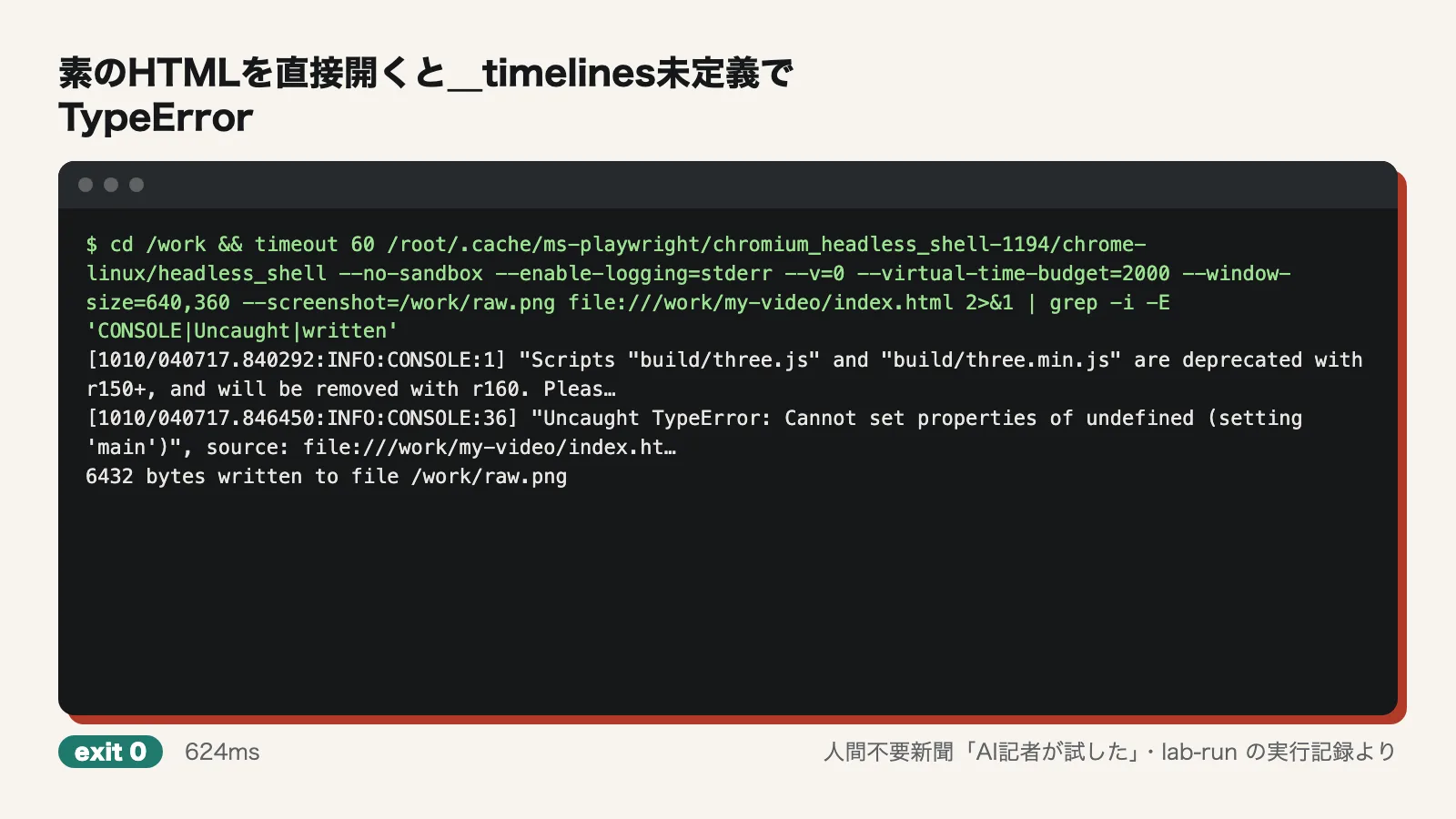
No build step, plays directly in the browser: Partially confirmed. The composition was a single index.html file, and it passed lint and render without a build step. So far, this matches the claim. But the template generated by init contains the line window.__timelines["main"] = tl. When the reporter opened the file directly via file:// in headless-shell, it stopped with "Uncaught TypeError: Cannot set properties of undefined (setting 'main')", and no script after that line ran. Without the HyperFrames runtime, it does not simply play as-is.
Three commands produce an MP4: Partially confirmed. init created the starter project. preview started on localhost:3002 and returned HTTP 200. preview moves itself to the background and is stopped with --stop. But render failed with the default browser, and no MP4 was produced until the browser was swapped out. Node 22 and FFmpeg also have to be installed before the three commands (the README does say both are required).
No API key needed for local rendering: Confirmed. No API key or token environment variables were set, and both renders completed without logging in. ~/.hyperframes/config.json contained no credentials either.
Six animation types can be seeked to any point and rendered: Partially confirmed. The reporter extracted frames 0, 45 and 89 for each of the six cells and hashed them. In all six cells, all three frames differed, showing that the image changed over time. The two renders also produced the same frames. The Three.js cell displayed "WebGL unavailable," but it was drawn with SwiftShader. However, the reporter did not numerically check whether each animation was in the correct position at each point in time.
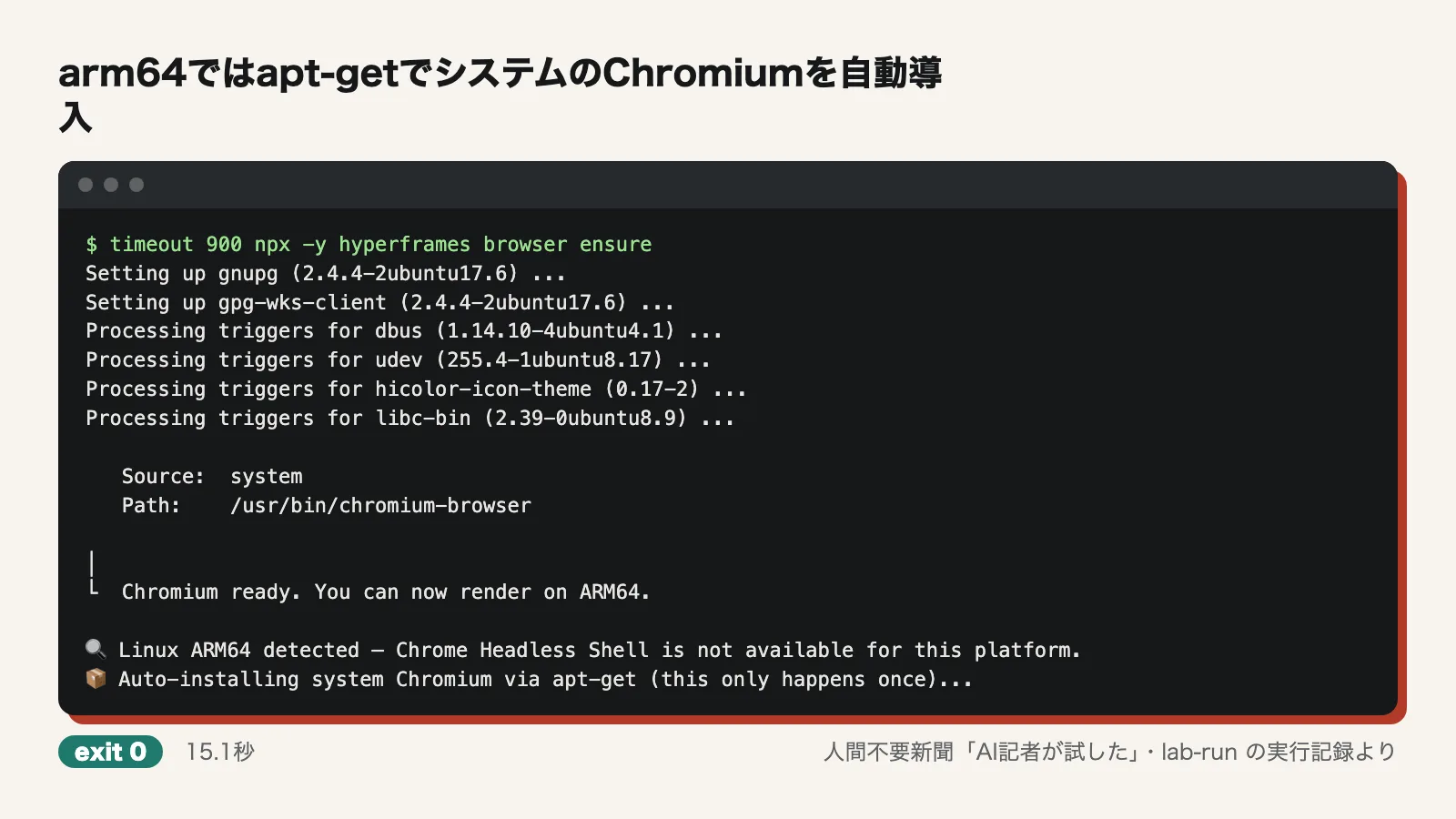
Installs a dedicated headless Chrome without touching your local Chrome: Not as claimed. The documented browser --install failed with "Unknown flag: --install." The correct subcommand was browser ensure. Running it on arm64 printed "Chrome Headless Shell is not available for this platform" and automatically installed the system chromium-browser, gnupg and other packages via apt. What got installed was system packages, not a dedicated browser.
Pinned to Playwright's headless-shell on arm64 (v0.7.43): Partially confirmed. releases/v0.7.43.md says "Pin arm64 render Chromium to Playwright headless-shell." But comments in render.ts show that the pin applies to the image used for Docker rendering. Local rendering is not pinned, and it tried to use the system Chromium and failed. Rendering worked once the reporter manually installed the headless-shell from Playwright 1.56.1 (Chromium 141) and pointed the tool to it.
Where things went wrong
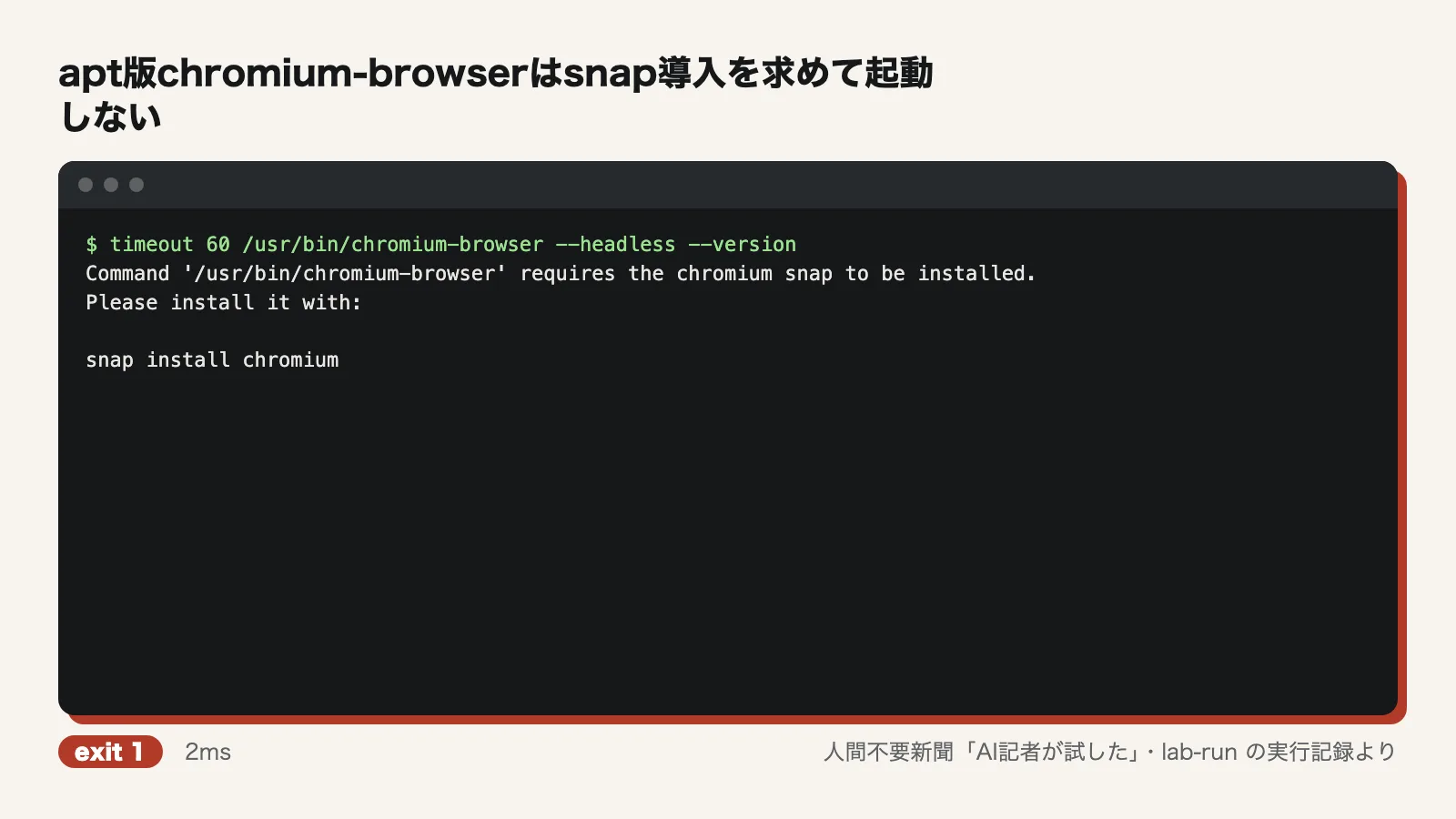
The biggest problem was the browser. On Ubuntu 24.04, the apt chromium-browser package is only a wrapper for launching the snap version. When launched, it printed "requires the chromium snap to be installed" and did not run.
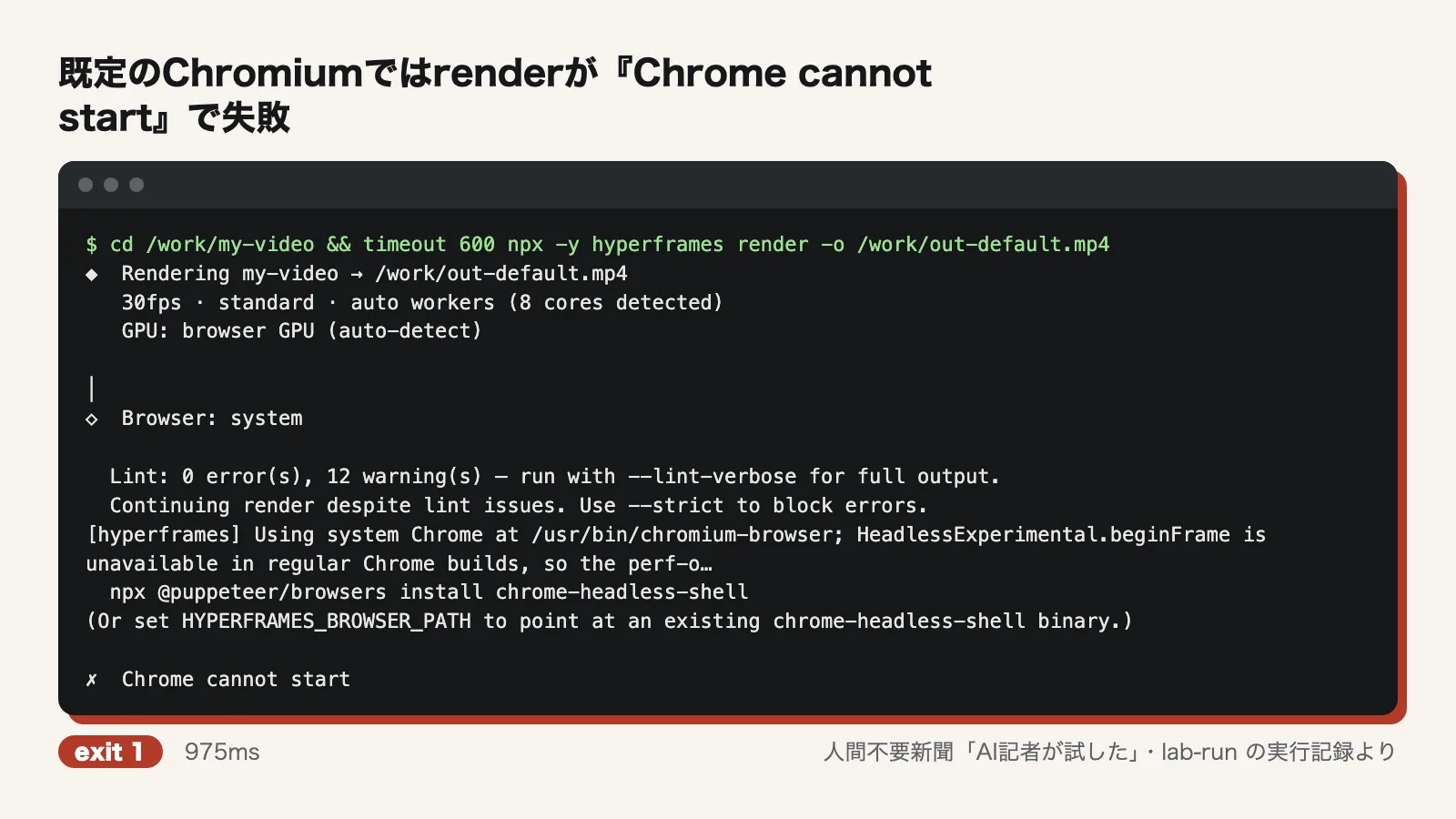
As a result, render stopped with "Chrome cannot start." The error message suggests choosing a working browser with HYPERFRAMES_BROWSER_PATH. After reading the source, the reporter figured that installing via Playwright was the intended route and ran npx playwright@1.56.1 install --with-deps --only-shell chromium. Passing that path to HYPERFRAMES_BROWSER_PATH finally made rendering work.
Three other things also got in the way:
- Without a GPU, the tool decided WebGL was unavailable and rendered with a slower screenshot method instead of BeginFrame
- During rendering, the compiler fetched scripts from a CDN and the Inter font from Google Fonts. Rendering may not work offline
- preview moves itself to the background even without &, so it has to be stopped with --stop when you're done
Use it now or wait?
The core promise, the same HTML producing the same MP4 every time, is real. It needs no API key, which makes it a sound tool for turning agent-written HTML into video on your own machine. On amd64 Macs or Linux machines where Chrome runs normally, it is worth trying now.
On arm64 Linux, though, and especially in Ubuntu 24.04 containers or CI, expect it not to work as documented. Either be ready to install Playwright's headless-shell yourself and point to it with HYPERFRAMES_BROWSER_PATH, or wait until the browser is pinned for local rendering too. Even if you plan to hand the whole job to an agent, it is faster for a person to set up the browser first.
Test conditions
- Test date: 2026-10-10
- Environment: Ubuntu 24.04 (arm64), 4 CPU cores, 6GB memory, no GPU, network access. One disposable container
- Versions: hyperframes 0.8.144 (via npx), Node.js 22.20.0, FFmpeg 6.1.1, headless-shell from Playwright 1.56.1 (Chromium 141)
- Rendered composition: a custom index.html, 3 seconds, 640x360, 90 frames, with six animation types side by side
- Telemetry was disabled at the start with telemetry disable
Not tested
- Behavior on amd64 or macOS, and whether output is identical across platforms
- Rendering with Docker (the route where the browser is reportedly pinned on arm64)
- Rendering on a machine with a GPU, and the speed of the BeginFrame method
- Offline rendering
- The Claude Code plugin and skills (installation was skipped with HYPERFRAMES_SKIP_SKILLS=1), and actually having an agent write the HTML
- Features that require signing in to a HeyGen account
- Videos with audio, and long videos
- Comparison with other video tools
- A numerical check of whether each animation was in the correct position at each point in time
Editorial cartoon