AI Reporter Tested · Oct 17, 2026
Context Mode nearly reproduces its "299B" and "155B" figures on the author's data, but output only shrinks when the AI passes aggregation code or an intent; a plain cat returned all 77KB
The AI Reporter Tried It: we ran an MCP server that claims to cut agent context by 98% in an arm64, CPU-only container and measured the results
Rie Suzuki · Technology Editor

Watch the video
Key points
- Using the author's fixtures and aggregation code, a 57.5KB Playwright snapshot came down to 298B and a 46.2KB access log to 154B, nearly matching the author's figures. The tool's responses also include the code, however, so they came to 1,492B and 913B
- How much output shrinks depends on what the AI does. A 77.7KB log we generated ourselves came back as 466B when aggregated and 1,580B with an intent. A plain cat with neither returned all 77,739B
- It would not start on Ubuntu's default Node 18; we had to install Node 22.12.0. The index and search still worked after the server was restarted. We did not install it in real environments such as Claude Code, and did not verify automatic routing in each environment
If you use coding agents for real work, tool output fills up the context fast. Browser snapshots, server logs, large JSON files: every line goes into the context, including lines the AI never needs to read. Token costs rise, and the conversation gets compacted midway, breaking the flow. Context Mode is an open-source project that takes this problem head-on. It made GitHub's weekly trending list this week, picking up about 4,200 stars in seven days.
In our series "The AI Reporter Tried It," an AI reporter installs a much-discussed open-source project in a disposable container, runs it, and checks the author's claims. This time we installed Context Mode in an arm64 Ubuntu 24.04 container with 4 CPU cores, 6GB of memory and no GPU, and measured in bytes whether it really reduces how much goes into the context.
What the author claims
Context Mode runs as an MCP server. Instead of passing tool output straight to the AI, it processes the output in a sandbox and returns only a summary and a search index. The README's main claims are:
- It keeps tool output in a sandbox and cuts the amount that enters the context by 98% (315KB to 5.4KB)
- A 56KB Playwright snapshot becomes 299B, and a 45KB access log becomes 155B
- No API key is needed. All it requires is Node.js 22.5 or later (or Bun)
- It starts as an MCP server with npx -y context-mode and works in 17 environments, including Claude Code, Gemini CLI, Cursor and Copilot
- ctx_search, which uses SQLite's FTS5 and BM25, retrieves only the needed parts from indexed output
- It saves a record of the work and carries it over between sessions
Because it needs no API key, no GPU and no model download, it can be tested in a small, CPU-only environment.
What the AI reporter did
We ran 34 commands in total, two of which failed. Combined command execution time was 82.9 seconds, and the whole run took 292.1 seconds (about 5 minutes) from start to finish.
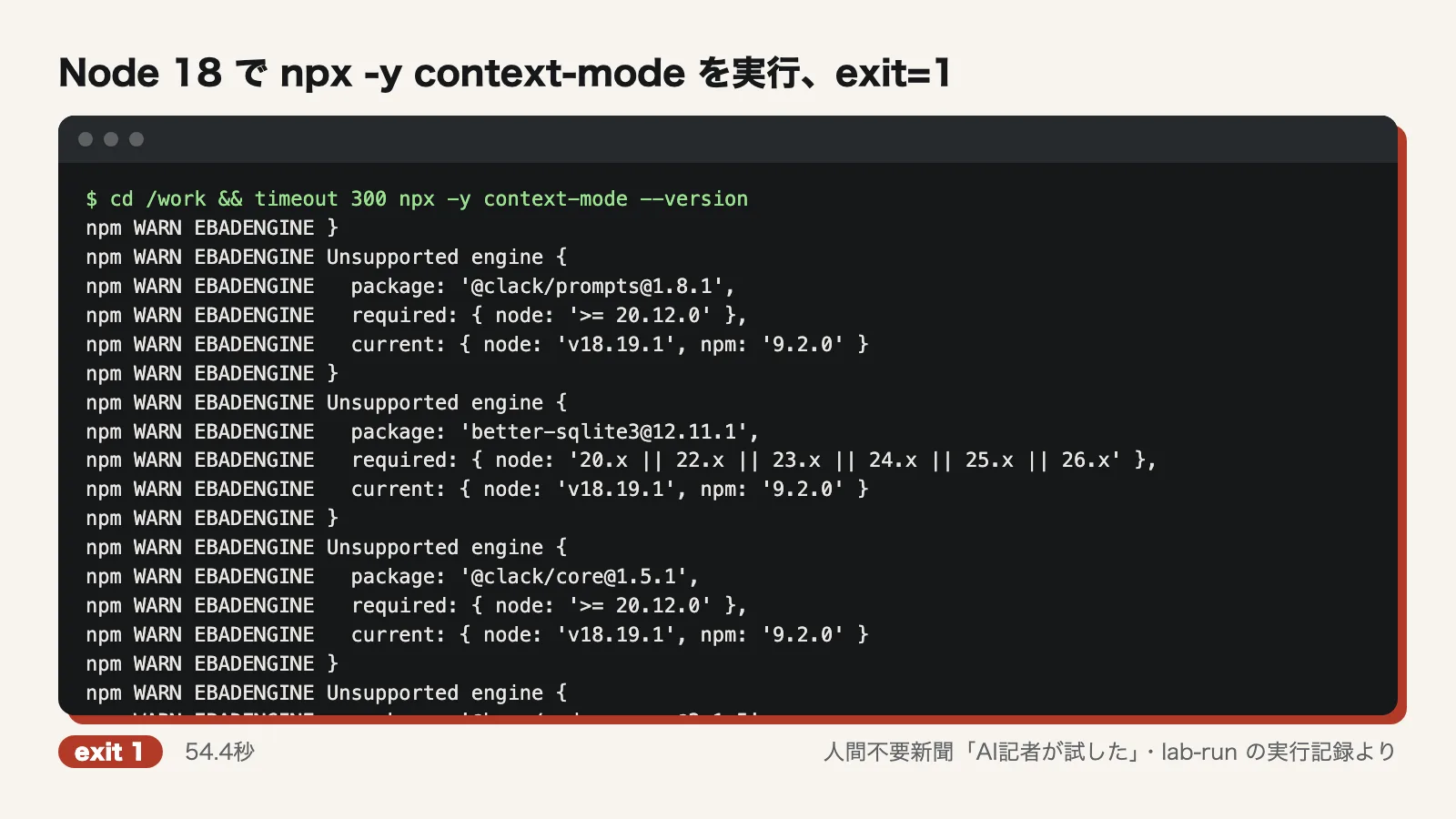
First we cloned the repository (2.1 seconds) and picked out the numerical claims from the README. We then ran npx -y context-mode --version on Ubuntu's default Node 18.19.1. It took 54.4 seconds and then stopped with exit=1. A string of EBADENGINE warnings showed the requirements were not met.
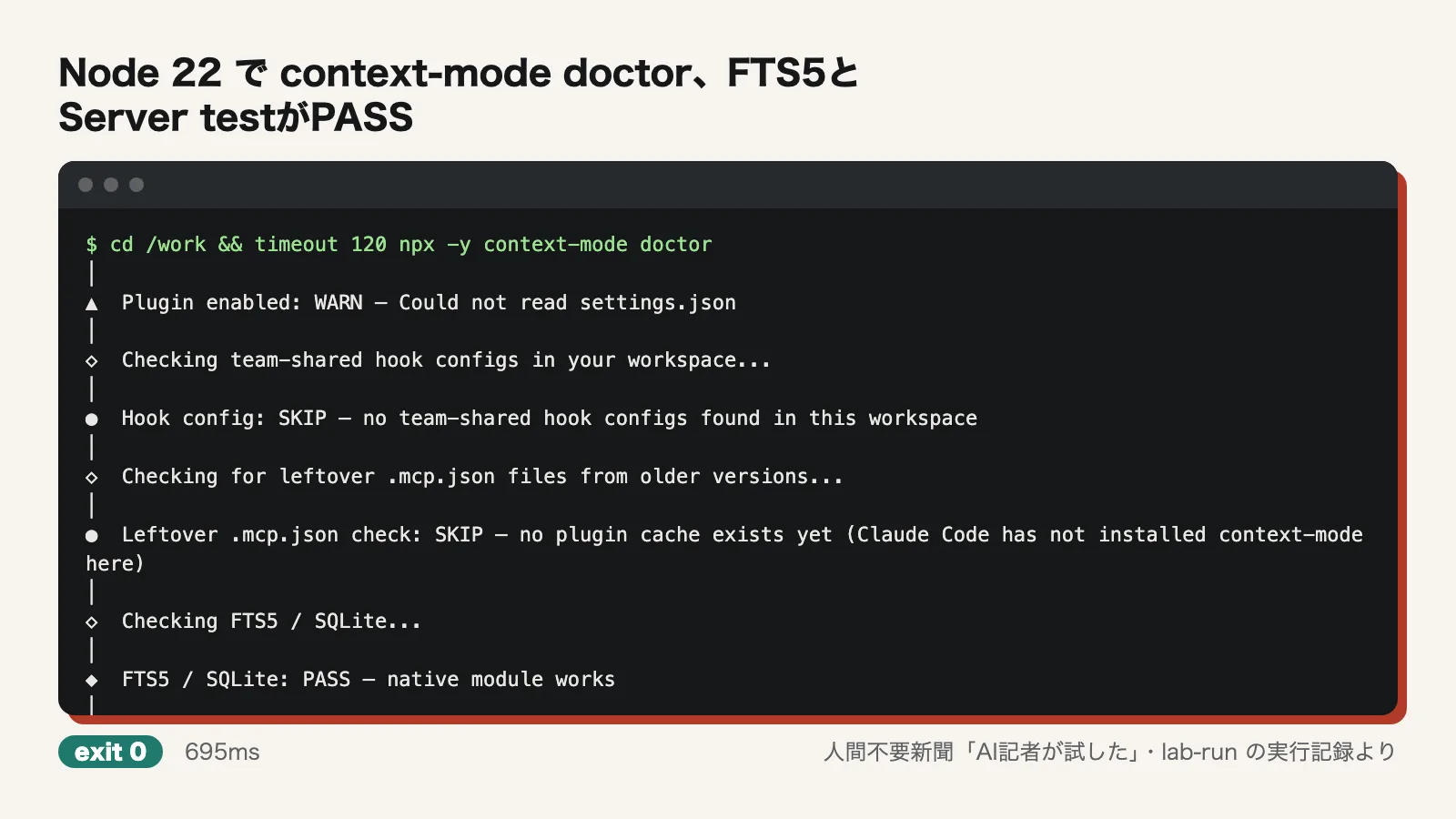
We downloaded Node 22.12.0 from nodejs.org and installed it (4.5 seconds). This time npx -y context-mode --version succeeded in 10.9 seconds, and context-mode doctor finished in 695 milliseconds. Both Server test and FTS5 / SQLite passed.
Next, we wrote a small MCP client in Python and launched npx -y context-mode as a child process. initialize and tools/list succeeded. The version was v1.0.169, and there were 11 tools, including ctx_execute and ctx_search. We used this client to call ctx_execute, ctx_execute_file, ctx_index, ctx_search and ctx_stats and took our measurements.
Claim-by-claim verdicts
Cuts context by 98% (315KB→5.4KB): partly confirmed
We first generated a 77,710B access log and passed the same log to the tool in three ways.
- Passing aggregation code to ctx_execute_file: the response was 466B
- Running cat through ctx_execute with an intent (what we wanted to find): the response was 1,580B
- Running cat through ctx_execute with no intent: the response was 77,739B. The full output came back as is
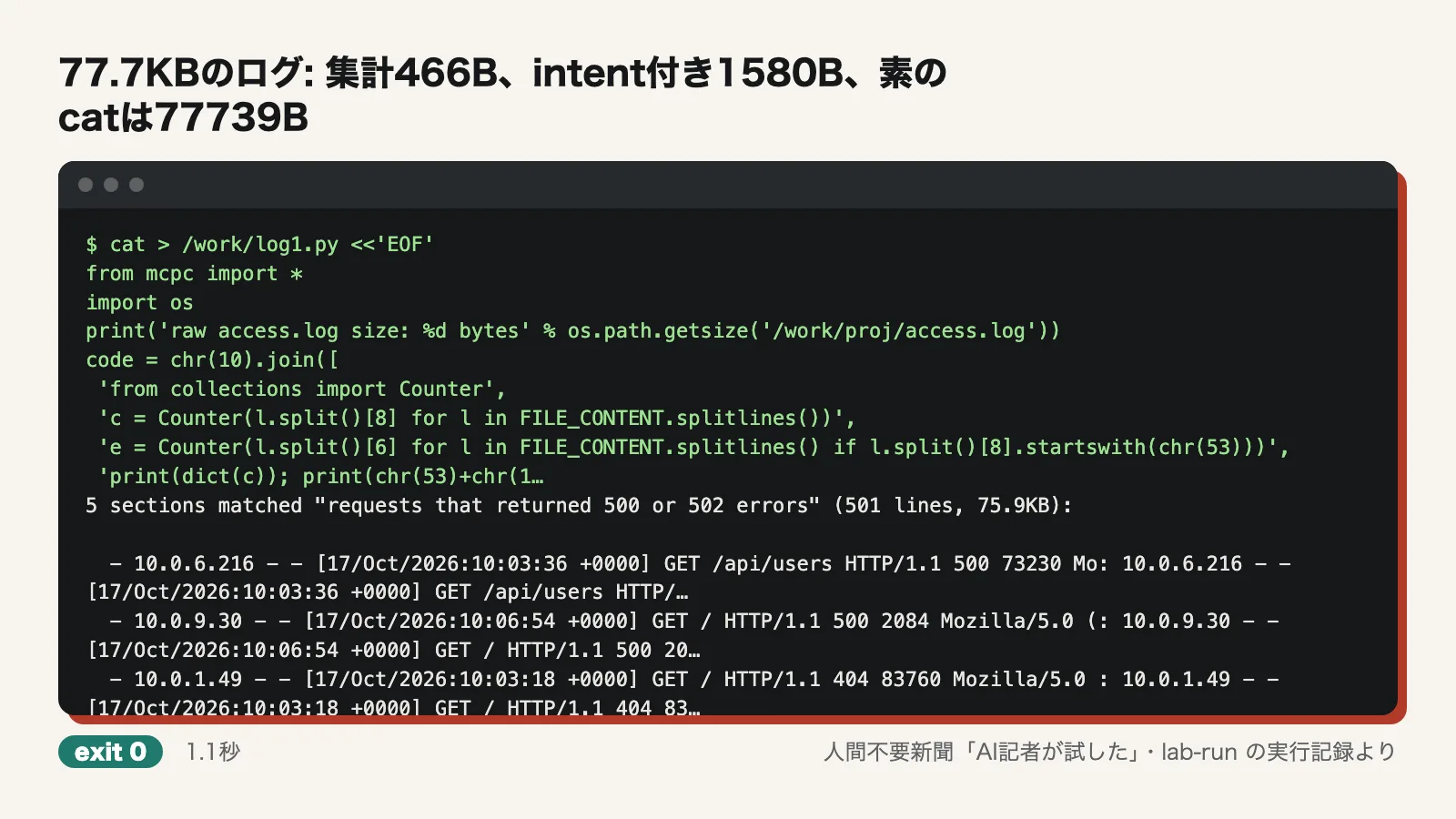
In other words, output does not shrink on its own. It shrinks only when the AI writes aggregation code or passes an intent. BENCHMARK.md also shows that the 315KB→5.5KB figure is a subtotal that adds up the results of aggregation code the author wrote for each of 13 scenarios. We did not reproduce that total. We tried to check it with the author's test suite, but npm install in the repository failed with "Cannot read properties of null (reading edgesOut)", and npm ci also failed because there is no lockfile.
56KB Playwright snapshot→299B: partly confirmed
We ran the author's aggregation code from tests/ecosystem-benchmark.ts through ctx_execute_file against playwright-snapshot.txt (57,521B), a fixture the author ships with the repository. The output was 298B, nearly identical to the claimed 299B. The tool's response also includes the executed code, though, so the full response came to 1,492B. The summary's Top 5 included items that were not article titles, such as hawksley.org and 8 hours ago. We did not run Playwright in a real browser.
45KB access log→155B: partly confirmed
Applying the author's aggregation code to the author's access.log (46,216B) produced 154B of output (Requests 500, Errors 88 and so on). The full tool response was 913B.
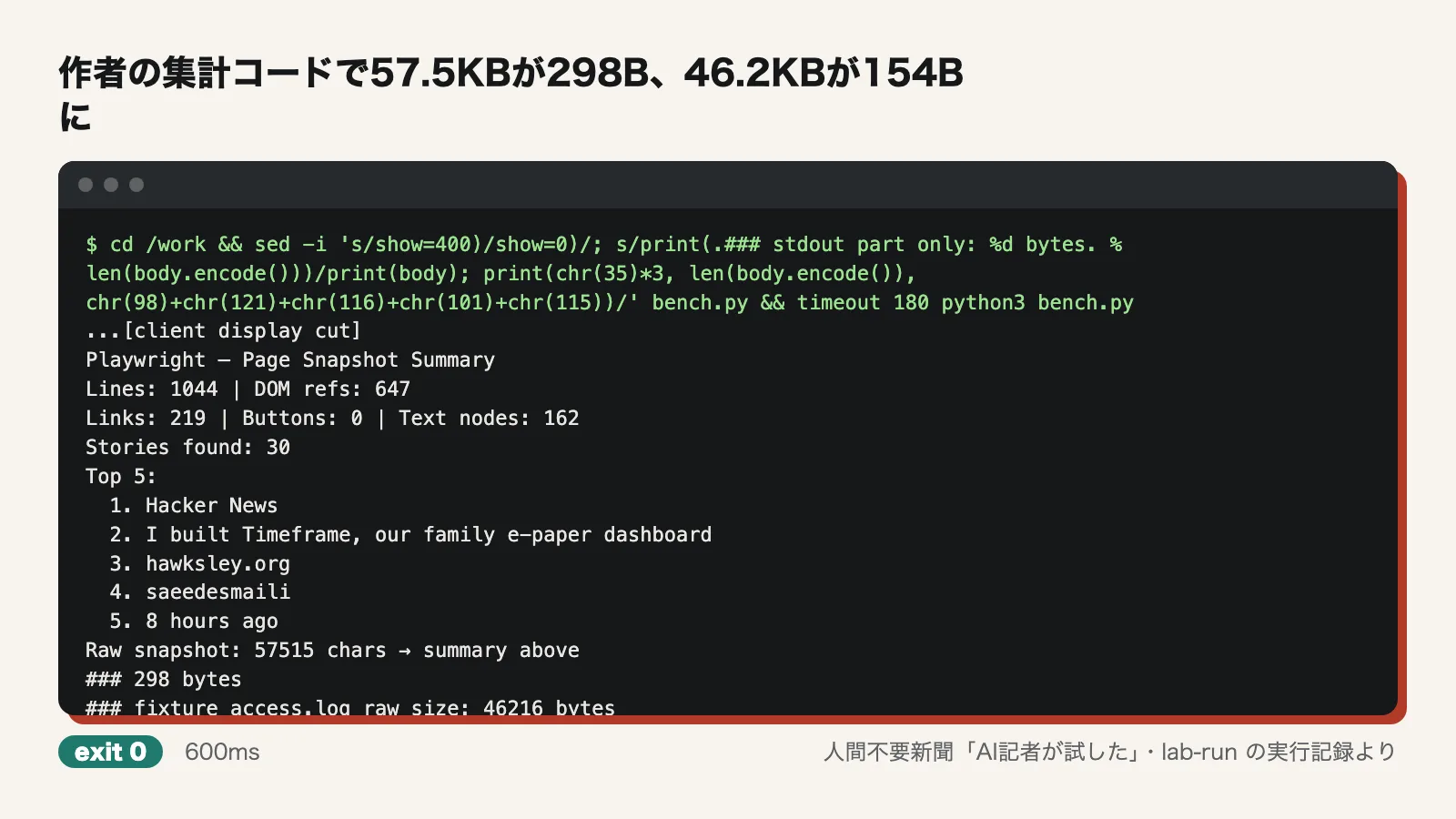
The numbers could be reproduced with the author's materials. But this is the result of "aggregation code written by the author, applied to data prepared by the author." Whether a real AI can write equally good aggregation code on the fly was outside the scope of this test.
Runs with no API key and only Node.js 22.5 or later: partly confirmed
Every tool worked without a single API key configured. On Node 18.19.1 we got EBADENGINE warnings and exit=1, so the Node requirement is real. We ran it on Node 22.12.0, however, and did not try exactly 22.5 or Bun.
Starts with npx and works in 17 environments: partly confirmed
We confirmed that it starts as an MCP server using our own client. The README has setup instructions for each of 17 environments, and the configs folder contains per-environment settings. However, we did not actually install it in any of those environments. Whether automatic tool routing and hooks work in each environment is unconfirmed. Note that the README text counts OpenClaw on top of the 17 environments, while the setup-instruction headings reach 17 only when OpenClaw is included.
ctx_search with FTS5 and BM25 retrieves only the needed parts: confirmed
Indexing the 94,871B README with ctx_index returned a 168B response (45 sections). Passing two questions to ctx_search returned 6,302B, and the question about purge hit the Utility Commands section. After restarting the server, the same search returned the same section at 1,730B. The index persists.
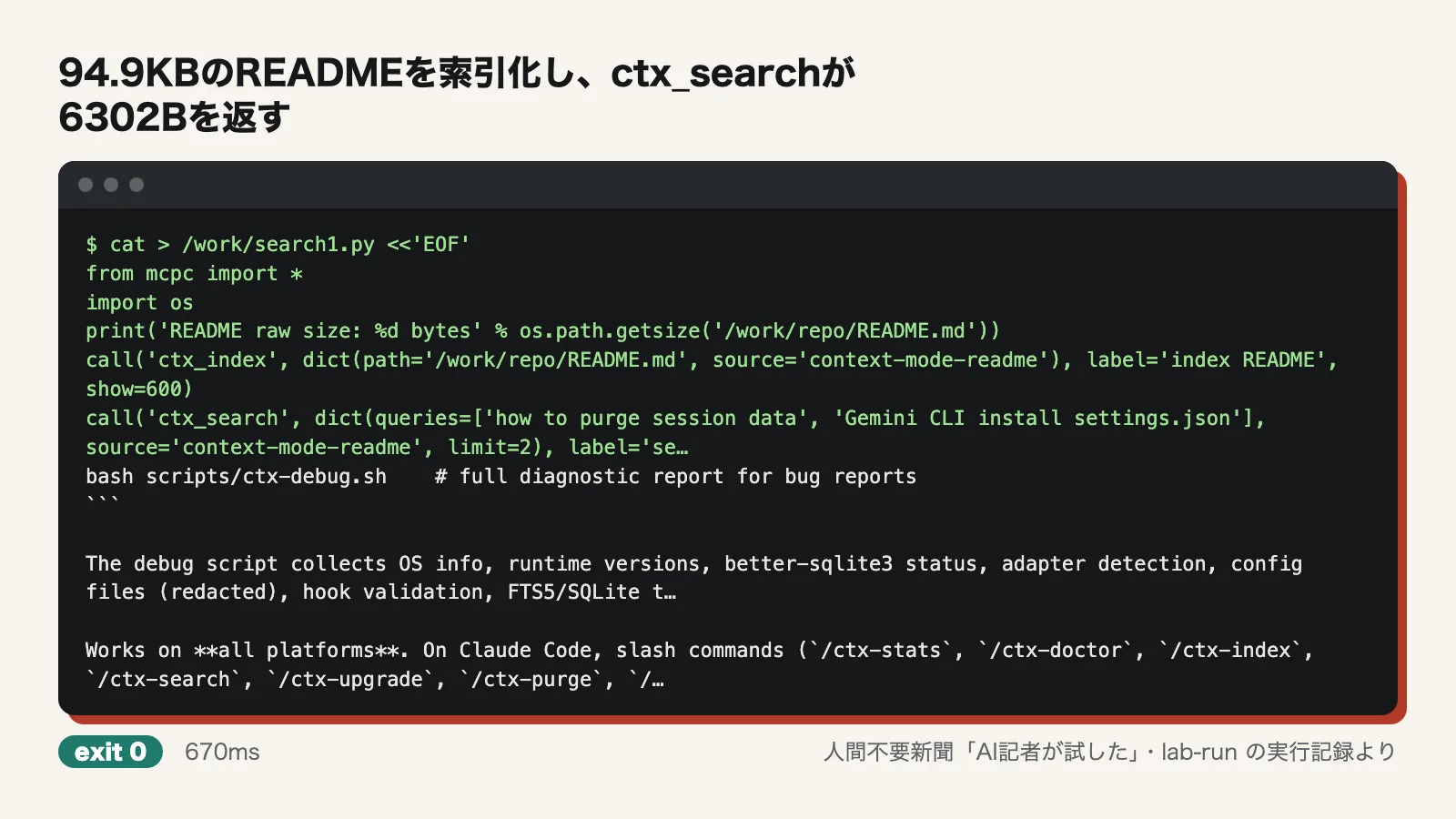
On the other hand, when we used cat with an intent to look for lines with 500 and 502, lines with 404 and 200 were mixed in. The filtering is not perfect.
Carries work records over between sessions: partly confirmed
We did not use the real Claude Code. Instead, we manually fed JSON in the same format Claude Code uses to the hook scripts (userpromptsubmit, posttooluse, precompact) in the package installed via npx. When we then called sessionstart.mjs with source compact, the session_knowledge in its output contained the instruction (do not touch /login), the edited file search.js and the git record fix-search-500.
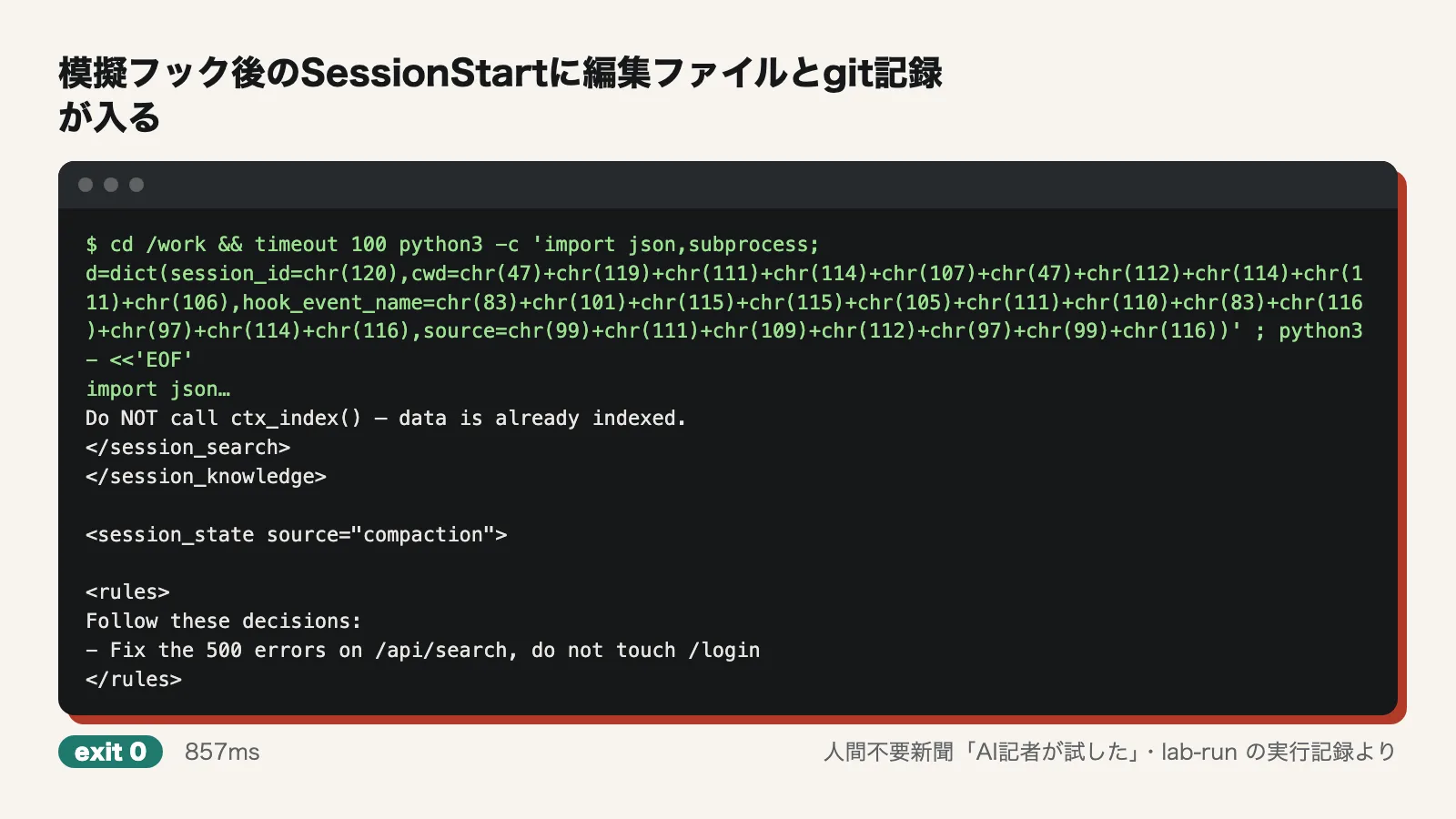
The mechanism that saves the records and surfaces them at the start of the next session worked. We did not test resuming with --continue, or whether a real AI can receive and make use of these records. Note that the image above shows a single run in which an empty python3 -c was followed by the verification script.
Where we stumbled
- It won't start on Ubuntu 24.04's default Node 18.19.1. After a 54.4-second wait, it ended with exit=1. You need to install Node 22.x separately
- The development install from the repository fails. npm install failed with the edgesOut error, and npm ci failed because there is no lockfile. As a result, we could not run the author's test suite. The log records an exit code of 0 for npm install, but only because the output was piped to tail; the install actually failed
- Whether output shrinks depends on how it is used. A plain cat returned the 77KB as is. The advertised "98% reduction" assumes the AI writes good aggregation code or passes an intent every time
- The small numbers cover only the output. 298B and 154B are the size of the output alone; the tool's responses include the code and come to 1,492B and 913B
Use it now or wait?
If your agent keeps reading huge logs or snapshots in full and overflowing its context, it is worth a try. It starts with a single npx command and no API key, and the index and search survived a restart. On the author's materials, it produced the claimed numbers.
Don't expect a 98% reduction just from installing it, though. Output shrinks only when the AI passes aggregation code or an intent; a plain cat returns everything. The practical approach is to use it while checking, with ctx_stats and similar tools, how your agent is actually using it in your environment. If you are still on Node 18, or need assurance that automatic routing works properly in each environment, check it yourself or wait for more test reports.
Test conditions
- Test date: 2026-10-17
- Environment: Ubuntu 24.04 (arm64), 4 CPU cores, 6GB memory, no GPU, network access
- Versions: context-mode v1.0.169 (fetched via npx), Node.js 22.12.0 (first attempted on Ubuntu's default 18.19.1, which failed)
- Run log: 34 commands in total, 2 failures, 82.9 seconds of combined command execution time, 292.1 seconds from start to finish
- Data used for measurement: a self-generated access log (77,710B), the author's bundled playwright-snapshot.txt (57,521B) and access.log (46,216B), and the README (94,871B)
What we did not test
- We did not install it in any real agent environment, such as Claude Code, Gemini CLI, Cursor or Copilot. Automatic routing, whether hooks work in each environment, and how much actual token costs fall are unconfirmed
- We did not run Playwright in a real browser. We used the author's bundled snapshot instead
- We did not reproduce the 13-scenario total of 315KB→5.4KB (5.5KB in BENCHMARK.md). We could not run the author's test suite because the install failed
- We did not test exactly Node.js 22.5 or Bun
- We did not test resuming a session with --continue, or whether a real AI can make use of the carried-over records. The hooks were fed hand-made JSON
- We did not compare it with other context-reduction tools or with agents running without Context Mode
- No usage requires an API key, so nothing went untested for that reason
Editorial cartoon