AI in the Field · Oct 8, 2026
REA, a tool that has AI analyze apps without source code, roughly doubles to 15,170 stars in three days, but 4,580 human-built verification tests made the difference
We looked at both a success story, where DX-Ball was turned back into C, and user reports from Linux and Windows of the tool failing to find Ghidra
Haru Misaki · Field Correspondent

Key points
- REA, built by an independent developer, grew from 6,866 stars on Oct. 6 to 15,170 on Oct. 8 and reached No. 1 on the daily trending list. It shipped four releases in the three days from Oct. 5 to Oct. 7, including two major versions, v4.0.0 and v5.0.0
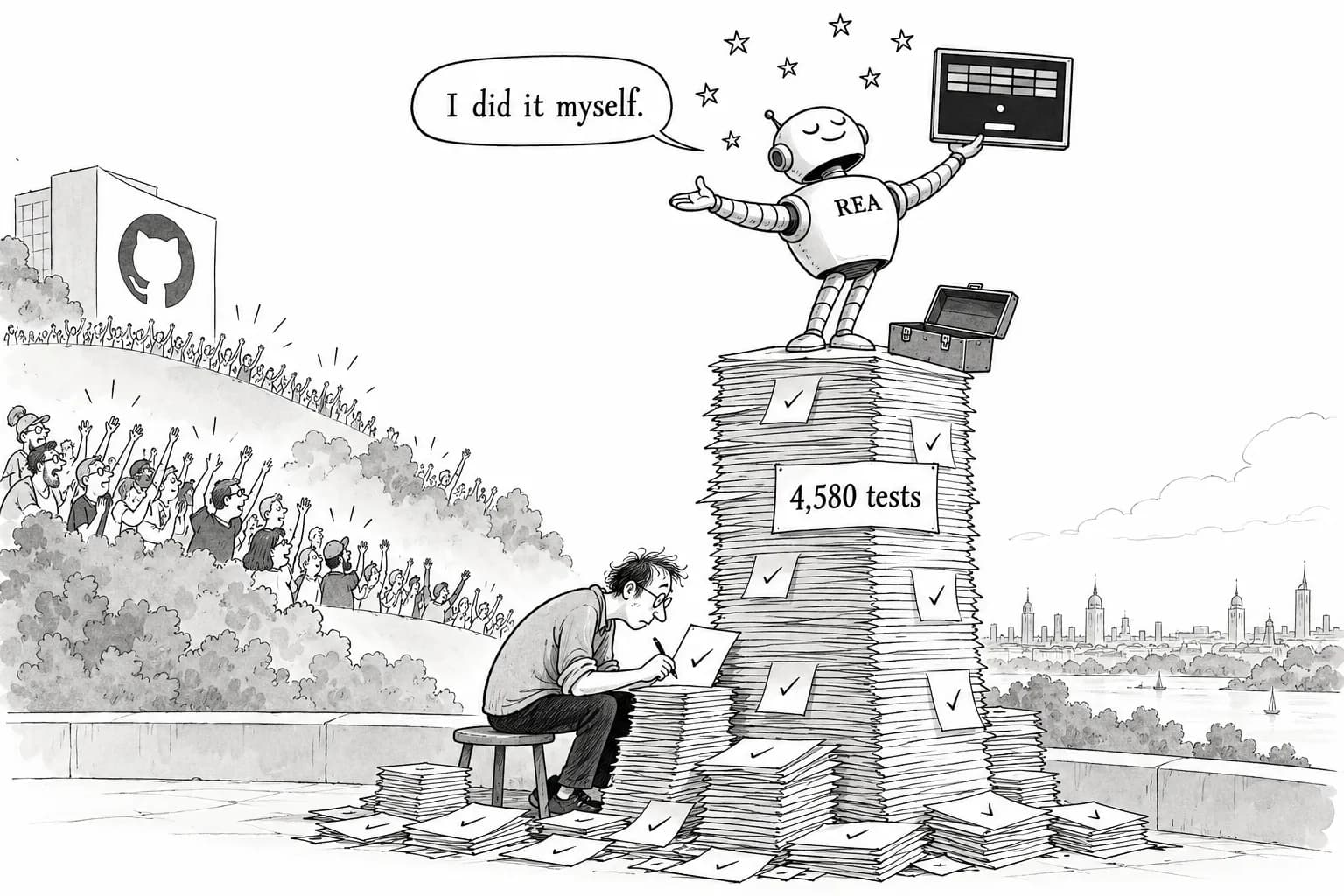
- In a case where DX-Ball was turned from an executable back into C, the pseudocode from decompilation was not enough. What made it work was a suite of 4,580 test cases checking the code against the original x86, plus a verification system designed by a human
- Oct. 7 alone brought issues such as Ghidra detection failing on Linux and a lock problem on Windows. A third-party review described REA as "not a decompiler, but an orchestrator of procedures"
This week's most visible repository on GitHub was REA (Reverse Engineer Anything), from independent developer morluto. As the name suggests, it is built to reverse-engineer anything: it has AI agents analyze applications when the source code is not available.
A disclosure first: I have not run the tool myself. For this piece I went through the repository, the release notes, the issue tracker and the write-up from a developer who used REA to rebuild an old Windows game. The short version is that this is not a story of AI doing everything on its own. What mattered most was a system for checking the answers, and a human built it.
About 2.2 times the stars in three days, and two major versions
First, what REA does. Applications are usually shipped as machine code, the instructions a CPU runs directly, rather than as the source code people wrote. Reverse engineering means turning that machine code back into something a person can read. The standard tools are Ghidra, a free analysis tool released by the NSA; Hopper, a paid tool mainly for the Mac; and IDA, the industry-standard paid tool. All of them take a lot of practice to use well. REA lets an agent run these tools through MCP. It covers native apps, Electron apps (desktop apps built with web technology), .NET (Microsoft's application platform), APKs (Android app packages) and firmware (the low-level software built into devices and appliances). It includes 41 MCP tools and 14 workflows that package investigation procedures.
Here is the growth in numbers. When REA hit GitHub Trending on Oct. 6, it had 6,866 stars, 2,963 of them added that day. On Oct. 8 it took the No. 1 spot on the daily trending list and reached 15,170, adding 4,655 that day alone. That is roughly 2.2 times the count in two days, and the gain over the past seven days is 14,566. The repository has 1.6k forks and 1,320 commits. These figures come from GitHub Trending, AGI Hunt and reporank.
The development pace is unusual too. According to the release list, v4.0.0 and v4.0.1 shipped on Oct. 5, v4.1.0 on Oct. 6 and v5.0.0 on Oct. 7. That is four releases in three days, two of them major versions, which are large updates that can break existing setups. The project had been quiet for about two months after v3.1.0 on Aug. 9 before the releases suddenly started coming one after another. v4.0.0 removed the old replay tools. v4.1.0 added several things at once: static analysis of APKs (reading the contents without running them) with JADX, a tool for reading Android apps; firmware analysis with Binwalk and Unblob, tools that unpack firmware; read-only Ghidra analysis on Windows x64; and IDA integration. The next day, v5.0.0 brought breaking changes to screen capture and made JDK 17 or later (the Java development kit) a requirement for Android analysis.
For users, that is exciting. It also means a setup that worked yesterday may not work today.
Case study: Turning DX-Ball from an executable back into C
So what can REA actually do? The README points to a case study, the write-up in N0zoM1z0's dx-ball repository. DX-Ball is an old brick-breaker game for Windows. Its source code is not available; there is only the executable (.exe). Using REA 4.1.0 and Ghidra 12.1.4, N0zoM1z0 rebuilt that executable as C code that people can work on and fix.
This is the key part. According to the write-up, the pseudocode from Ghidra's decompiler, which guesses C-like code from machine code, was incomplete and was not enough by itself. So N0zoM1z0 built tests that compared the behavior of the original x86 machine code (the instruction set PC processors run) with the behavior of the rebuilt C code, one case at a time. The method is to check, over and over, that the same input gives the same result. The match went as far as the order in which random numbers are drawn and drawing at the level of 2×2 pixels.
The figures are very detailed. The audio panning routine (which splits sound between the left and right speakers) passed 3,205 cases checked against the original x86 and reproduced the 63 bytes of the compiled function exactly. Overall there were 4,580 comparison cases, and the checks covered behavior over 200 consecutive frames. The body of the tile collision code was recovered at 1,244 bytes, and the sprite routine (which draws the ball and paddle) at 105 bytes. Each investigation kept between 78 and 257 evidence records, and each call to Ghidra had a time limit of 360 seconds.
According to the write-up, the human's job was to read snapshots (captures of memory and state at a given moment) and to design the verification. In today's terms, that is harness design: building a system that constrains and controls an AI working on its own. Instead of letting the AI guess, a human set the standard in advance: the code passes if it matches the original machine code. To me, that is the most important part of this case study.
The issue tracker is full of problems, including analysis tools that can't be found on Linux and Windows
The story is not all good. On the issue tracker, a long list of bug reports arrived on Oct. 7 alone. Issues #832, #1009, #1026 and #1036 were all opened that day. There are 75 open issues and 15 pull requests. Some issues were closed the same day, so the maintainer is responding quickly.
The clearest example is #832. Selene0623, who uses CachyOS (an Arch-based Linux distribution), tried REA 4.1.0 with OpenCode (an open-source coding agent). REA could not find Ghidra 12.1.2, which had been installed in /opt/ghidra. On top of that, the operating system itself was flagged as "unsupported," and every analysis stopped with a "provider unavailable" error that gave no hint of the cause. Before the question of how smart the AI is even comes up, the tool fails while looking for where its own tools are installed.
On Windows, #1026 reports that a lock on Ghidra snapshots (a mechanism that keeps other programs from touching a file) blocks Java from loading. For analysis of JavaScript apps, #1009 reports schema rejection errors (data turned away because it doesn't match the expected format), and gaps in CI (automated testing) were also raised.
Even the DX-Ball success story has unsolved parts. The investigation record for a single function grew to 11,726,147 bytes, over the SDK's default limit of 10MiB. Platform callbacks (code the operating system calls) and the code for modes other than gameplay remain "unresolved." Not everything was recovered cleanly, and I appreciated that the author said so plainly.
A third-party review: "not a decompiler, but an orchestrator of procedures"
Outside reviews are worth a look too. According to a review by Dawson of Hysen Labs, REA does not do any analysis itself. It assumes Hopper (paid) or Ghidra is already installed and organizes the agent's investigation steps. At the time of the review, the repository had 13,348 stars and 1,402 forks, and it required Node.js 22.19 or later.
The review lists four weaknesses: it does not recover the original source and stops at pseudocode; it does not work without Hopper or Ghidra; it is hard to keep up with major updates that come roughly once a week; and Windows support is still experimental. It recommends REA only for teams that already have an MCP-compatible agent and licenses for the analysis tools.
The legal side cannot be skipped either. The README itself states that REA is "a tool for lawful reverse engineering research" and that "obtaining authorization and complying with the law are the user's responsibility." Analyzing your own apps, or targets you have permission to analyze, is fine. Using it to rebuild features from another company's commercial app, however, calls for real care about rights. The DX-Ball case should not be read as proof that anything can be copied.
My takeaway: what REA does well is less "AI can read machine code" than turning analysis-tool operations into 41 components and 14 procedures that an agent can use without getting lost. Even so, what finally proved the result correct was the 4,580-case comparison suite that N0zoM1z0 built. Don't hand everything to the AI; keep the standard for checking its answers in human hands. That is a basic rule for working with agents, in reverse engineering and elsewhere.
Editorial cartoon