AI in the Field · Nov 14, 2026
Popular AI desktop-control tool hit by bug reports of clicks that "succeed" but do nothing
Vercel Labs' agent-desktop lets AI operate a desktop without taking screenshots. As the initial buzz faded and more people put it to real use, reports of mismatches piled up. The developers rushed out a feature that confines the AI to a virtual machine
Haru Misaki · Field Correspondent

Watch the video
Key points
- According to Trendshift, daily star growth peaked at 3,112 on November 3 and slowed to 584 on November 13. The total stands at 23,300
- Ten bug reports were filed between November 11 and 13. The most troubling: clicks that report success while nothing happens (Feishu/Lark on macOS). Others include a case where the screen cannot be read at all on Windows 11 build 26200, and one where the tool fails to launch from paths containing Japanese characters
- In v1.3.0 on November 12, the developers added a sandbox that runs inside a macOS virtual machine, and fixed a bug in it with v1.3.1 on November 13. That makes seven releases in about two weeks since the stable version shipped
Two weeks ago, Vercel Labs' agent-desktop drew attention for letting AI operate desktop apps without taking screenshots. This week, after tracking online reports and public documentation, I found the mood has shifted. Star growth has slowed. In its place, people who actually ran the tool keep reporting that it returns "success" while nothing happens on screen. In response, the developers rushed out a sandbox feature that confines the screen the AI operates to a virtual machine (a second, simulated computer running inside your own). The hype phase is over, and the tool has entered the week where real use sorts out what works.
For Japanese companies: For most companies, this isn't an immediate concern. IT departments and development teams experimenting with having AI operate internal office apps should check this week whether their test machines are on the latest Windows 11 build (build 26200), and whether the folder holding their development tools has Japanese characters in its name. If you do test it, keep it inside a virtual machine where no customer data is visible. This is a free, near-prototype tool published by Vercel Labs, and it has no bearing on Copilot or ChatGPT enterprise contracts.
Daily stars fall from 3,112 to 584. What came after the hype
Start with the numbers. According to Trendshift, a site that tracks GitHub star trends (stars work roughly like a "like" or a bookmark), the repository gained more than 2,000 stars a day after its October 31 announcement, peaking at 3,112 on November 3. It picked up about 16,250 in the first seven days alone (October 31 to November 6). Over the 61 days from September 15 to November 14, it reportedly gained +22,179.
This week, it added +698 on November 11, +648 on November 12 and +584 on November 13, down to around 600 a day. As of November 14, the total stood at 23,300, with 1,700 forks (copies people make to modify for their own use) and 8 contributors (people who have actually written and submitted code). Still, it keeps gaining several hundred stars a day, so interest hasn't dried up.
What I think matters more than the count is that the nature of the attention has changed. Stars right after launch meant "this looks cool"; now more people are at the stage of "here's what happened when I ran it." That shows up clearly in the number of GitHub issues (the board where users post bug reports and requests). As of November 14, there were 86 open issues and 152 unmerged PRs (fixes submitted by outside contributors).
Eight contributors, 152 pending fixes. This is my own read, but it looks like outsiders have flooded in faster than the people building it can keep up. Put the other way, it also means a lot of people are seriously testing whether they can use it in their own work.
What was new in the first place? "Reading" the screen instead of "looking" at it
A quick recap. The best-known way to have AI operate a computer is to show it a screenshot, have it guess where a button is, and click there. agent-desktop does it differently: according to its official README, it uses neither screenshots nor image matching.
Instead, it reads the operating system's accessibility layer. This is essentially a directory of on-screen elements that the OS maintains so that screen readers for people with low vision can tell "there's a 'Save' button here" or "this is a menu." agent-desktop pulls buttons and menus from this directory, assigns each one a number, and hands the result to the AI as JSON (a structured data format that programs and AI can read easily). Rather than locating things from an image, the AI can simply say "press number 7." That is the hook.
agent-desktop itself contains no AI. It is a component you connect to whichever AI you like, distributed in three forms: a command-line tool (CLI), an embeddable C library, and an MCP server. It has 61 commands, 57 of which actually perform clicks or input. Supported operating systems are macOS 13 and later, Windows 10 1809 and later, and Ubuntu 24.04 and later. However, four commands for holding down keys or buttons are not yet functional.
The README also carries warnings from the authors themselves. One is that the tool reads screen contents and the clipboard (the temporary store for copied content), which may contain personal information. The other is that when the screen changes, the assigned numbers go stale and the screen has to be read again. That "stale numbers" issue ties directly into this week's bugs.
"Clicked successfully," yet nothing happens. The failure reports that came in this week
In the three days from November 11 to 13, ten reports were filed as GitHub issues. Here is what people who actually ran the tool reported.
- Returns success, but nothing happens (macOS, November 13): In Feishu/Lark, a workplace chat app built with Electron (a framework for building desktop apps with web technology), clicking the menu bar returns success, but nothing actually happens. The AI assumes the action worked and moves on to the next step.
- Opens, but the AI doesn't notice (Notion, November 11): Social media posts collected by Trendshift reportedly describe a failure operating Notion. The menu opened, but the AI did not realize it was open.
- Can't read the screen at all (Windows 11, November 13): On Windows 11 build 26200, every attempt to read the screen state fails with an access-denied error. Since every read fails, the tool is unusable.
- Fails to launch from paths containing Japanese characters (Windows, November 11): If the path to npm (the system for installing JavaScript tools) contains non-alphanumeric characters, the launch script breaks. Anyone with a Japanese Windows username is likely to hit this.
- Sessions can't be reused (November 11): A session (a single continuous sequence of operations) started via MCP can't be used in subsequent MCP calls. The operation to turn on the cursor display also fails, leaving only the rendering process running.
- Stalls on too many elements: The maximum number of elements that can be inspected at once is 2,048. There is a report that even small menus hit this limit and stall.
- Can't get the app list (macOS 26.6.1, arm64): The operation that lists running apps times out every time.
What worries me most isn't the tool stopping on an error, but the pattern where it returns success when nothing actually happened. If it stops on an error, a human can notice. If it returns success, the AI just moves on. Say the flow is "open the menu, select the third item from the top, save": if the first step silently missed, the clicks that follow could land somewhere entirely different.
The Notion case is the reverse: the menu really is open, but the AI doesn't notice. The direction is opposite, but in both cases the screen the AI thinks it sees has drifted from the actual screen. This is my own assessment, but it appears to share a root cause with the README's warning that numbers go stale when the screen changes. Reading the directory is lightweight and precise, but when the directory and the app's actual behavior fall out of sync, the tool has a hard time detecting that on its own.
The developers' answer: contain it first. Seven releases in two weeks
The developers are moving fast. According to the GitHub releases page, the stable v1.0.0 shipped on October 28. Counting through v1.3.1 on November 13, that makes seven releases in about two weeks.
The headline feature is the sandbox added in v1.3.0 on November 12, which lets the screen the AI operates be confined inside a macOS virtual machine. The next day's v1.3.1 (November 13, or around 6 a.m. on November 14 Japan time) fixed a bug where a launched sandbox would shut down along with it when the window that started it was closed. It also addressed vulnerabilities found in third-party components it relies on (dependencies). Shipping a fix the day after the sandbox debuted suggests the feature was added in a hurry.
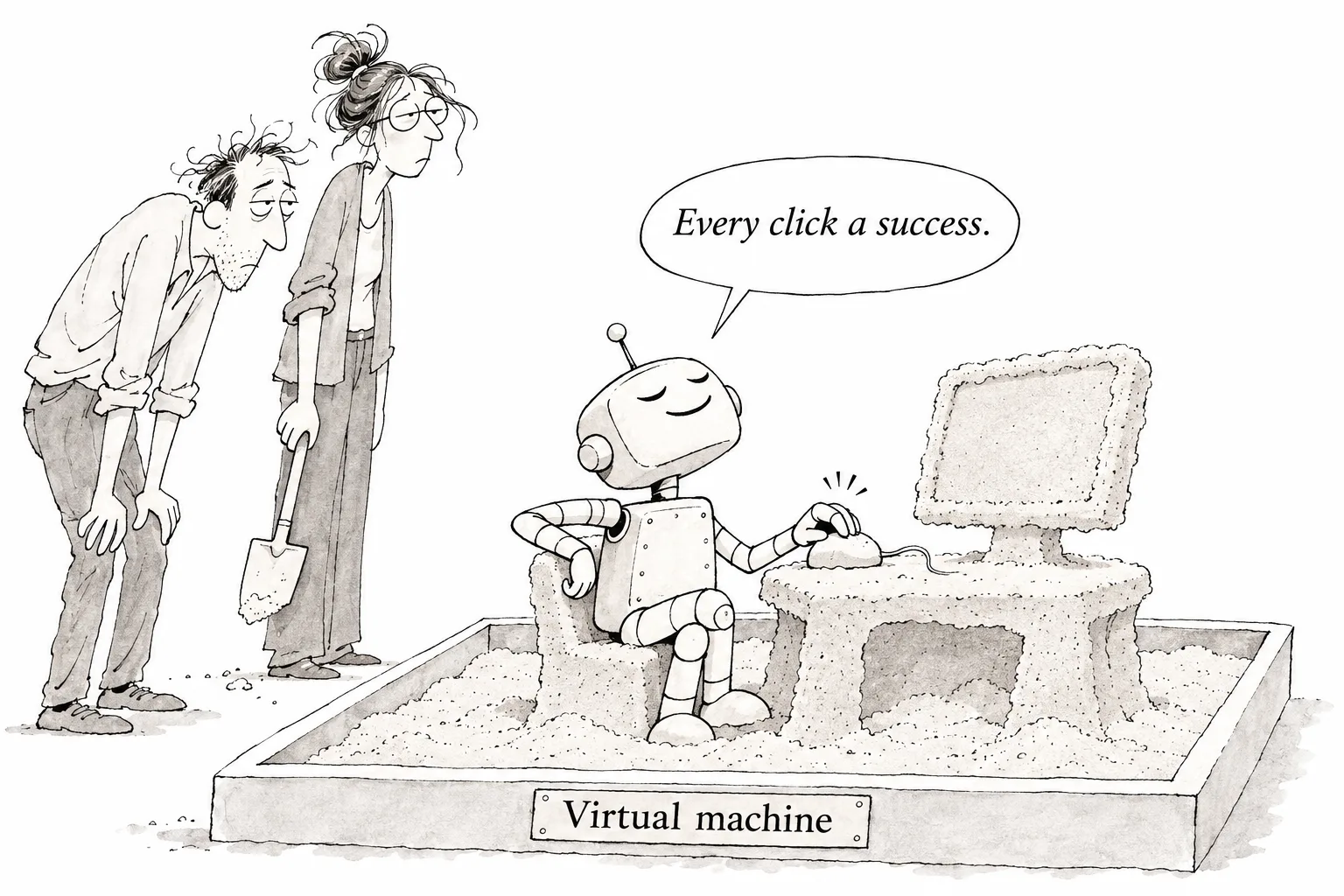
One easy misunderstanding: the sandbox does not fix the "clicked but nothing happened" problem. The mismatch can still occur. What it does is act as a guardrail, so that even if the AI barrels ahead out of sync, the damage stays inside the virtual machine. It avoids a scenario where, on your own computer with work email and internal systems open, the AI wrongly believes a click worked and goes on pressing other buttons. I think containing the problem before fixing it is the right order. But this sandbox is a macOS virtual machine, so it doesn't yet help anyone struggling on Windows.
Here is what I could not confirm. The releases page doesn't show which of the bugs above have been fixed in the latest version. The Notion case comes from social media posts seen through an aggregation site, so it's unclear which OS or version it occurred on. Nor was there any mention of plans to bring the sandbox to Windows or Linux.
So how should you approach it for now? If it were me, I'd run it only inside the sandbox on a personal Mac, and check the screen with my own eyes every time the AI says "done." People who pass AI output along without verifying it have lately been called "meat proxies" (people who just relay AI output as is), and this tool is squarely at the stage where skipping verification is risky. The idea of driving a computer by reading the directory is genuinely interesting, so I'll keep following the next releases to see how far they get in handling the mismatch.
Editorial cartoon